Define Neighbor Table and Neighbor Variable
For each hub device, you can select tables from the following three sources to build the table for neighbors, which determines how the corresponding neighbors are discovered.
- Device Table: The neighbors are discovered from a table parsed from the command results of hub devices (parsed table) and etc.
- Automation Data Table: Select the columns with Hub device and Neighbor device information in the ADT to build the neighbor table.
- Topology Table: Select one of the topology types to build the neighbor table.
Device Table
When you select a table from the Device Table, all the tables in the hub devices will be listed in the Neighbor column for you to select, such as the parsed table, built-in table, merged table and all other compound tables. The macro variable is supported in the command of the neighbor table, which will be explained in detail in Define Macro Variables for Hub and Spoke Devices.
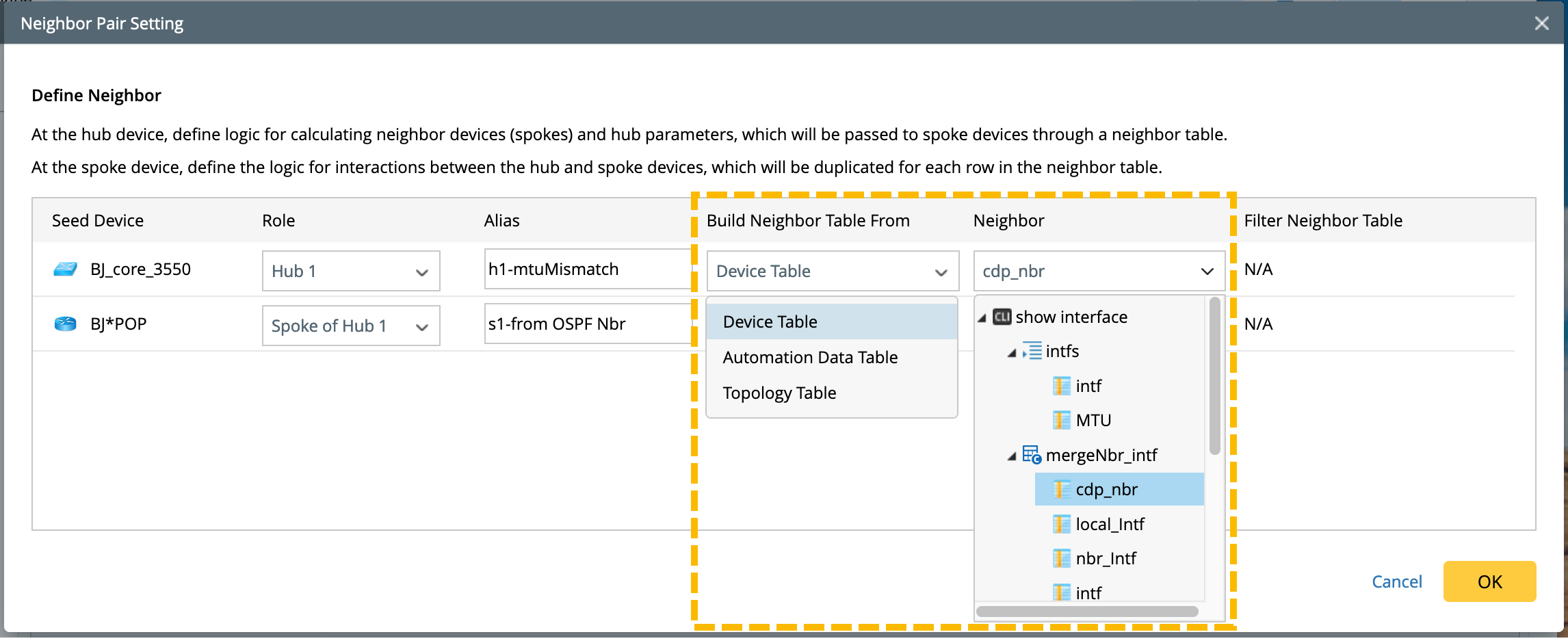
Neighbor Discovery Logic: If the ip addresses are selected as the neighbor column, the system will directly use these ip addresses as the hostname to discover the neighbor devices. When no devices are discovered, then use them as ip to check whether there is an IP address match.
Automation Data Table
When selecting ADT as the data source of the neighbor table, you need to:
- Specify the table column used to find neighbors. The columns containing device information in the ADT will be listed for you to select as the Neighbor column.
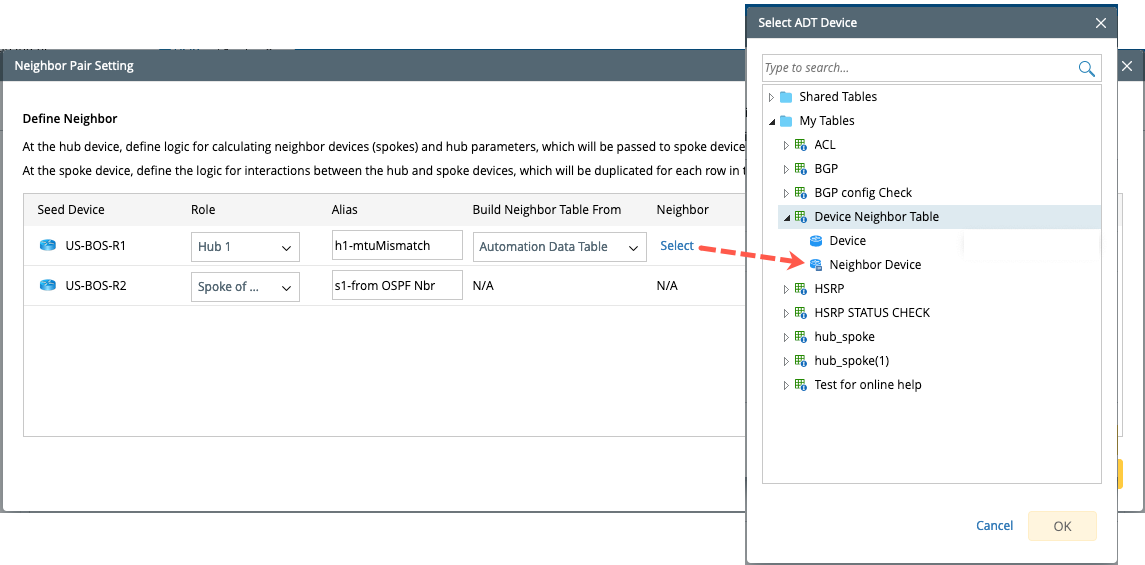
- Specify the device key column in the selected ADT to find the corresponding hub device. That is, you can select the columns in the same ADT as the Hub Device Key Column to clarify the relationship between the current device (hub device) and its neighbors.
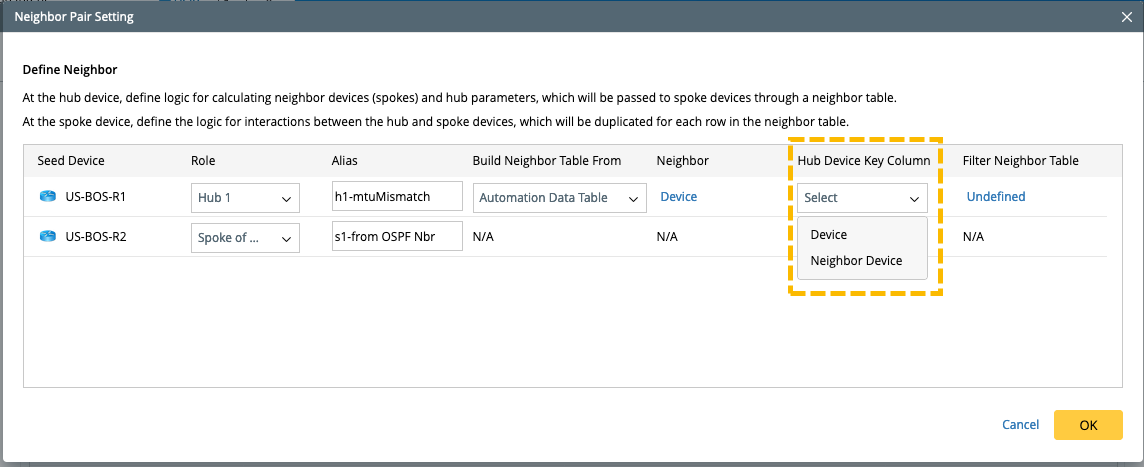
Neighbor Discovery Logic: Use the incoming devices to match the hub device through the device key, and then find the neighbor devices based on the relationship to the hub device in the ADT. If there are multiple devices contained in the device column in the ADT, and more than one hub device is matched, then all the discovered neighbor devices of the matching hub devices are available.
Topology Table
You can also select a topology table to build the neighbor table. Three topology types are supported: IPv4 L3 topology, IPv6 L3 topology, and L2 neighbor.
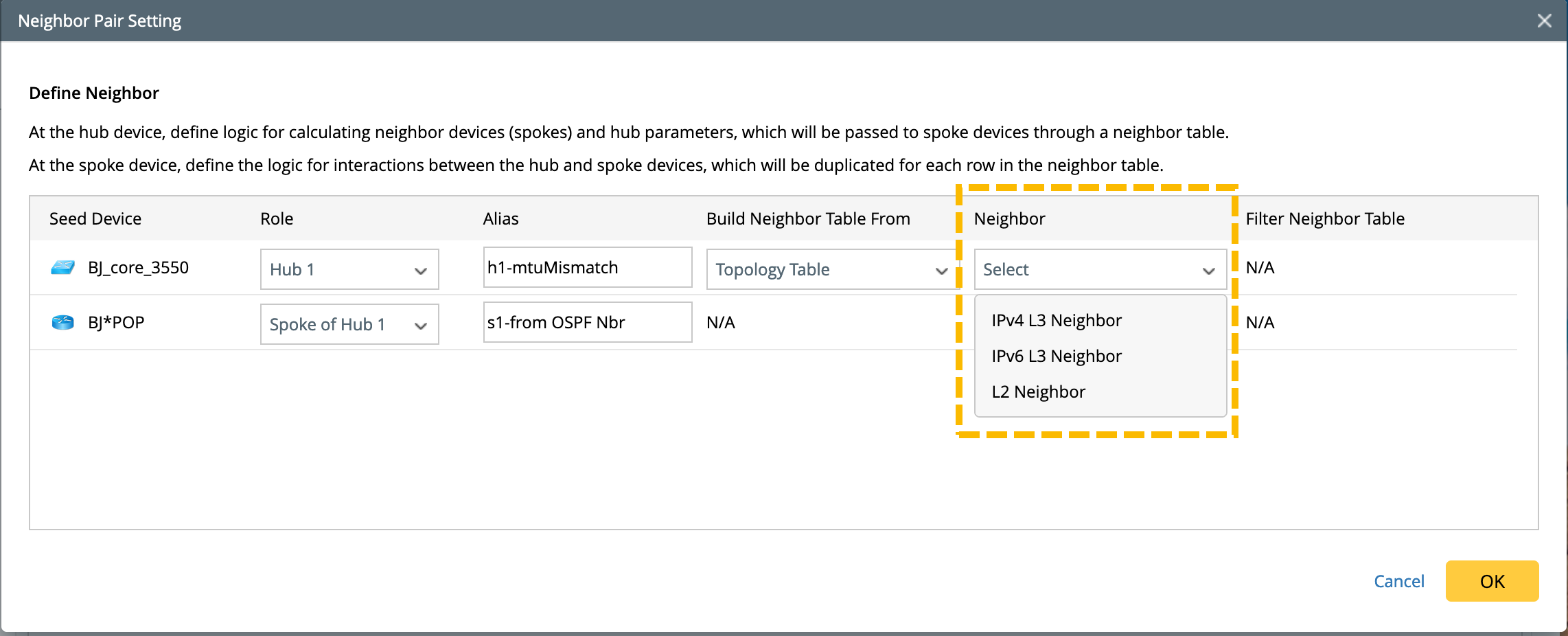
Neighbor Discovery Logic: Once you select a topology type, the topology table implies the relationship between a device (hub device) and its neighbors. The neighbor devices correspond to the devices in the Neighbor column in the topology table.