Local scope can be added to define the text scope for var line and can apply to any var line after it. One or more local scopes can be defined in one pattern. This function is suitable for parsing configurations that have multi-level relationship through a single pattern.
Define Local Scope
Local Scope can be added from the dropdown menu of a var line. 
To create a local scope, follow the steps below:
- Click Insert Local Scope from the dropdown menu of a var line, then the Local Scope will be added above this var line.

- Define start line of local scope. You can continue to define the following advanced settings:
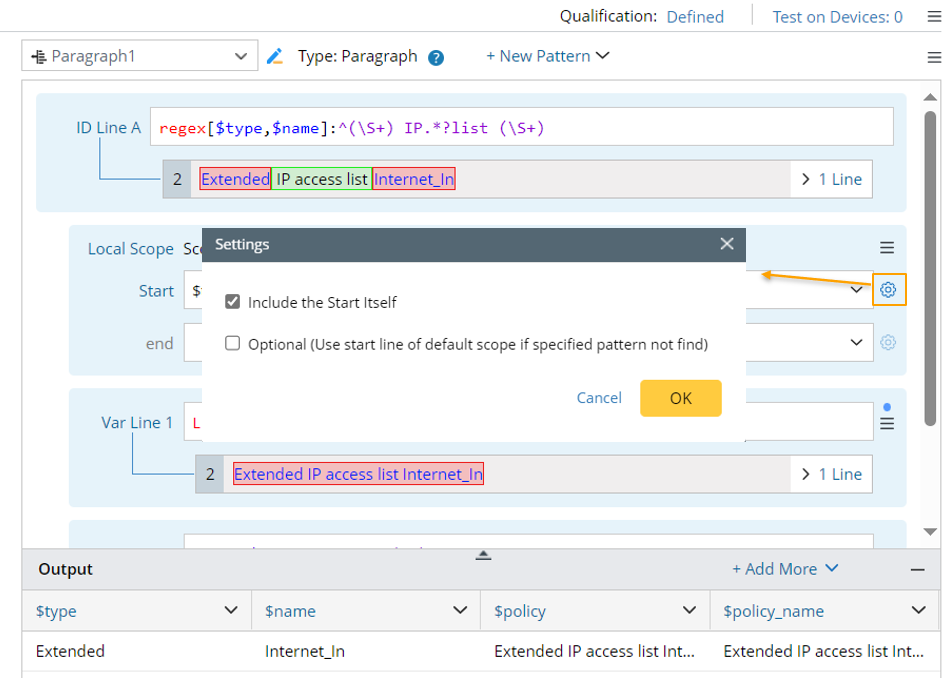
- Whether the start line is included in the scope.
- What to do if the start line is not parsed: When ‘Optional’ is checked, the start line of the default scope for this var line will be used if the start line is not successfully parsed.
- Define end line of local scope. You can continue to define similar definitions as the start line:


Note: A local scope can be deleted from its dropdown menu. 
Select Local Scope for a Var Line
You can specify a scope for a var line from its dropdown menu, and the selected scope will be marked by the  icon.
icon.
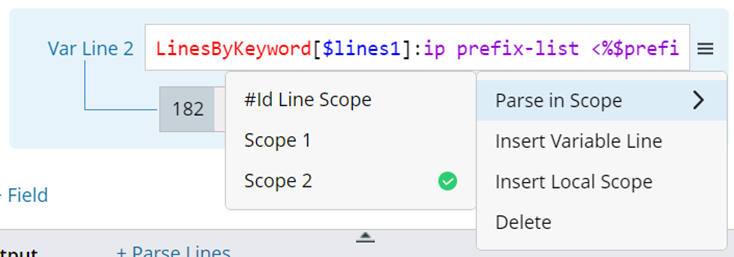
The scope options are introduced below:
- #Id Line Scope: The scope which is specified by the ID line above this var line.
- Local Scope: List the scopes defined before this var line.
- Default Scope: The parsed text scope of the current pattern. If no scope is specified, the default scope will be used.
|
| Note: For collector pattern, the default scope may be the whole command text. |
Insert Variable Line
Insert Variable line: A new var line can be inserted from the dropdown menu of another var line. After being inserted, the new var line can use the local scope listed above it.

Example of Using Local Scope
The following is a use case for illustration how local scope works.
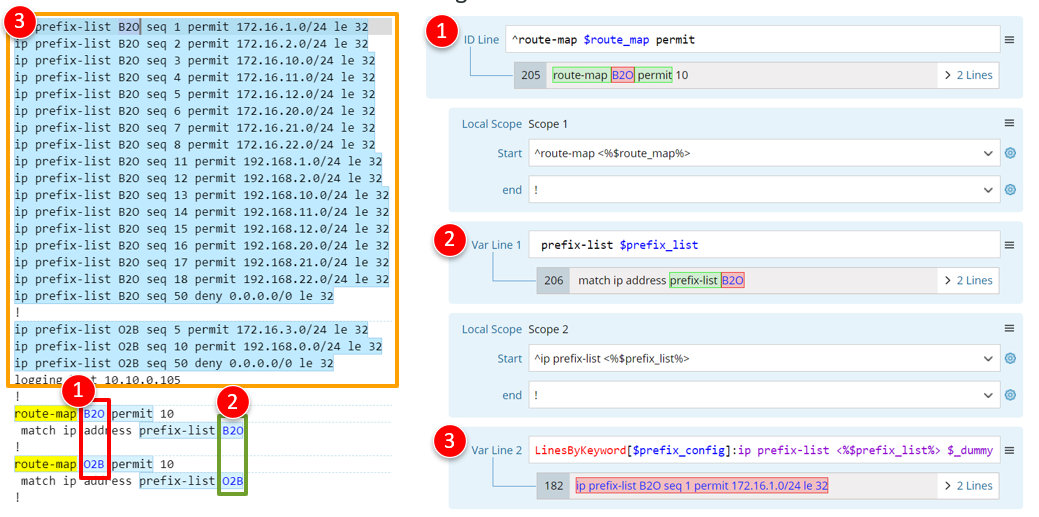
- Parse variable $route_map by ID line.
- Parse $prefix_list by var line, then define local scope 1 for the var line to parse it correctly. Use the variable template <%$route_map%> to define the start line of the local scope.
- Parse $prefix_config by var line, then define a local scope 2 for the var line to parse it correctly. Use the variable template <%$ prefix_list %> to define the start line of the local scope.
The final parser output will be as below:
