R12 Publication-2025July16
Manage All Intent Variables
There are two entrances to open the Variable Manager.
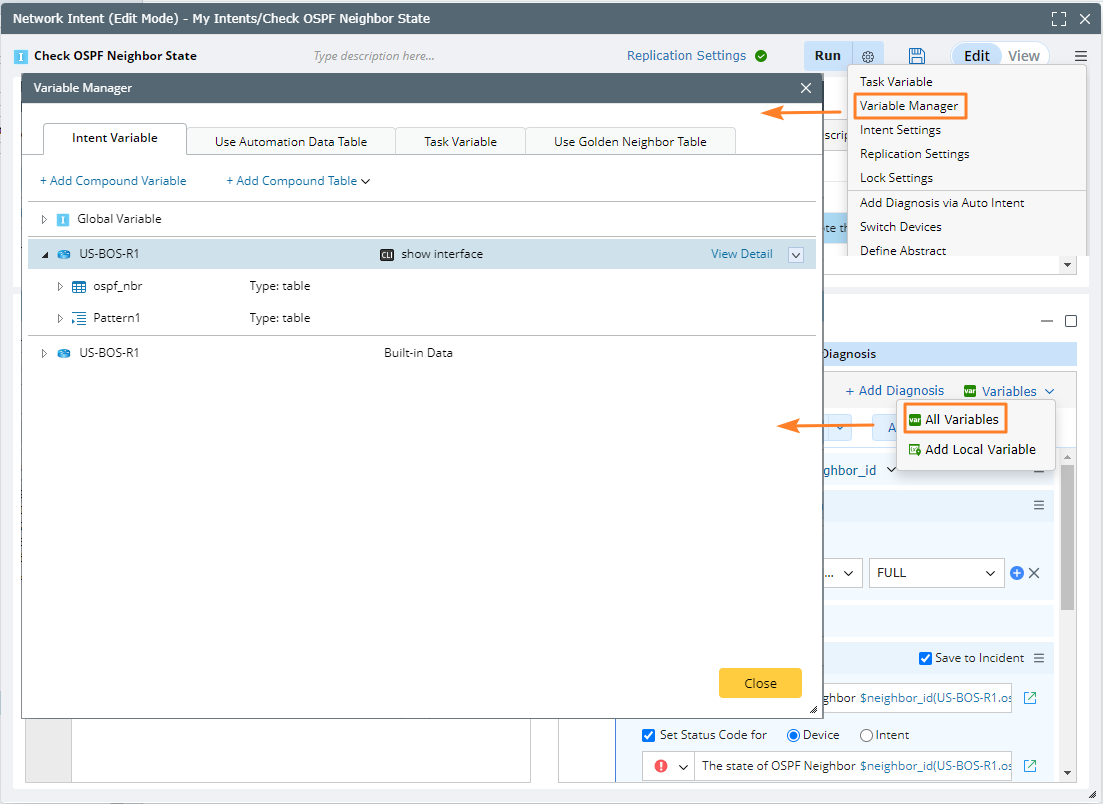
- Intent Variable
- Global Variable
- Compound Table
- Built-in Data Table
- Automation Data Table
- Task Variables
Intent Variable
- Navigate to the Variable Manager > Intent Variable. The Intent Variable tab is displayed by default.
- You can manage intent variables and device variables here.
- For Global Variable node: Adding and managing global variables.
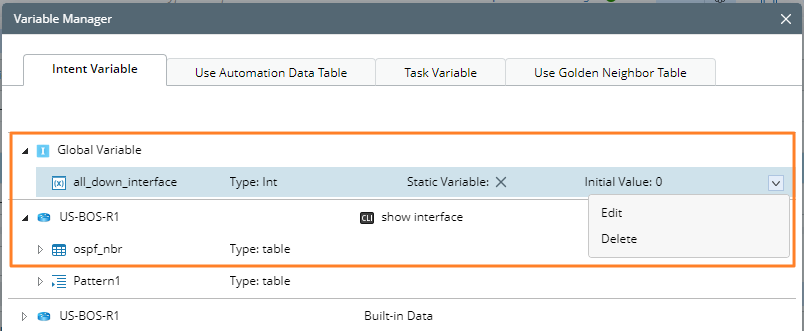
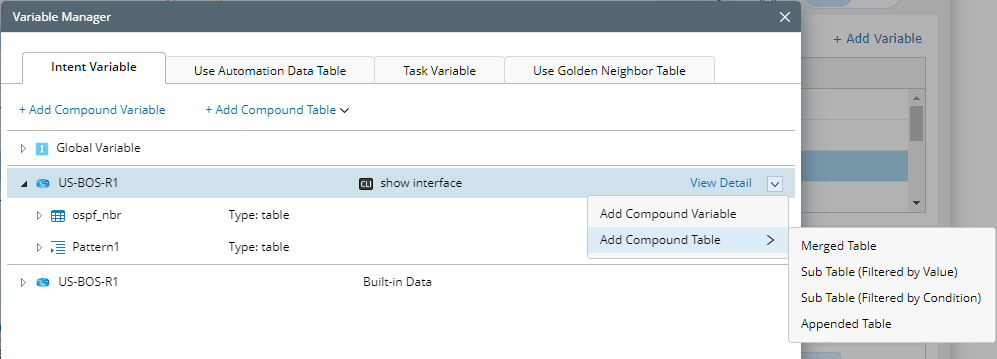
- For Device node: Adding device compound variable and compound table are supported.
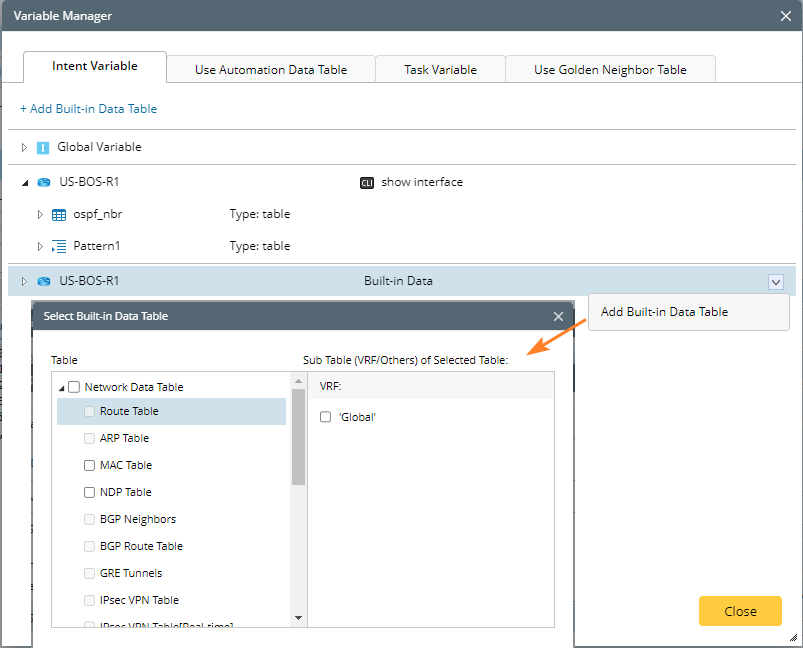
- Built-in Data node: Each device has a root node called Built-in Data and users can add built-in data table (such as device route table and NCT) here. After the built-in data is added, manage the data on this tab.
Automation Data Table
You can view and manage the ADT used on this tab.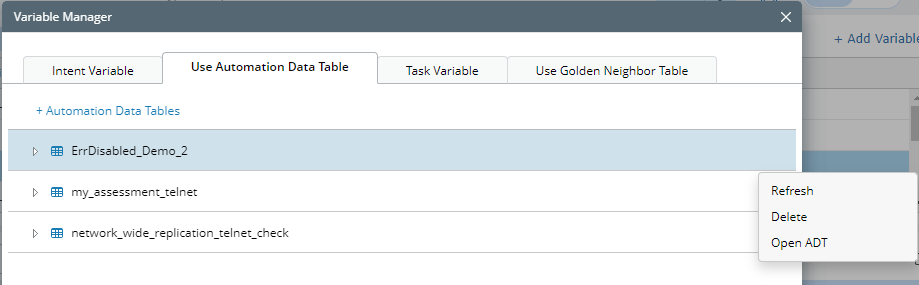
Task Variable
You can import task variables on this tab, then use them for intent definition, and you are also allowed to navigate to Task Variable Manager by clicking Task Variable Manager at bottom-left. See Intent Task Variable for more details.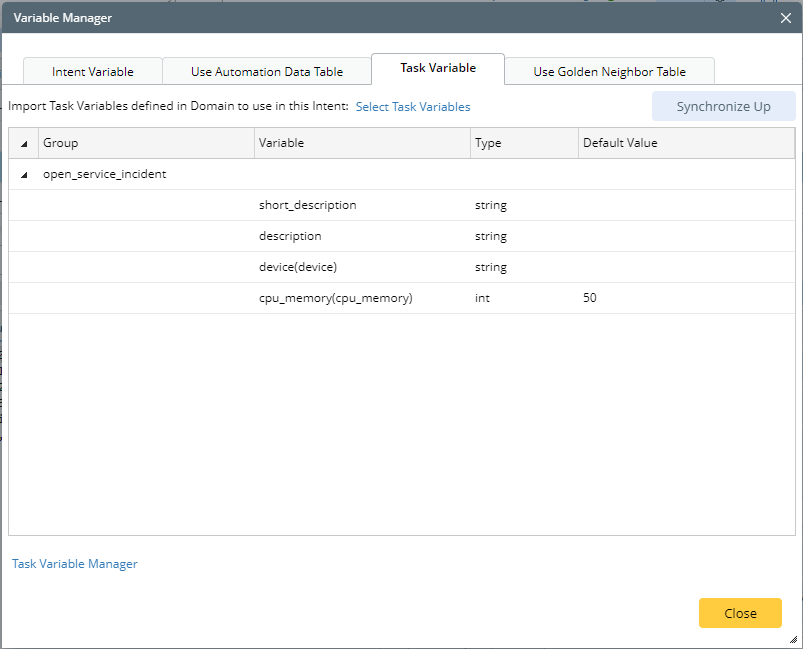
Golden Neighbor Table
The scope of the golden neighbor table is all table variables of the triggered parser, or the compound table itself in golden intent. These tables can be added to intents.
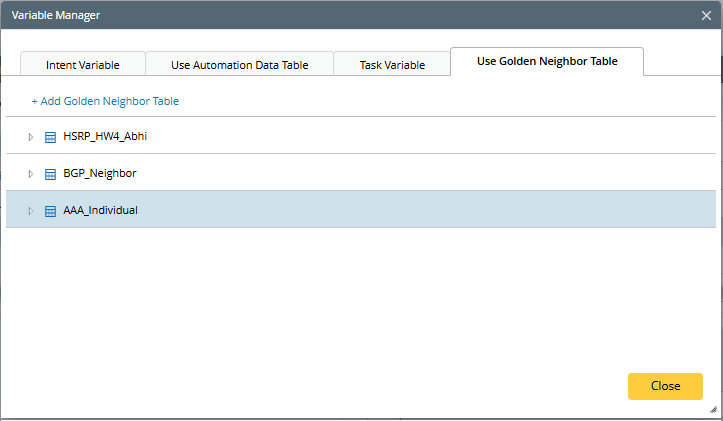
You can use the added golden neighbor tables in intent.
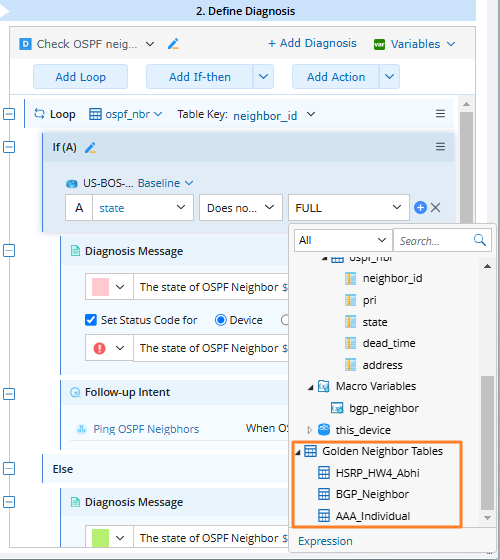

|
Note: The golden neighbor table in NI is read-only and cannot be updated. |