R12 Publication-2025July16
Manually Verify Golden Config Rule in Batch
Golden Config Rules can be manually verified in batch from this pane to get the latest Golden Config Check results. The information in the current Golden Config pane will be updated once after verification.
To verity golden config rules in this pane, click the Verity button at the upper-right corner of the left pane. 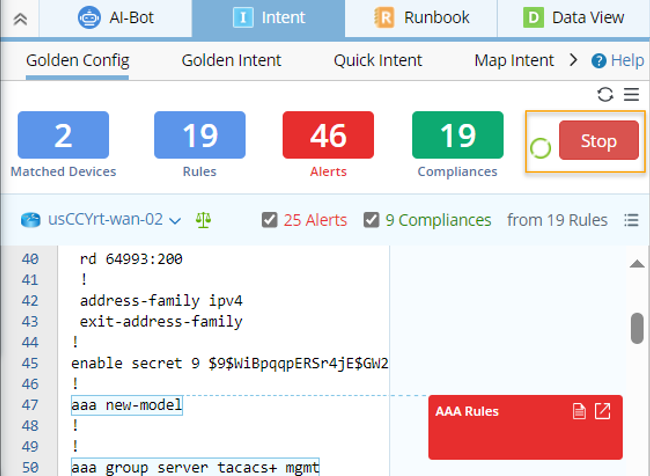
The Golden Config Rule verification process will follow the rules below:
- Live config file data is retrieved and updated to the current baseline.
- When retrieving the live config file data, Active Cache cannot be used as data source.
- Since the current baseline is already updated during data retrieval, the Golden Config Rules will be verified based on baseline config files.
- Running status icon will appear to show the verification process.
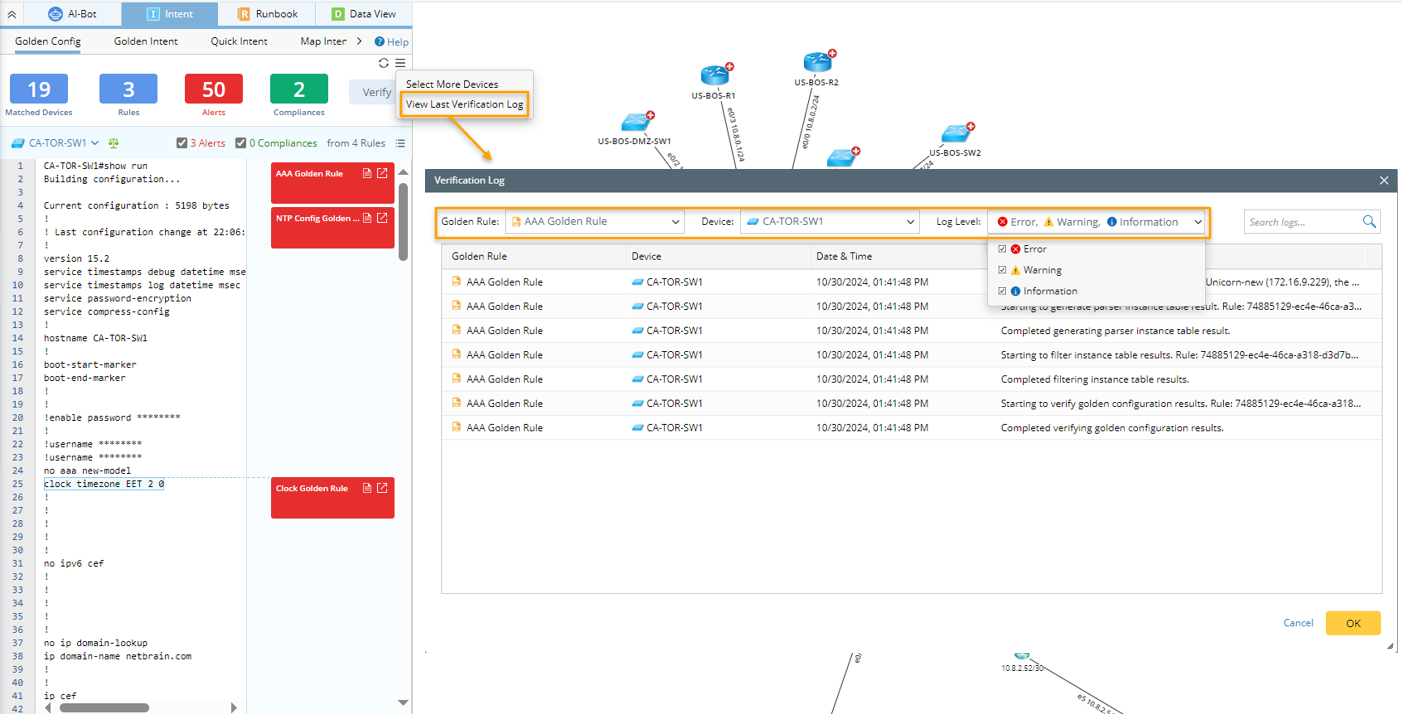
- Verification log will be created to track the last verification process. If the current map is closed, no last verification log will be shown when the map is reopened. In the case the verification log data is huge, users can filter the log data by Golden Rule, Device and Log Level. Search function is also supported here.