R12 Publication-2025July16
Refresh Device Data in Golden Config Pane
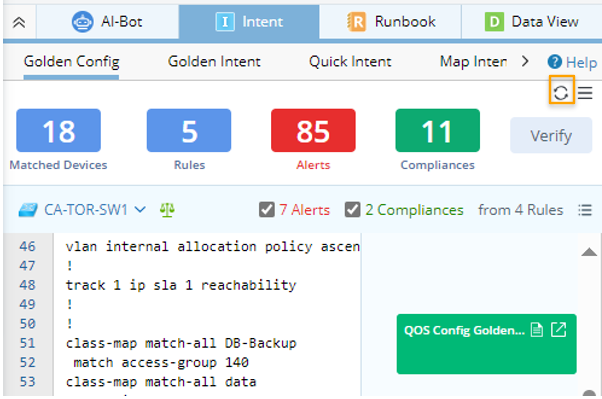
You can manually refresh the data in the Golden Config pane by clicking the refresh icon  .
.
After the refresh operation:
- New devices added to the current map and the manually selected devices will be merged as matched device.
- The summary information will be updated.
- The current selected device shown in the pane will not be changed by the refresh operation as long as this device is still a matched device.