R12 Publication-2025July16
Scenario 1: Services are disconnected
Local time differences between different servers are too large
Description
Some services under the Service Monitor are in disconnected status.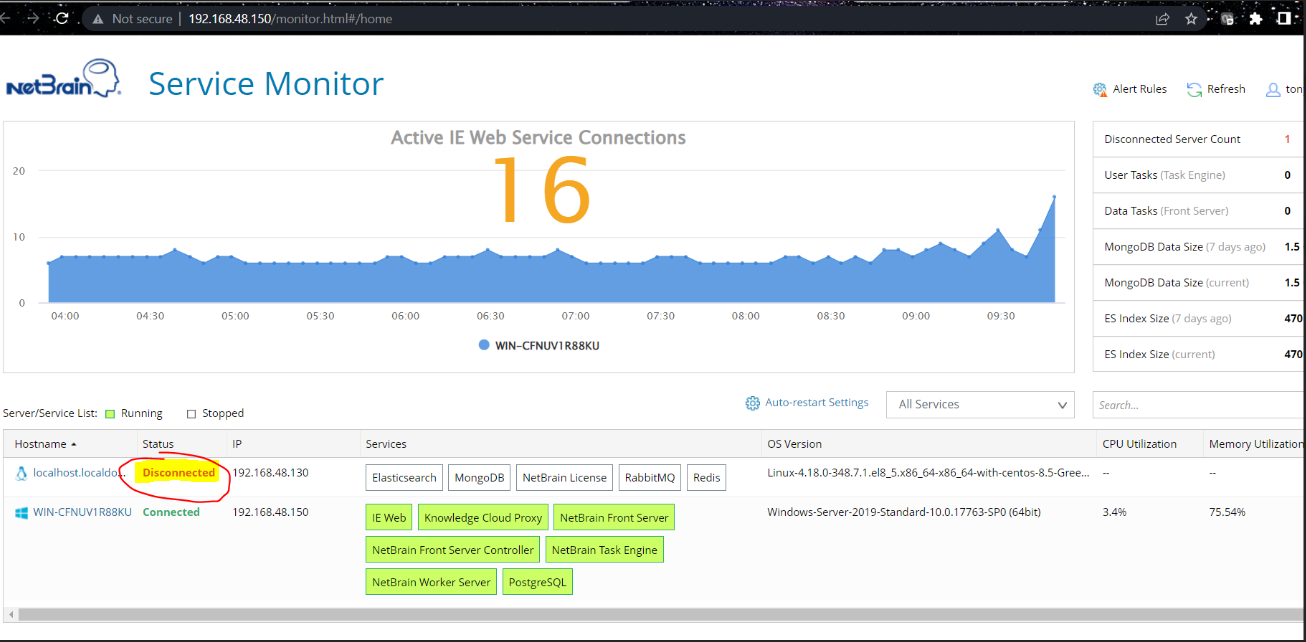
Troubleshoot
- Log in to the server and check logs under the /var/log/netbrain/nbagent directory.
cd /var/log/netbrain/nbagent
tail forwarder.log
- If you find the error 401 Client Error logs similar to below, it means the time differences between two servers (Worker server (Windows) and Database server (Linux) for current case) are too large, which should be less than 1 minute.

- Check the data info and adjust the time on two servers.
For Linux server, run the following command to set the time:
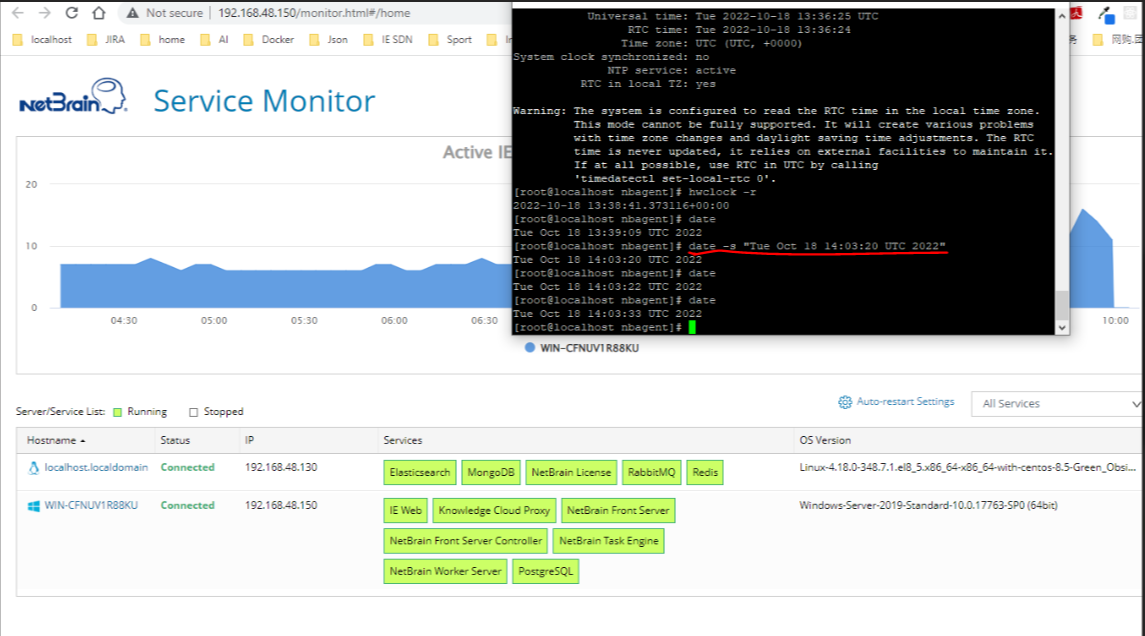
date -s “<targe time in correct format>”
date -s “Tue Oct 18 15:45:25 UTC 2022”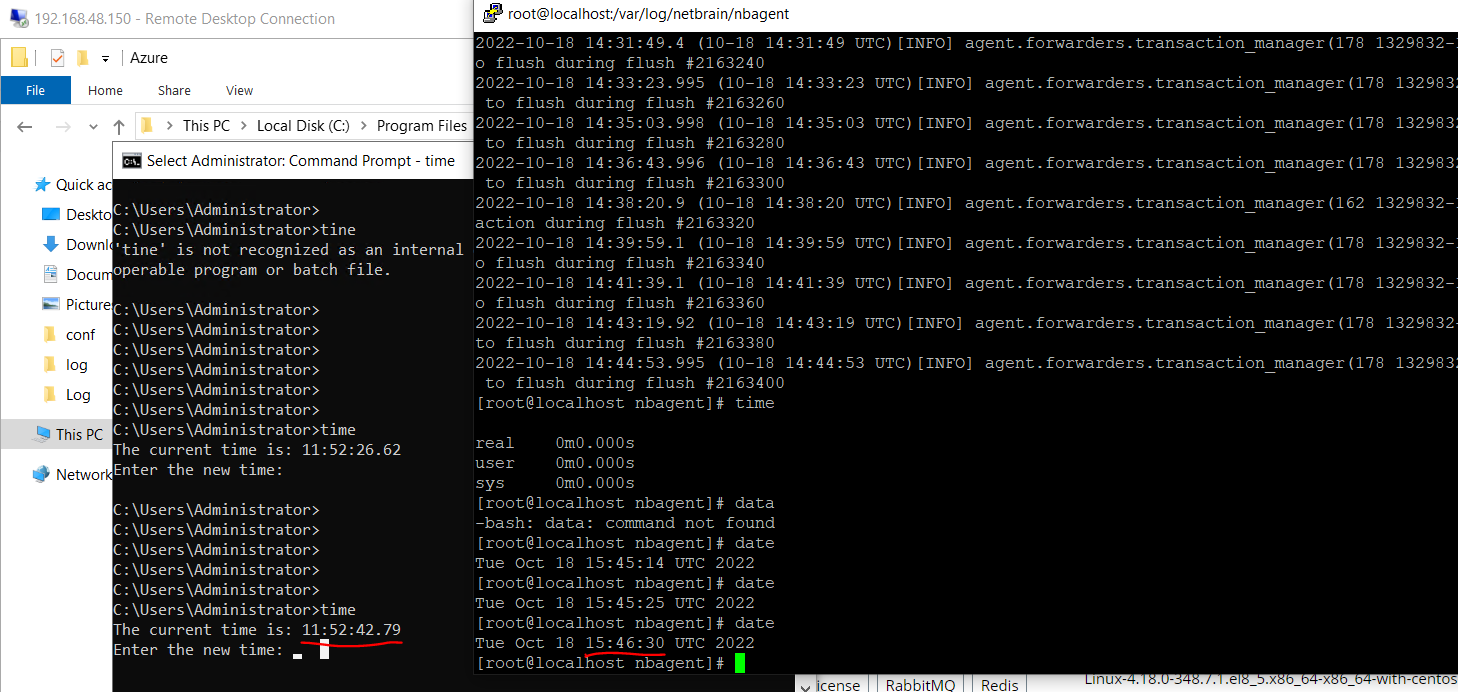
- Adjust the local server time and the services under the Service Monitor to recover to normal status.

Note: The Linux server local time may be reverted due to NTP server sync up automatically.
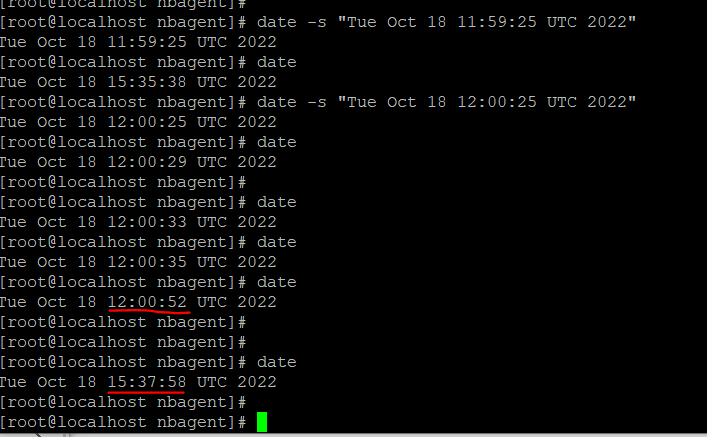
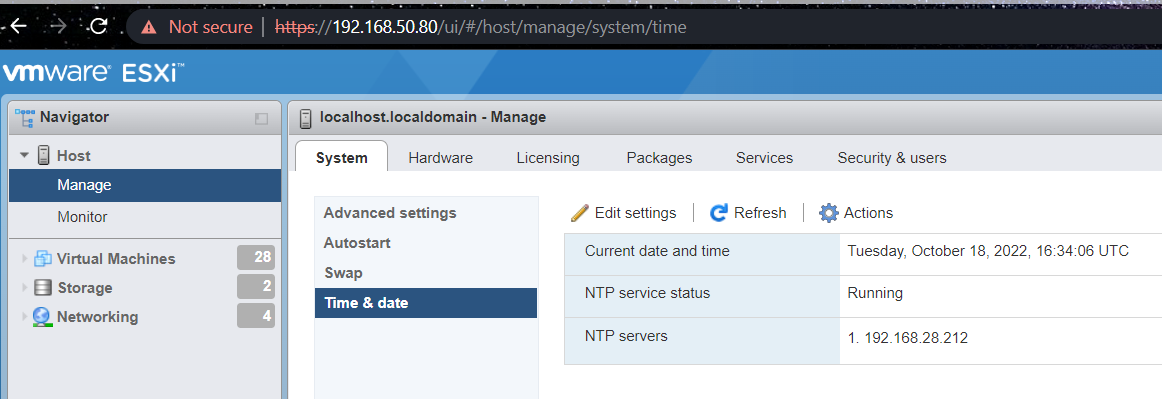
- Check the NTP config. Update the NTP sync-up config for both servers and time should be synced up together.
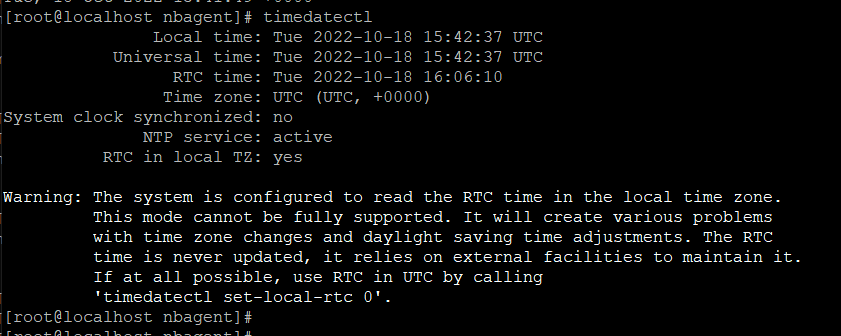
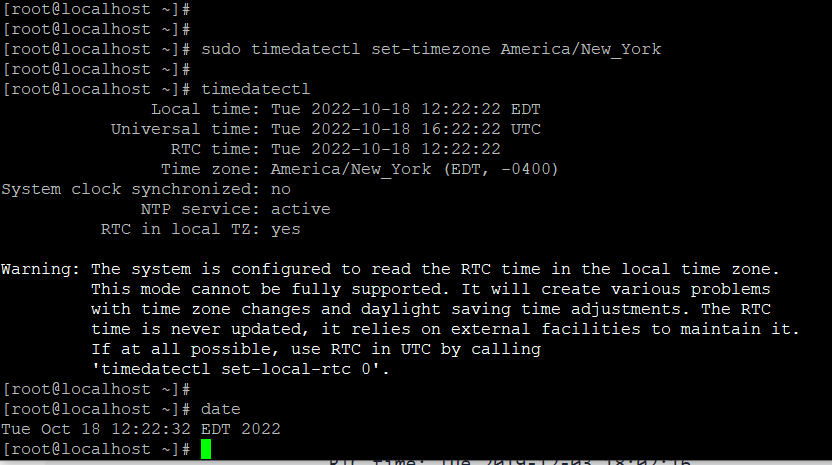
- Check the host NTP config:
- Check the VM Time config:
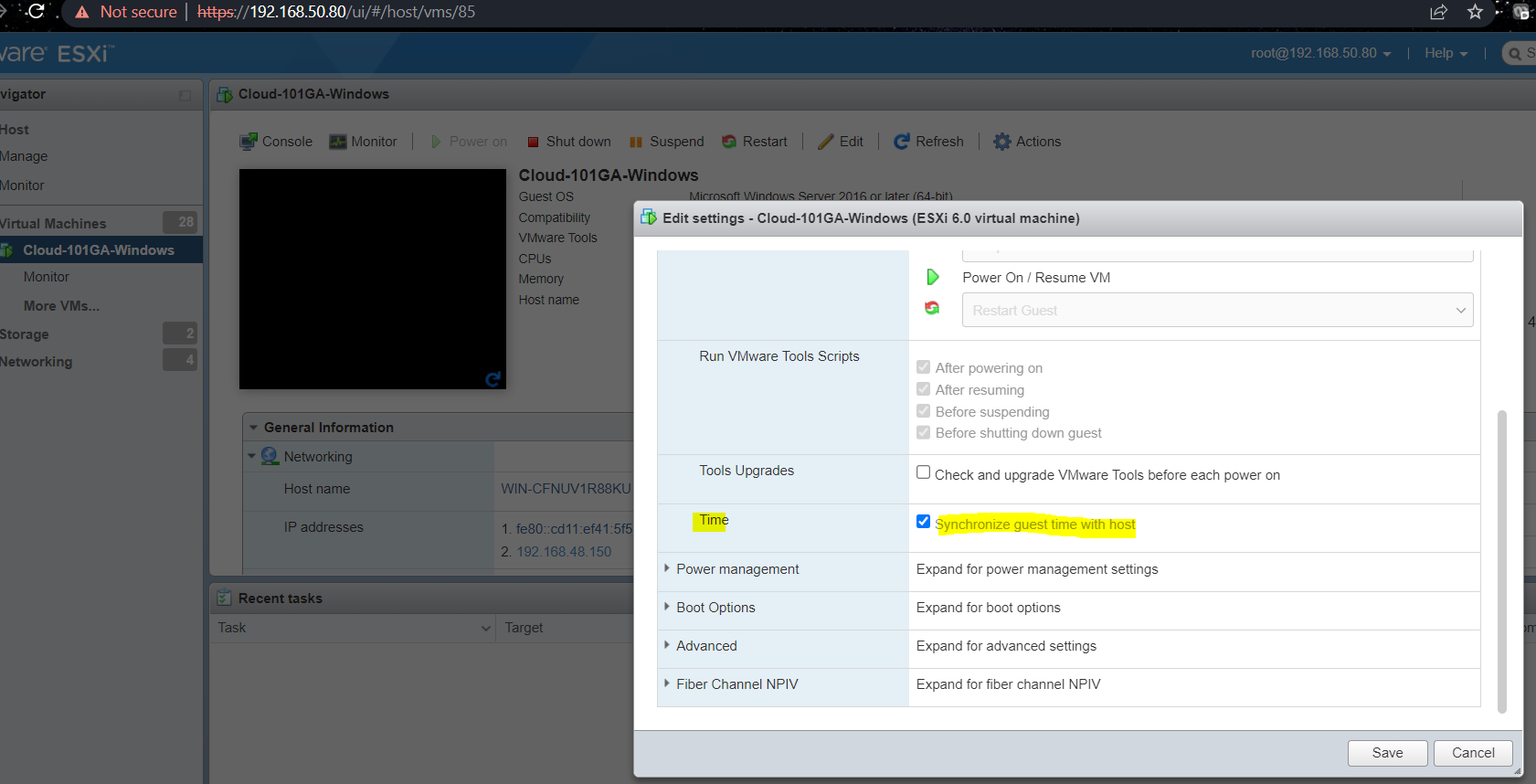
Note: Make sure all the servers have consistent NTP server configurations. - Collect Data:
- Log in to the server and check logs under the /var/log/netbrain/nbagent directory.
cd /var/log/netbrain/nbagent
tail forwarder.log
Sample Case
N/A