R12 Publication-2025July16
View Summary Information of Golden Config Check
Golden Config Check results shown in the Golden Config Pane come from the following two sources:
- Golden Config Check triggered by Change Analysis at the backend (mainly from Benchmark).
- The golden config rules in Golden Config pane can be verified only after users manually verify golden config rule in Golden Config.
The Summary Information of Golden Config Check is displayed at the top of this pane to provide basic statistical information. The summary information includes: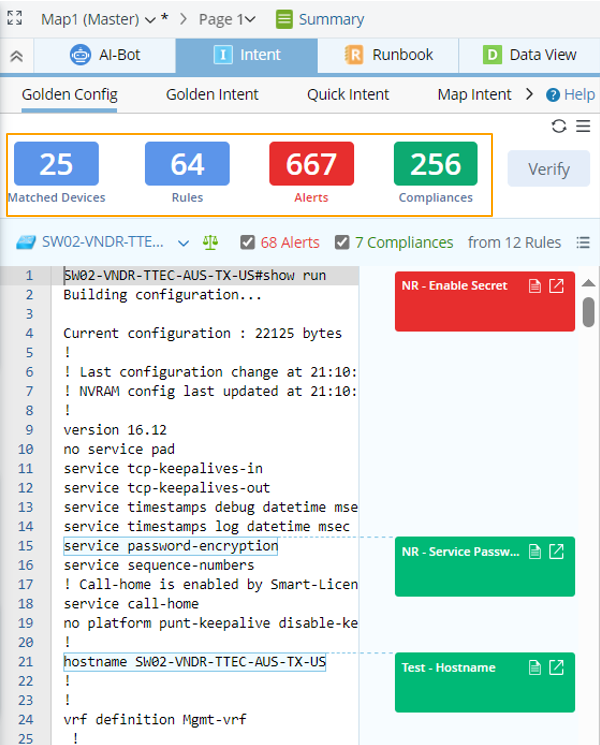
- The total number of map devices that match with the Golden Config Rules.

Note: End system type devices are not counted. - The total number of Golden Config Rules that match with all these matched devices.
- A summary of the last Golden Config Check results, including the count of alerts (indicated by red color) and the count of compliances (indicated by green color) from all the Golden Config Rules.
Note: Muted alerts are not counted. - A tip window will appear after hovering a color block in the Summary Information area to provide an overview of the summary information about Golden Config Rules:
- For Matched Devices block, information in the tip window is displayed per device. Rules matching with a device will be listed under the device. The last Golden Config Check time, the count of alerts and count of compliances generated by the Golden Config Check are shown.
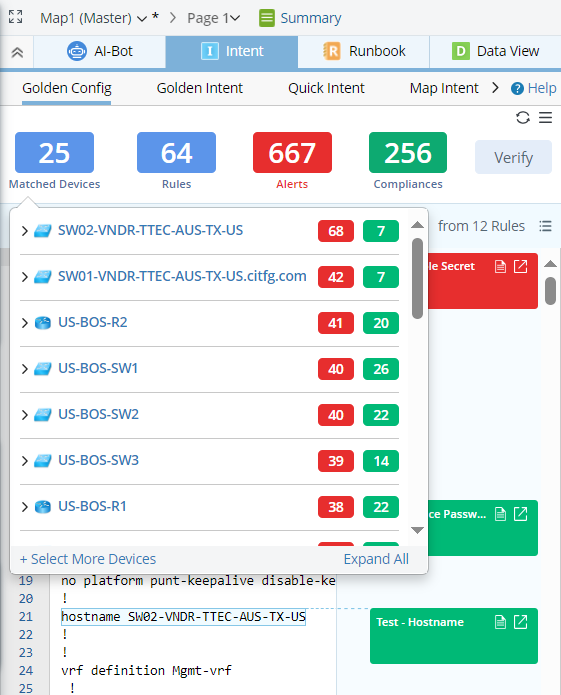
Note: Devices under the same rule will be placed in descending order by the number of alerts generated. If the numbers of alerts are the same, these devices will be arranged in descending order by the number of compliances. - For Rules block, the tip window will display information per Golden Config Rule. Devices matching a rule will be listed under this rule.
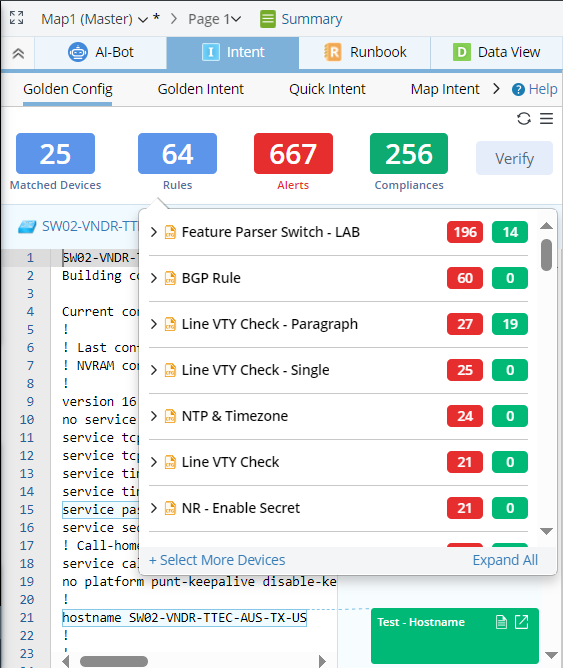
- For Alert block, tip window information is organized by rules with alert result. Under each rule, devices matched with the rule and the golden check results for each related device are listed.
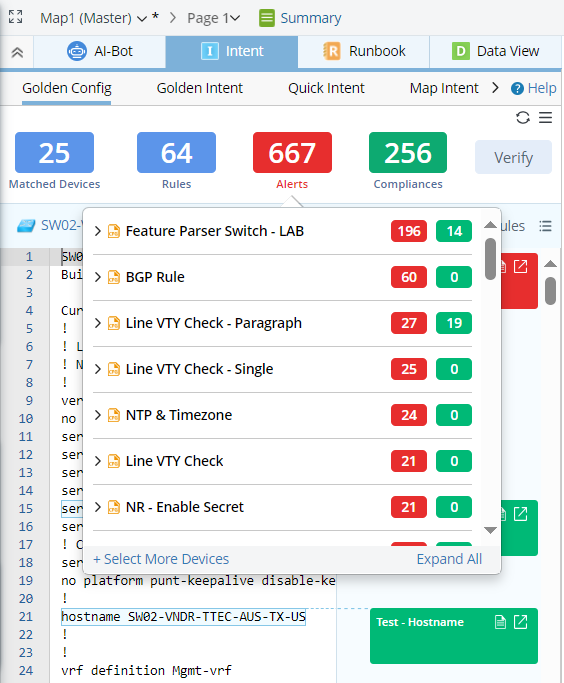
Note: The tip window from Alerts block will only list the golden config rules and devices that generate at least one alert. - For Compliances block, information is organized by rules with success result. Under each rule, devices matched with the rule and the golden check results for each related device are listed.
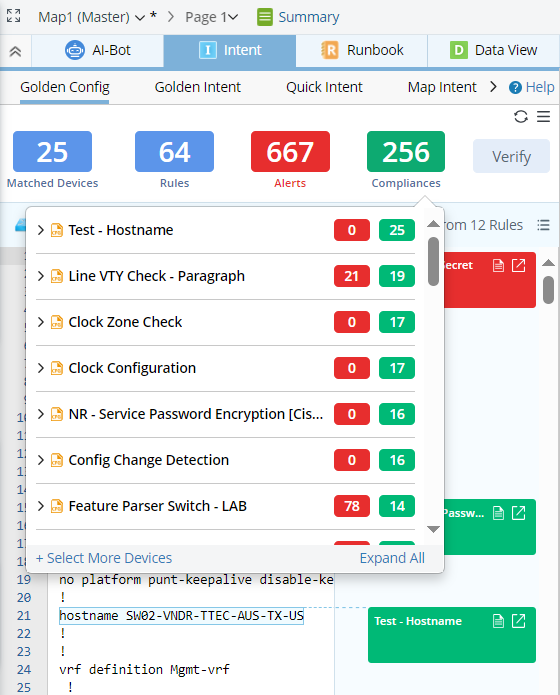
Note: The tip window from Compliances block will only list the golden config rules and devices that generate at least one Compliance.
- For Matched Devices block, information in the tip window is displayed per device. Rules matching with a device will be listed under the device. The last Golden Config Check time, the count of alerts and count of compliances generated by the Golden Config Check are shown.
Collapse All/Expand All options are provided in the tip window from any of the four blocks to facilitate browsing data. 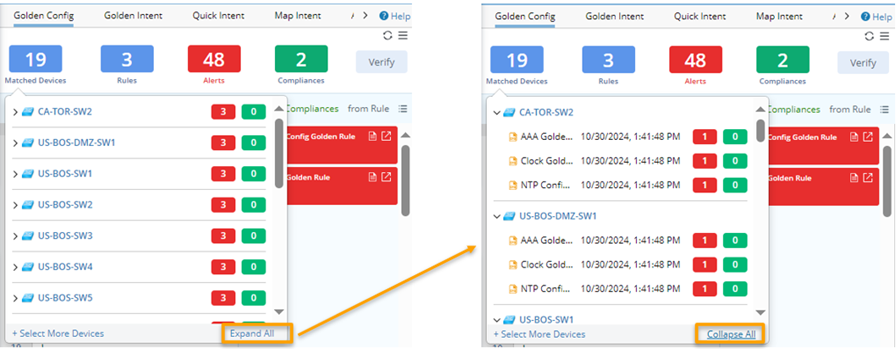
|
|
Tip: If you are interested in the golden check results of a device in the tip window, click the device link to switch to this device. Also, the alert and compliance numbers are clickable to view only alert or compliance results. |