Create Path Intent for Application Path in ADT
In the Intent Replication for Path Service, ADT serves as a tool to provide data to replicate path intents as scheduled. Specifically, group columns are added to ADT via the “Intent Replication for Path” method. The available data fields include path intent field and fields of the path intent details. With the data in ADT column, the variables for path intent replication are configured. The created intents can be saved as path intent for future use.
Add Automation Column from Intent Replication for Path
Prerequisites: Pre-create an intent template (for example, intent template Check Interface OSPF Configuration) for replicating path intent.
- Go to Automation Data Table Builder, then create a new group and name it (for example, Intent Replication for Path).
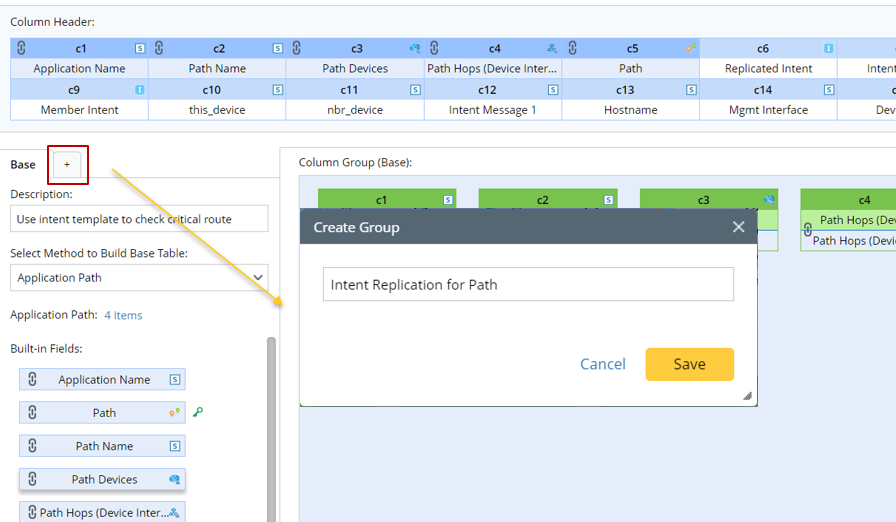
- Under the new Group tab (for example, Intent Replication for Path tab), define the following settings:
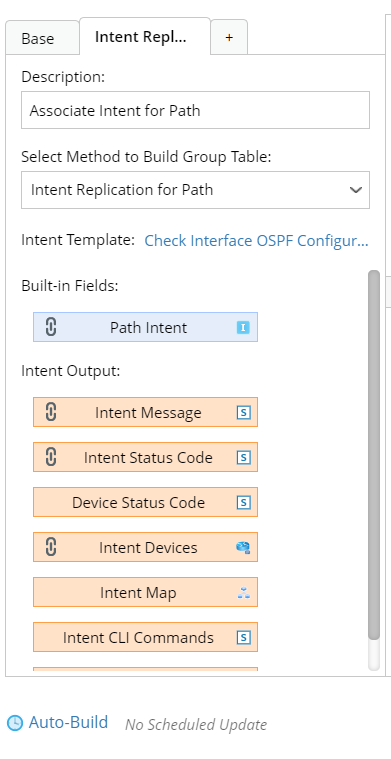
- Description: Input descriptions for the base table to describe its use and function.
- Select Method to Build Group Table: Select Intent Replication for Path.
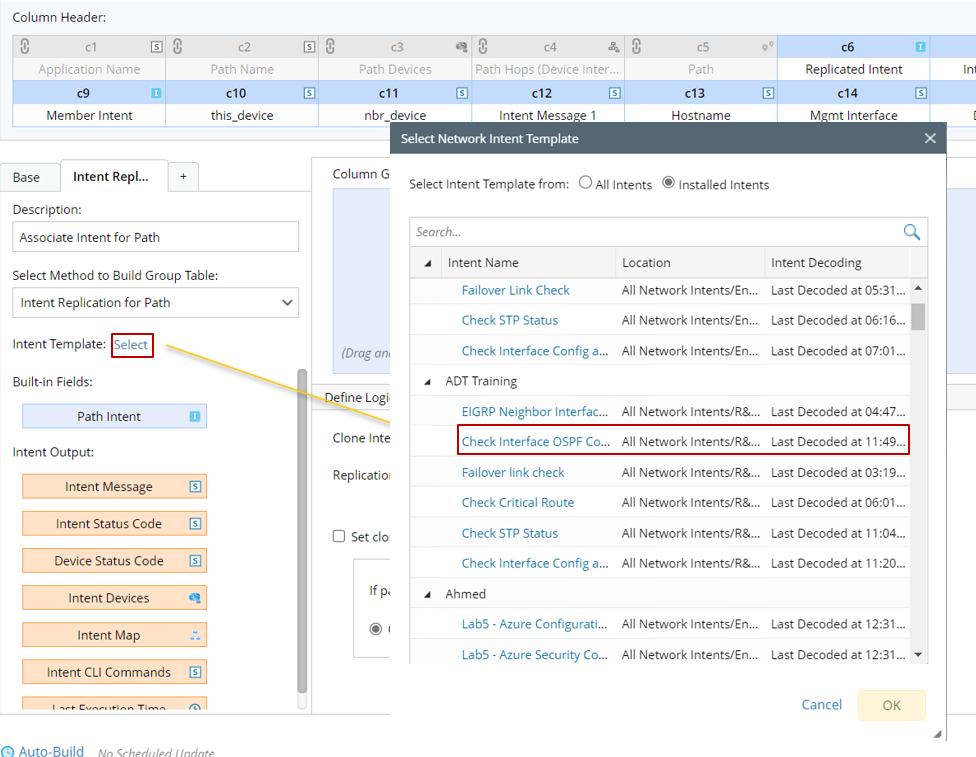
- Intent Template: Select the created intent template (for example, intent template Check Interface OSPF Configuration) for building this column group.
- Mapping Available Fields to Column Group: Drag and drop the available fields to the column group definition area to create ADT columns automatically. There are three field categories in this area to be selected:
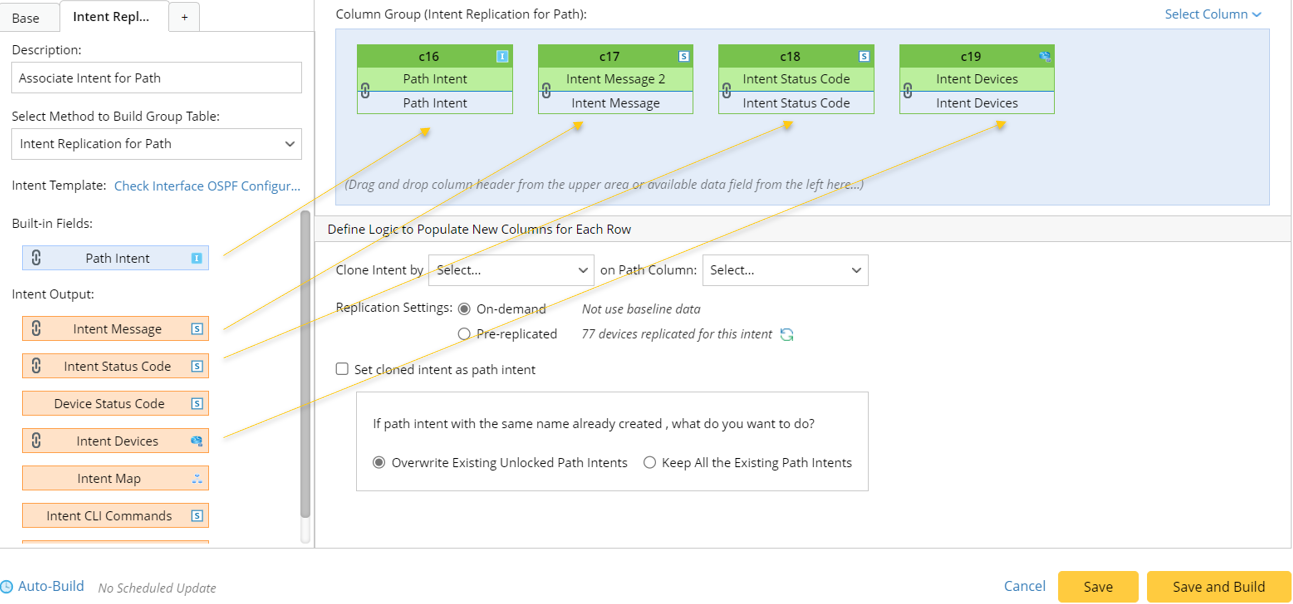

Note: To perform common operations on a column, click corresponding items from the drop-down menu. 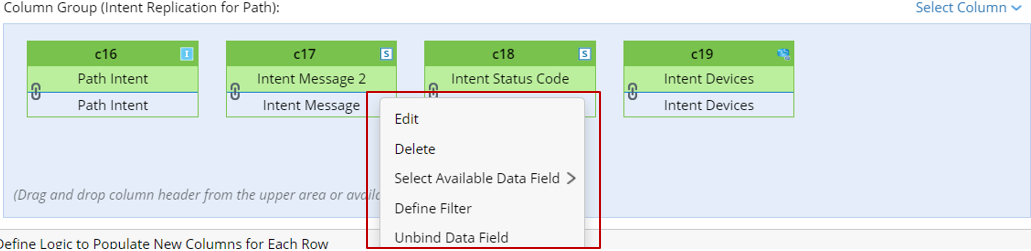
- Built-in Fields: The built-in field Path intent is available for this group table are listed in this area.
- Intent Outputs: Other intent information can be displayed in the intent output columns of the ADT, such as intent message, intent status code, intent devices, intent map, intent CLI commands, and last execution time.
- Define logic to Populate New Columns for Each Row: In this area, you can add data to ADT columns via the intent template.
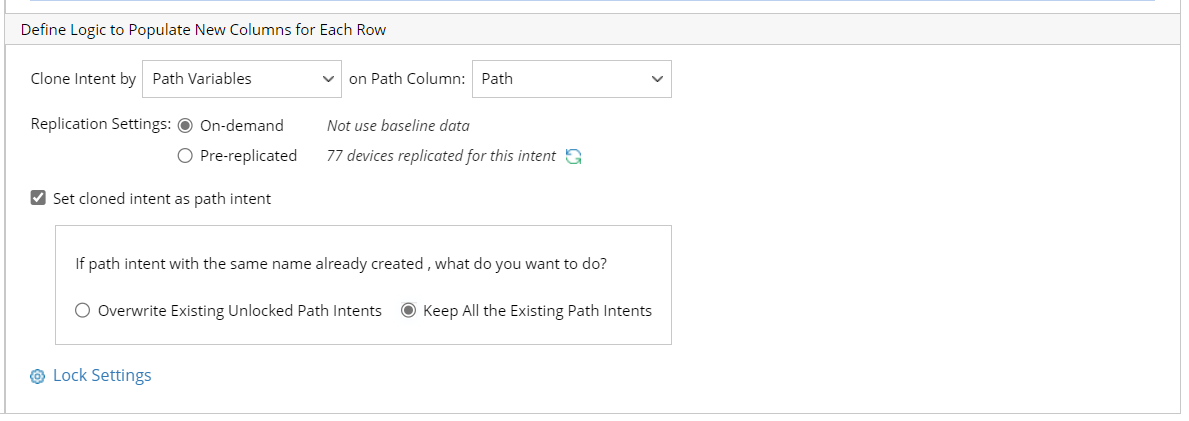
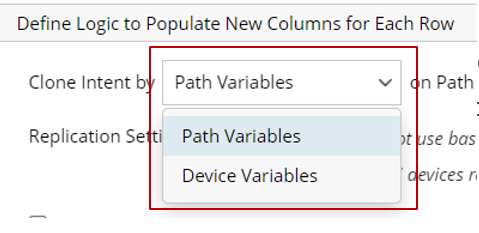
- Settings for cloning intent: Set the Path variables/Device variables for intent replication. Select Path Column to use the data source for intent replication, e.g., the Path Variables column.
- Select variables for intent replication.
- Select column to use the column data for intent replication.
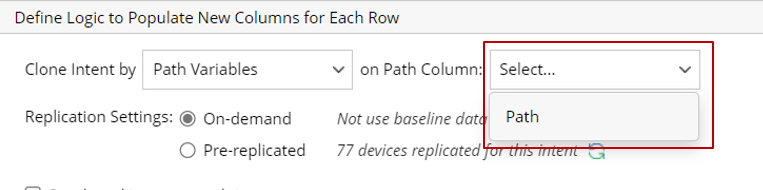
- Select variables for intent replication.
- Replication Settings: Select from the two options On-demand and Pre-replicated. This will determine how path intent is replicated to fill in the ADT column.
- On-demand: If this mode is selected, the system will retrieve live data, then tests and replicates intent.
- Pre-replicated: If this mode is selected, the system will use pre-decoded device data to replicate intent.
- Set cloned intent as path intent: Check the checkbox to enable this function so that the created intent will be added to the Path.
- Overwrite Existing Unlocked Path Intents: The new path intent will replace the existing path intent associated with the Path.
- Keep All the Existing Path Intents: Only keep all the exiting path intents associated with the Path.
- Click Save and Build to save the setting.
Example of Creating Path Intent in ADT via Intent Replication for Path
This section illustrates how to create path intent in ADT with Intent Replication for Path service by an example.
Example: Create path intents (path overall health monitor, Path Interface error check) with path intent replication service for all critical paths, and schedule to run these path intents in AAM.
To complete the operations in the example, following the major steps below:
- Open the path-based ADT, add a column group and install the seed intent template “path overall health monitor” by the Intent Replication for Path method and execute the intent replication.
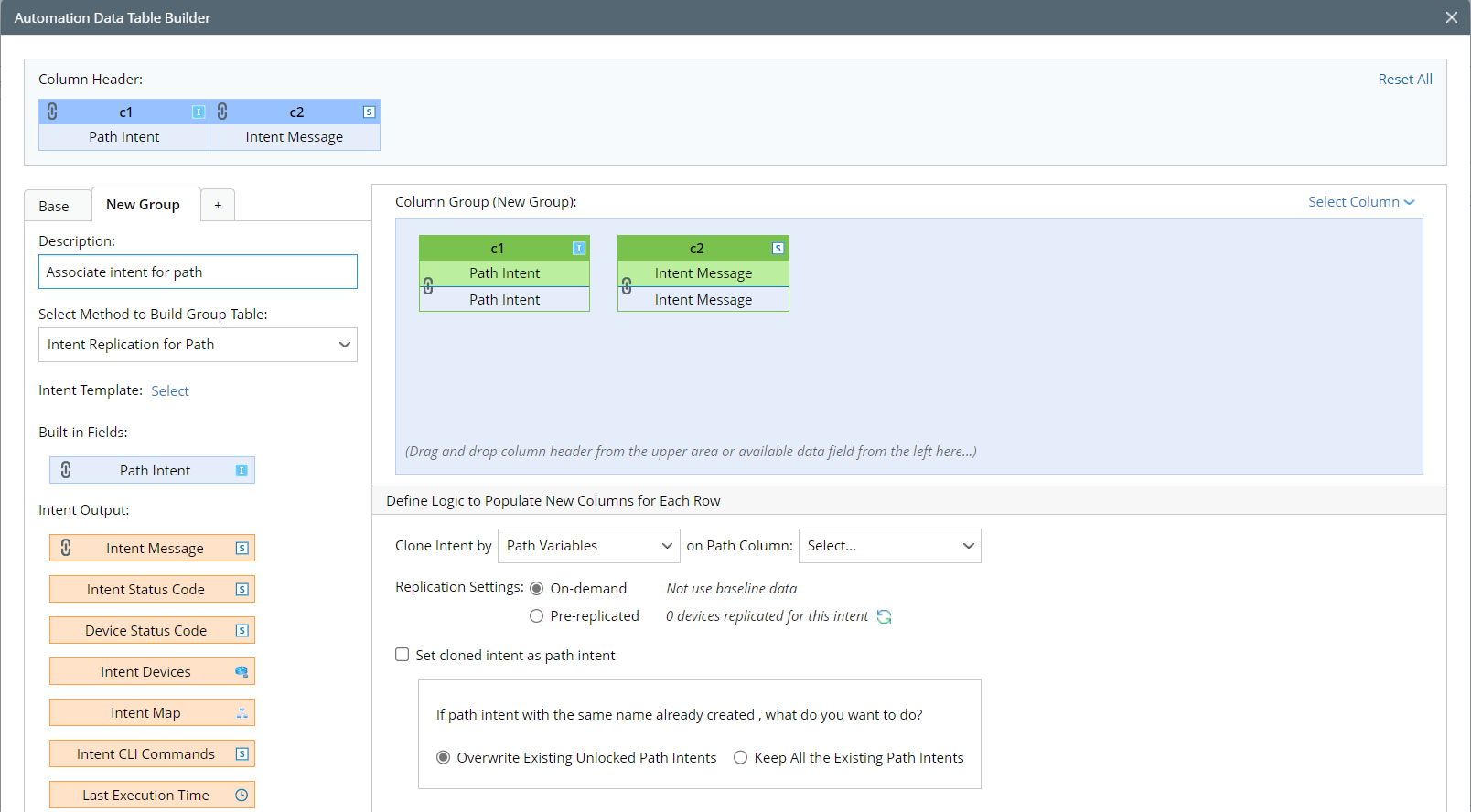
Note: For detailed steps for the configurations made in ADT Builder, see Add Automation Column from Intent Replication for Path. - Add another column group, install the seed intent template “path interface error check” by the Intent Replication for Path method, and execute the intent replication.
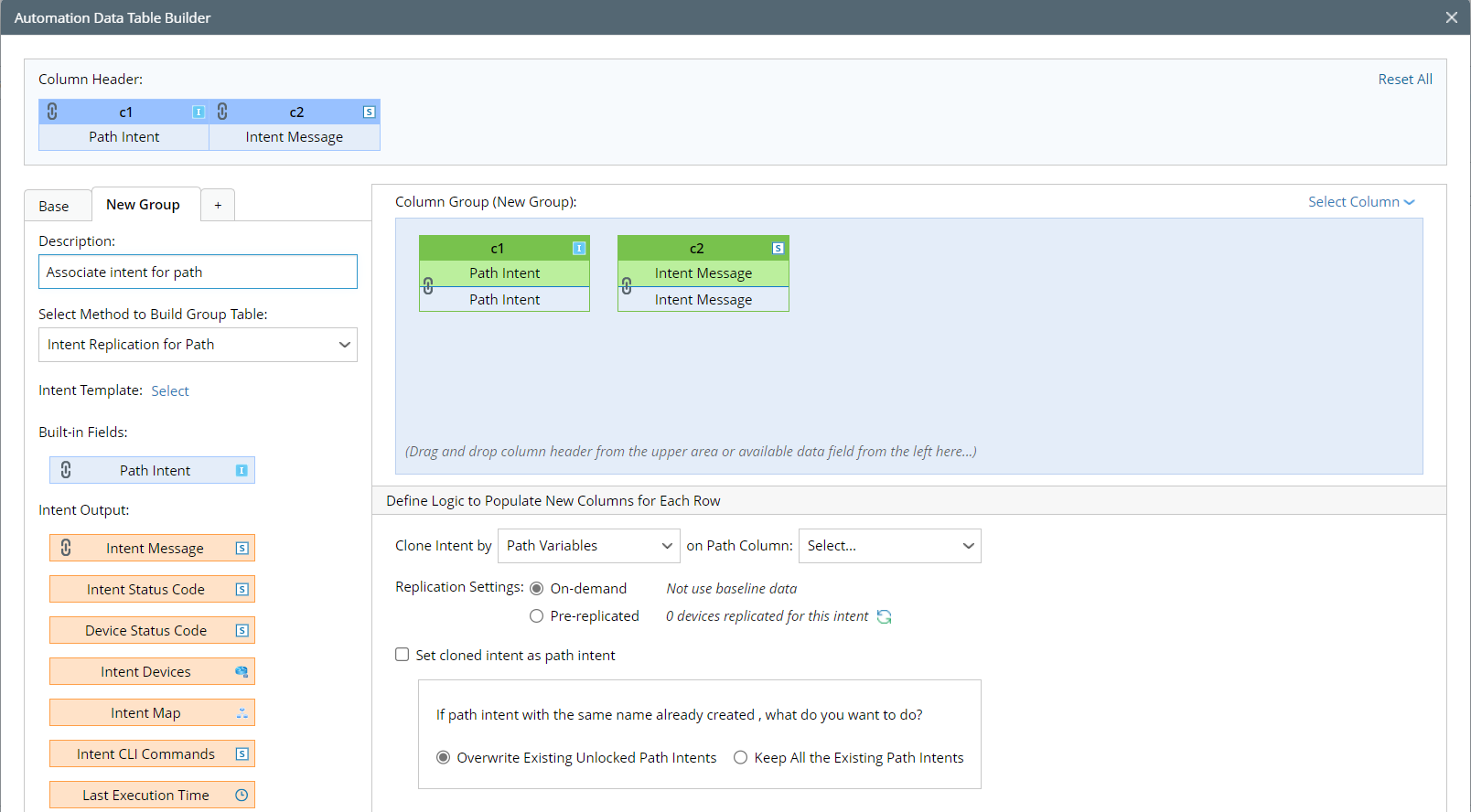
Note: For detailed steps for the configurations in ADT Builder, see Add Automation Column from Intent Replication for Path. - View the path intent replication result in ADT to check if the path intent is created in ADT.
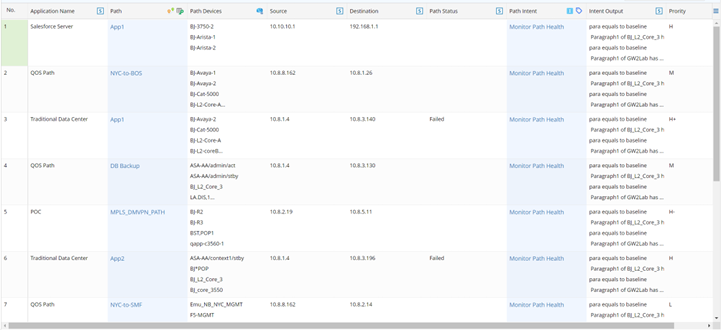
- View the Path intent details in the path browser to check if the path intent is added to the target path.

- Schedule these critical paths for Application Verification in Basic Benchmark Task to ensure that the path intent will be executed for troubleshooting.

|
|
Note: For scheduling to run path intent via Benchmark Task, see Automatically Execute Path Intents During Path Calculation and Path Application Verification. Note: If Auto-Build is enabled when building the column group for the path-based ADT, the path intent replication process in ADT will be executed periodically. |