10.1.9 JA Publication
Customize Macro Variables for Intent Template in Auto Intent
Auto Intent supports replicating the intent template (which is decoded on-demand) with customizable macro variables. With this functionality, end users can replicate desired intent from an intent template by configuring the macro variables.
 | Note: A macro variable is often used in a CLI command in network intent, e.g., show ip route $destination-ip-address. You can enter different destination ip addresses when troubleshooting network issues of different application paths. |
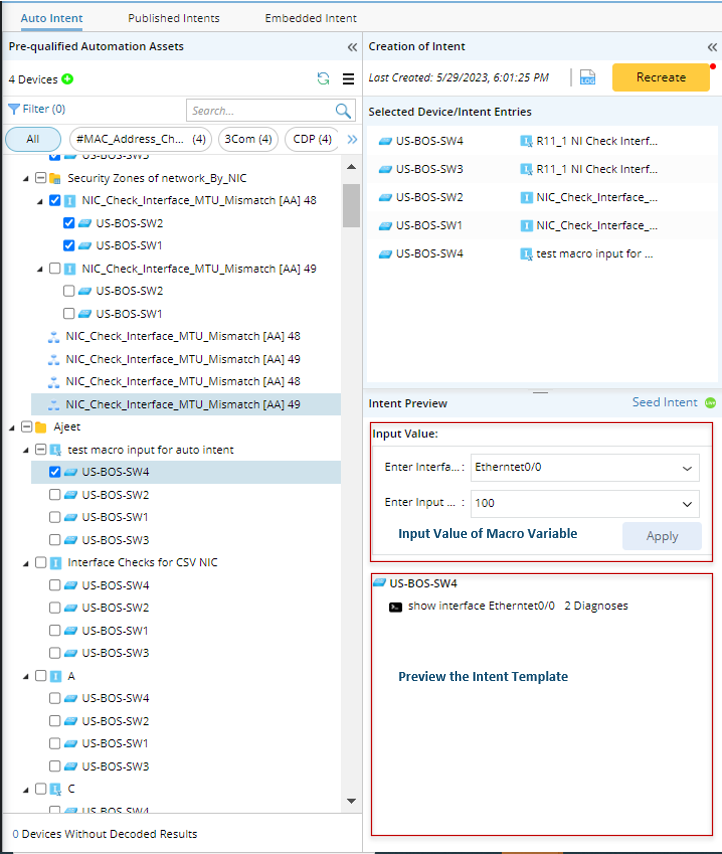
Before configuring macro variables, you can firstly preview the data of the intent template. If the intent template already has macro variables defined, you can change the value, which will affect the replication results. Perform one of the following two operations to preview macro variables (For more information, see Preview Intent Template and ADT Intent):
- Click an item in the Pre-qualified Automation Assets pane (You can also click an item that is not selected) to preview its macro variables and command data in the Preview Intent area.
- Click an item in the Selected Device/Intent area to preview its macro variables and command data.
To configure macro variables for intent template (the intent template matched with the selected devices), follow the steps below:
- Select the intent template (decoded on-demand) with macro variables configured, then the macro variables for this intent template will be displayed in the Input Value Area.
- Input proper value of the macro variables.
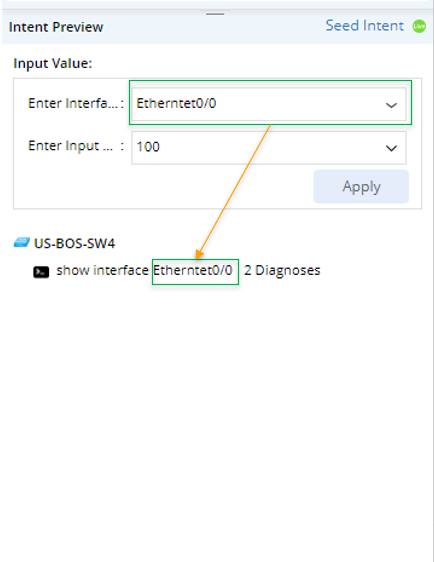
- Click Apply. The value of macro variable will be customized.
- Repeat steps 2-3 to customize more macro variables.
- View the outputs. The corresponding final outputs are shown in the pane below:
- The pre-decoded values of the variable are listed in the dropdown menu. The first one is selected by default (multiple-selection and manual input are supported).
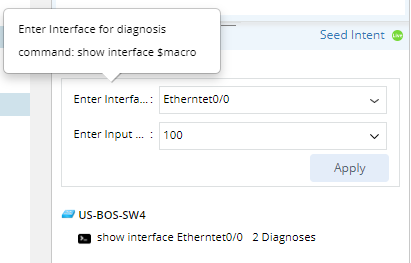
- Hover over the display name of the macro variable, more information is shown.
- Hover over the command section or Diagnosis to see more details.
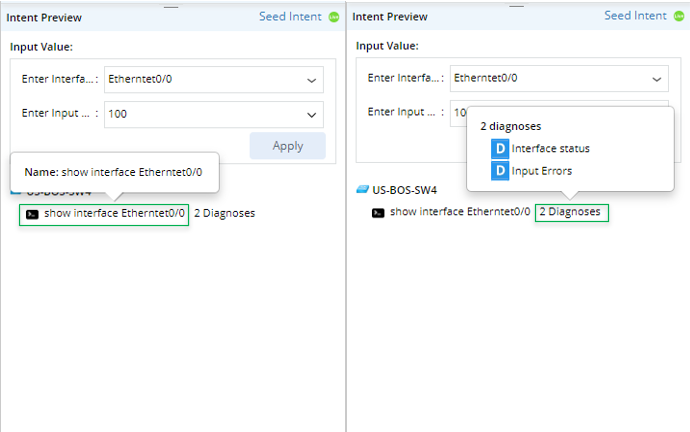
After these settings, as you click Create, the system will replicate a new intent on the qualified devices in the selected intent template, using the configured macro variable values in the device's command section.