2023-Nov-03-R11.1a
View ACI Network Structure by Tenant
By following the steps below, you can view the detailed information about a tenant (or VRF) in an ACI fabric:
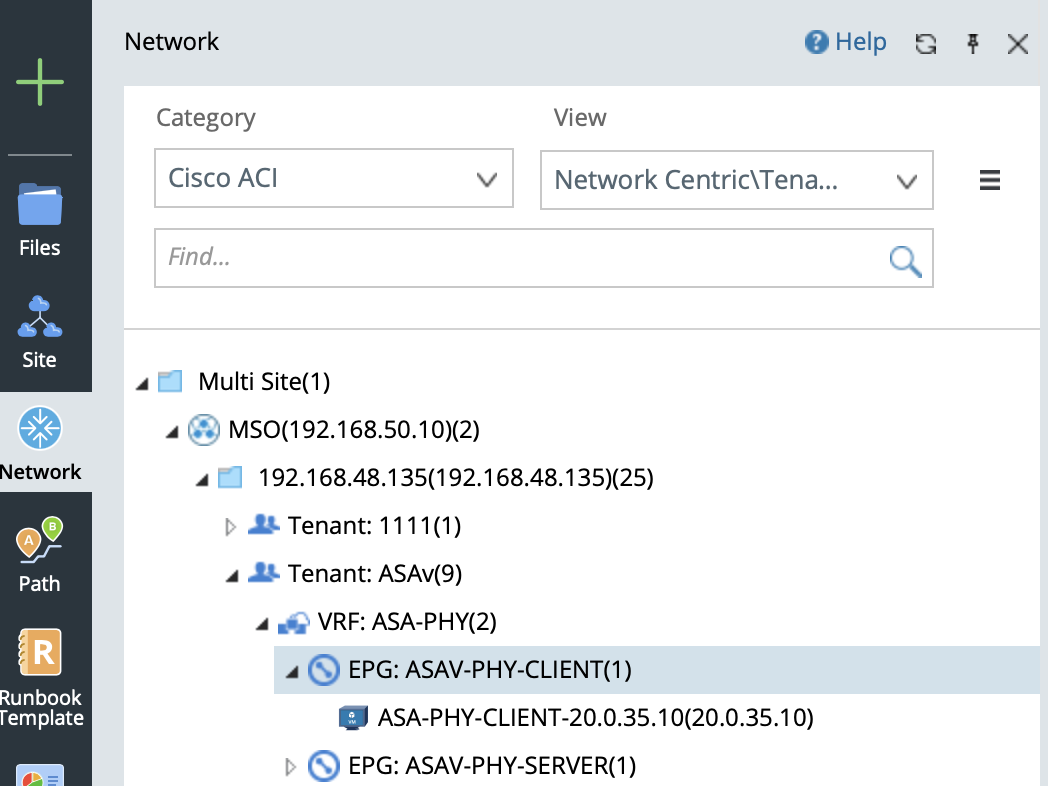
- General structure: Tenant > VRF > EPG > Endpoints.
- Overlay topology of a tenant (or VRF) in the fabric.
- Underlay topology of a tenant (or VRF) in the fabric.
- Select Network in the left pane of your NetBrain desktop.
- In the Network pane, select Cisco ACI in the Category field.
- In the View field, select Network Centric View > Tenant View. The ACI data model in NetBrain is organized in this order: Multi Site Folder > MSO (Multi Site Orchestrator) > APIC Domain > Tenant > VRF > EPG (Endpoint Group) > Endpoint.
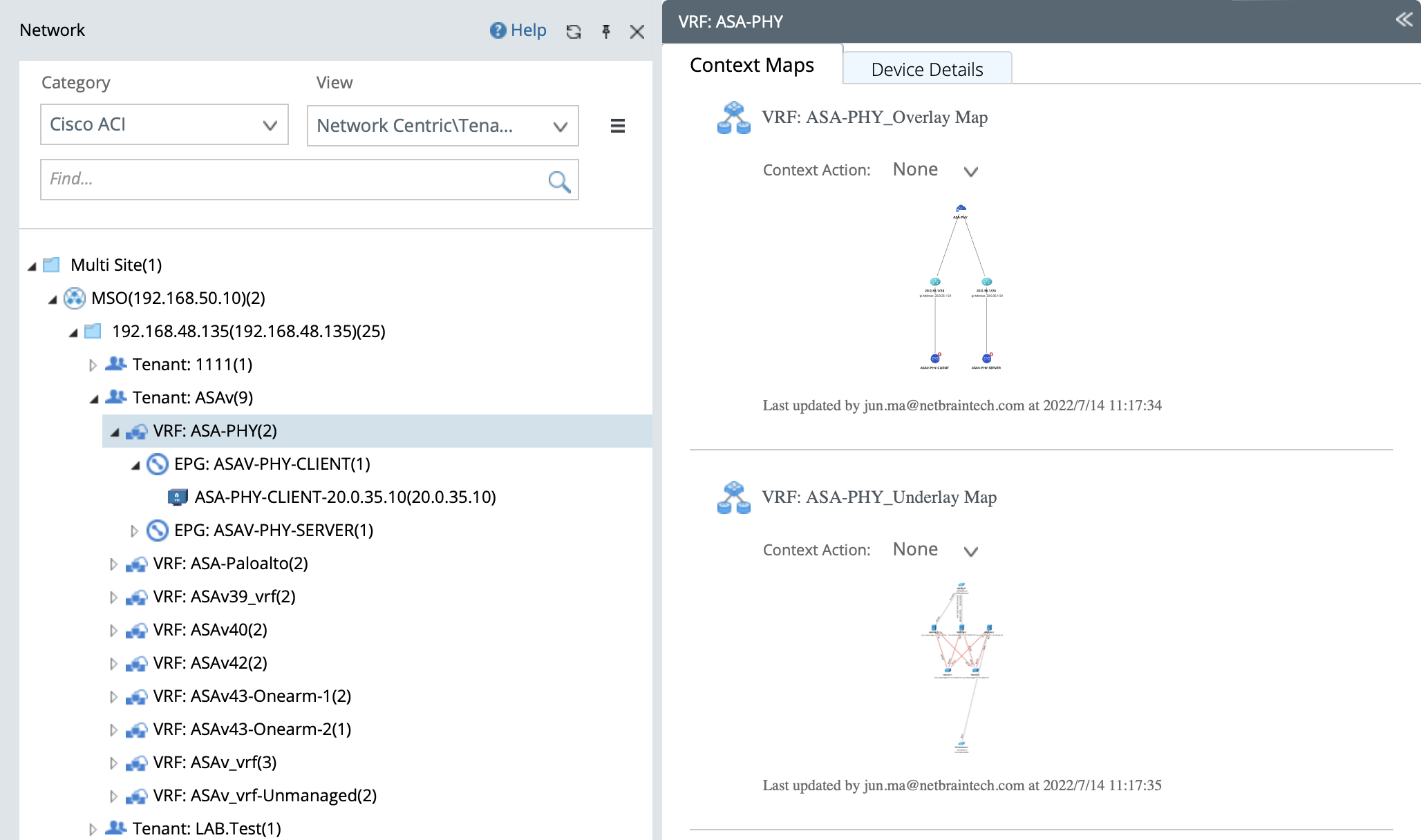
- Click a VRF node. You can view the overlay/underlay context map of this VRF.

|
Tip: For more context maps supported under the Tenant View, see Context Maps for details. |
Overlay Topology
The overlay topology represents the logical relationship among VRF > Subnet > Endpoint, including:
- The connection of this VRF to an external network as well as the relevant external nodes.
- The mapping of Bridge Domain (in this VRF) to VLAN and subnet.
- Endpoints in an EPG.
The following figure displays the overlay topology of a VRF node.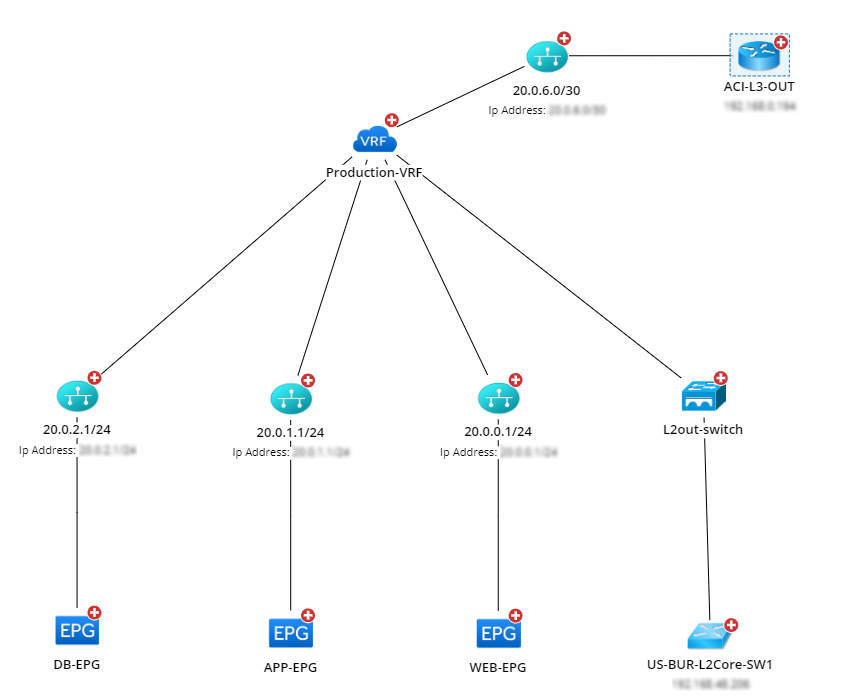
Underlay Topology
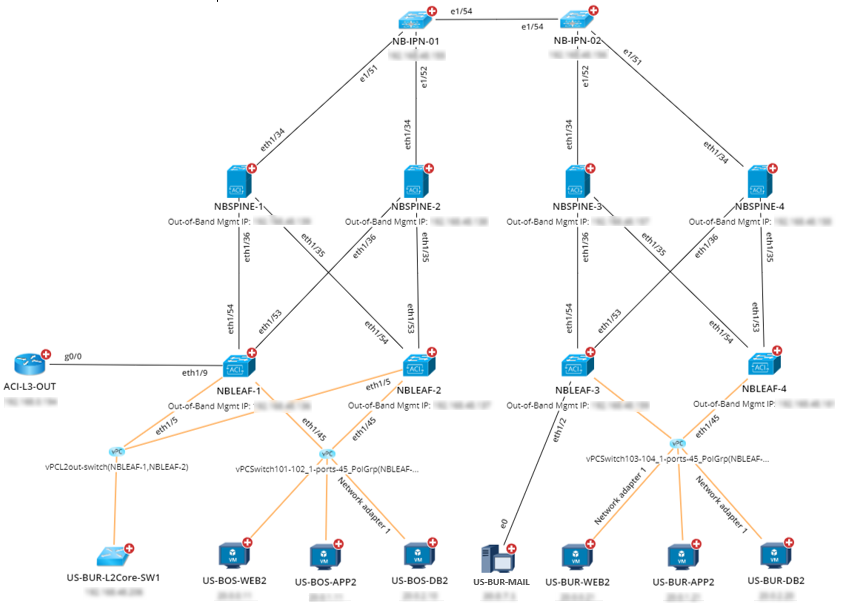
The underlay topology represents the physical resources occupied by a tenant, including:
- All IPN/ISN nodes in the VRF
- Spine and leaf switches that belong to this VRF
- L3 Out and L2 Out switches in the VRF
- Connectivity of these nodes
NetBrain currently provides two different underlay structures of a VRF node:
- Multi-Pod deployed in a single Data Center (direct IPN connection among multiple Spines)
- Multi-Pod deployed across different Data Centers (indirect IPN connection among multiple Spines or ISN connection among Multi-Site)
|
|
Note: Indirect IPN connection can refer to an L3 Network or MPLS Network. |
The following figure shows the underlay structure of direct IPN connection between two Spines.