R11.0a-March2023
Add a Leaf Site
- Log into the Domain Management page and click Site on the Start Page to open Site Manager.
- In the Site Manager, right-click the My Network or any other container sites (
 ) in the site tree and then select Add Leaf Site.
 - On the Site Definition tab, enter the leaf site name and click Site Properties to set the site properties.
- Add devices to the leaf site using the following ways:
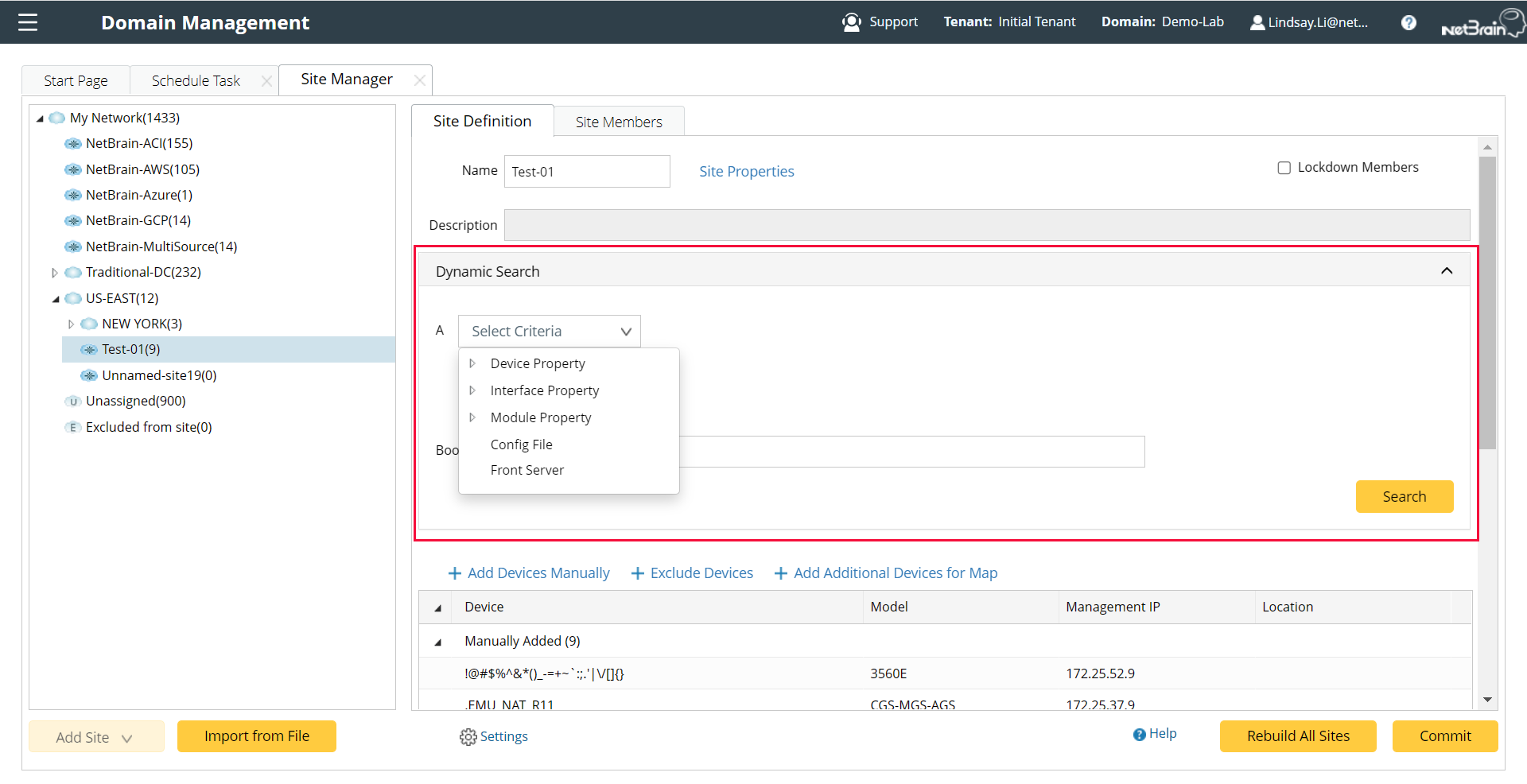
- Dynamic Search — specify search criteria and a Boolean expression and then click Search. See Dynamic Search for more details.
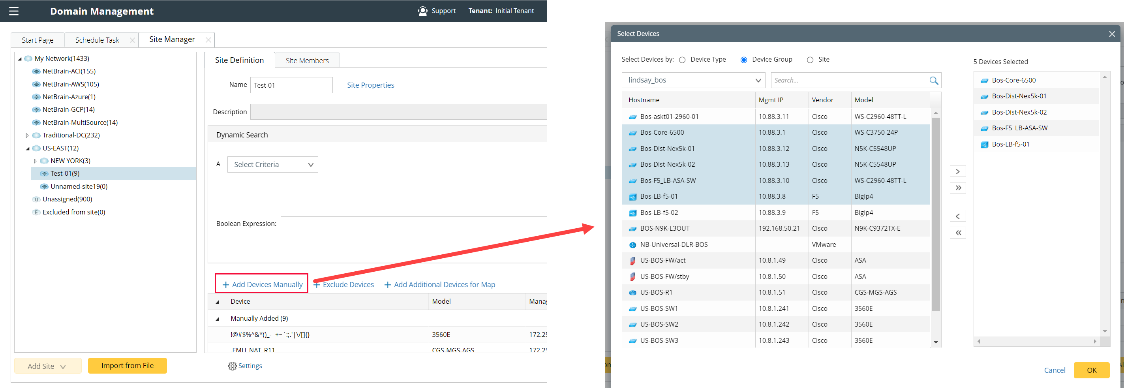
- Manually Add — click Add Devices Manually and then pick out devices from a device group, a site, or a device type.
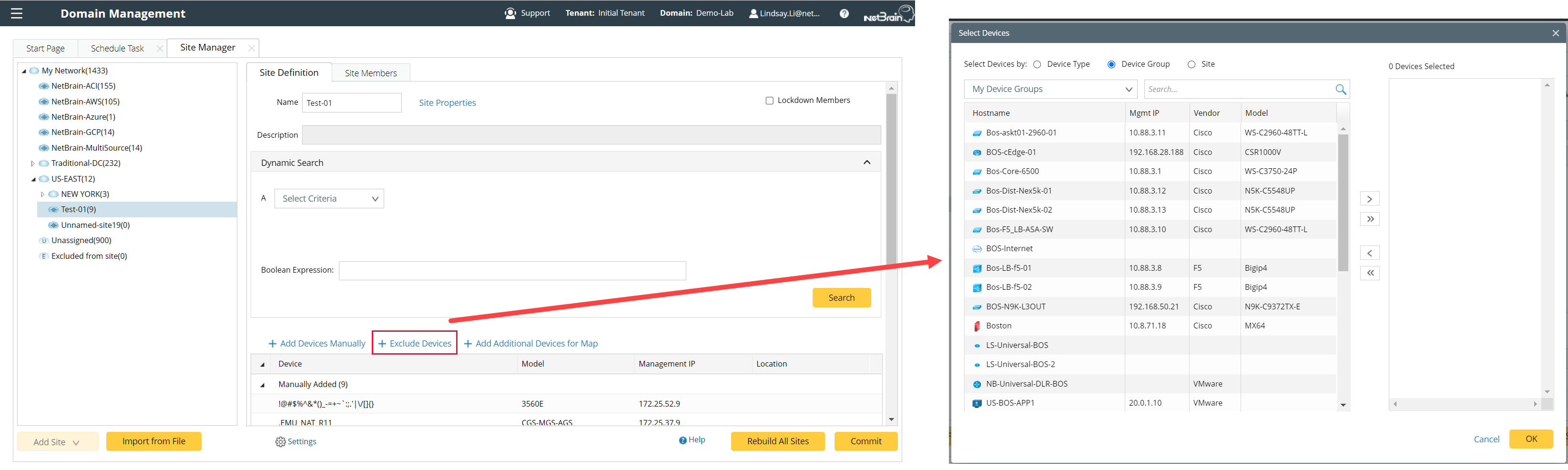
- Exclude Devices — Click Exclude Devices and select the devices from any Device Type/Device Group/Site that you wish would not include in this leaf site. When you define the devices by the Dynamic Search, the excluded devices defined here will be assigned to this leaf site even if they satisfy the dynamic search.
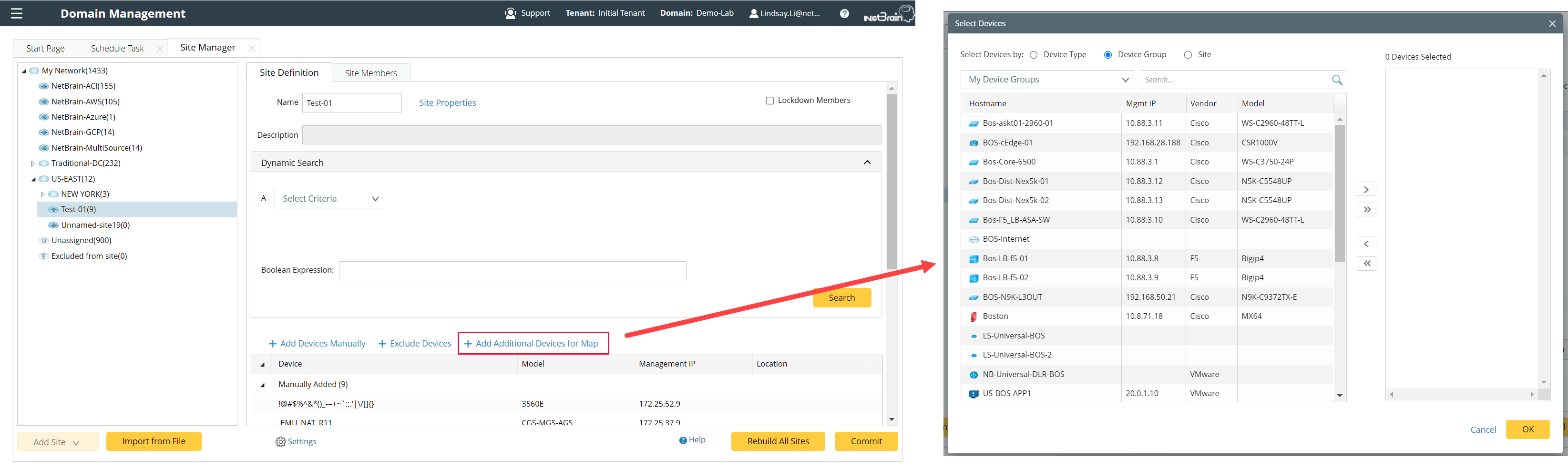
- Add Additional Devices for Map — This is a special feature that allows you to add devices to a Site map while do not include them as Site members. A device can only belong to one Site, but it can belong to multiple Site maps.
5. Click Rebuild All Sites to rebuild the site topology.
6. Click Commit to commit the site changes if you are happy with the rebuilt sites.

|
Tip: To exclude specific device types from being involved in any site build or topology build, click Settings at the bottom of the Site Manager pane to select target device types. |