R11.0a-March2023
Dynamic Search
Dynamic search allows you to build complex search queries by using multiple search criteria.
Take the following features for example:
Dynamic Search in Site Manager
Example: Search dynamically when adding a container site or adding a leaf site.
- Set search criteria and boolean expression for devices. See step 3~5 in Advanced Search for more details.
- Click Search. The devices matching your search conditions are listed.


|
Tip: If the search result contains the devices that you don't want to add to the site, right-click them separately and select Exclude. Or you can exclude devices in bulk, click Exclude Devices. To manually add other devices to the site, click Add Devices Manually. |
Dynamic Search in Device Group
Example: Search devices dynamically when creating a Device Group or editing an existing one.
- Set device scope, search criteria and Boolean expression for devices. See step 2~5 in Advanced Search for more details.
- Click Search. The devices matching your search conditions are listed in the search result.
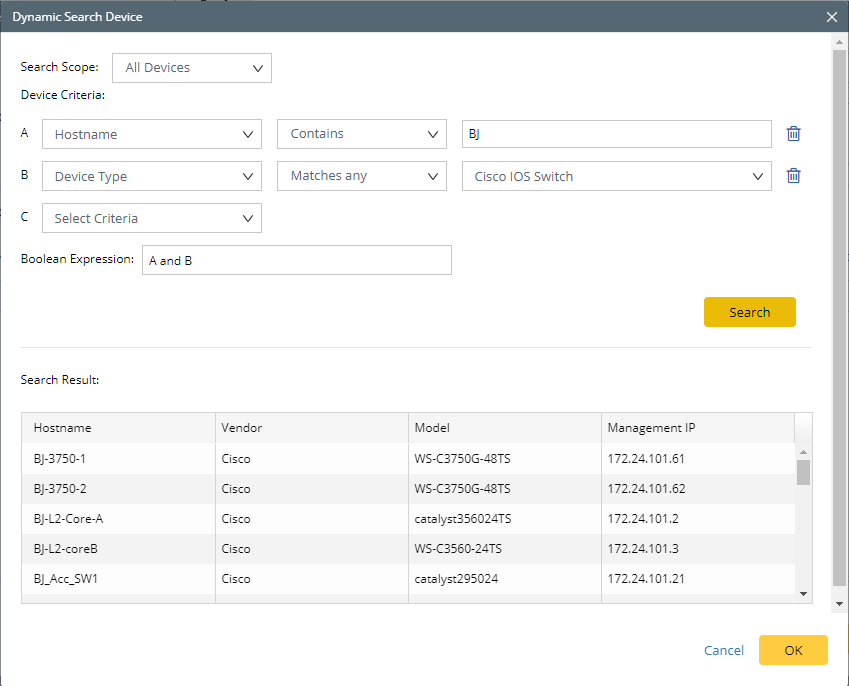
- Click OK.
Dynamic Search in Inventory Report
Example: Search devices dynamically when customizing inventory report.
- Define one criterion or multiple criteria to filter devices. As soon as a criterion is added, the Boolean expression becomes A and B, A and B and C and so on. You can manually change and to or if required.
- Click Search. The devices matching your search conditions are listed.
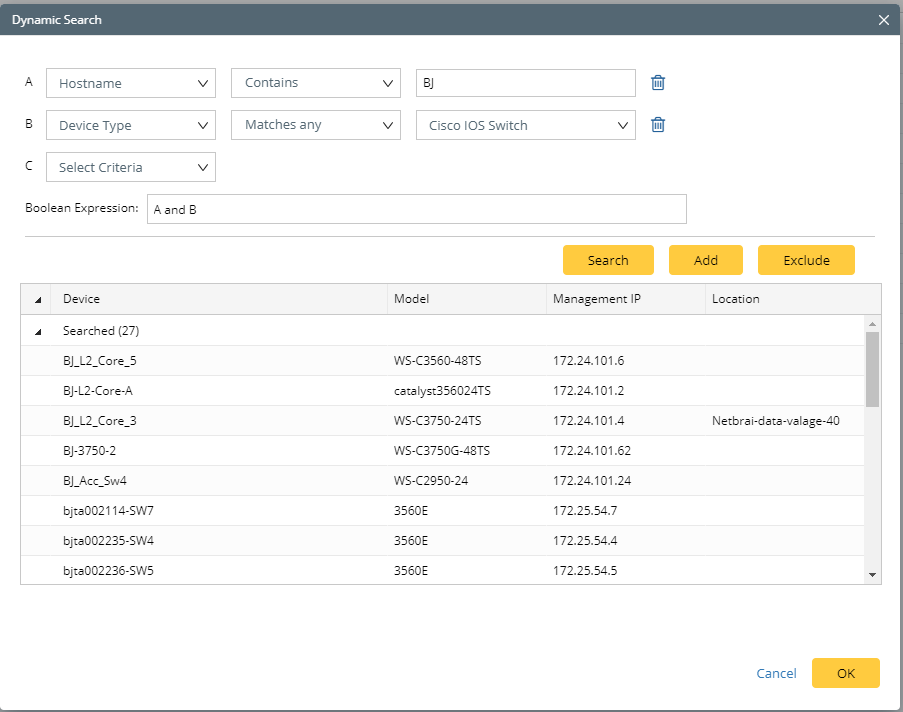
- Click OK.