Add an Interface Type
- Log in to the Tenant Management Page.
- On the Tenant Management page, click
 and select GDR Data Configuration from the drop-down list.
 - On the Interface Properties tab, right-click the root node, and select Add Interface Type from the drop-down menu.
- Configure the interface type on the right side.
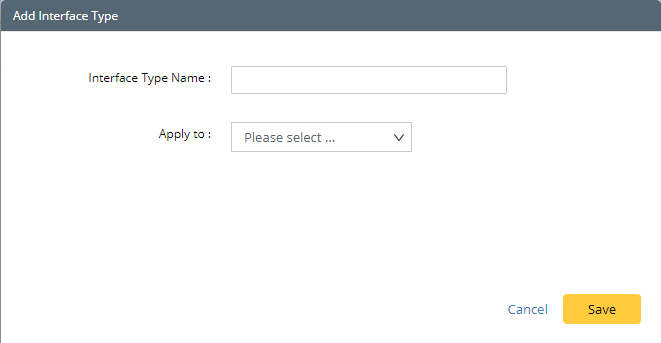
- Interface Type Name — the name of the interface type. It must be unique to identify the interface type.
- Apply to — the device types that the interface type will be applied to.
- Click Save.
Interface Type
The following table introduces the interface types in the system.
Interface Type | Description |
Physical Interface (displayed as Physical Interface in GDR, id: "intfs") | Contains all interfaces parsed from device configuration files directly. For example, e0/0, f0/0, vlan10, and so on. |
IPv4 Interface (displayed as ipIntfs in GDR, id: "ipIntfs") | Contains all interfaces created by the system for IPv4 L3 topology calculation and display. For example, vlan 10 172.24.101.32/24. |
IPv6 Interface (displayed as ip6Intfs in GDR, id: "ip6Intfs") | Contains all interfaces created by the system for IPv6 L3 topology calculation and display. For example, atm4/0 2002:9:9:34::4/64. |
IPsec VPN Interface (displayed as ipsecVpnIntfs in GDR, id: "ipsecVpnIntfs") | Contains all interfaces created by the system for IPsec VPN tunnel calculation and display. For example, outside peer-ip 172.27.129.114. |
GRE VPN Interface (displayed as greVpnIntfs in GDR, id: "greVpnIntfs") | Contains all interfaces created by the system for GRE VPN tunnel calculation and display. For example, Tunnel0. |