R12.1 JA-2025July15
Publish Observability Dashboard
You can publish company-wide observability dashboards designed for management review.
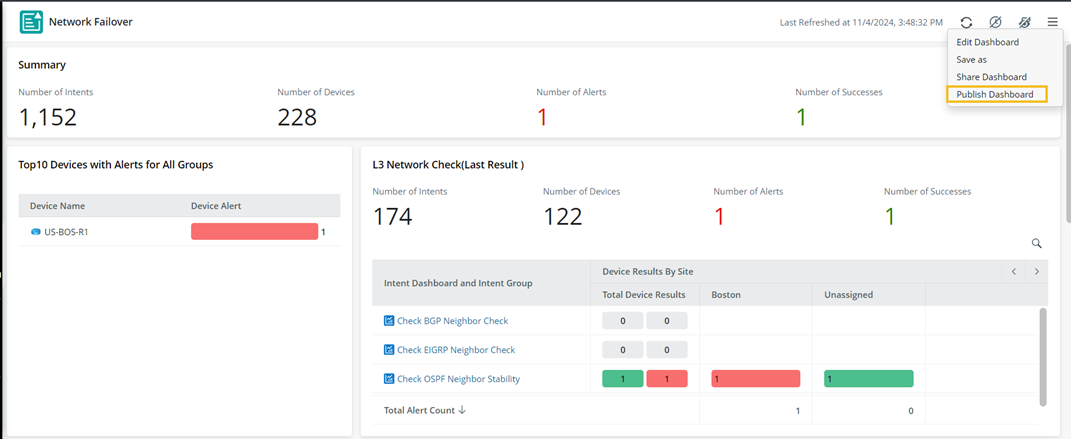
Once published, these dashboards are duplicated and stored in the Published tab, separating them from case-based troubleshooting dashboards for easier distinction, making it easier for you to view and manage company-wide dashboards.
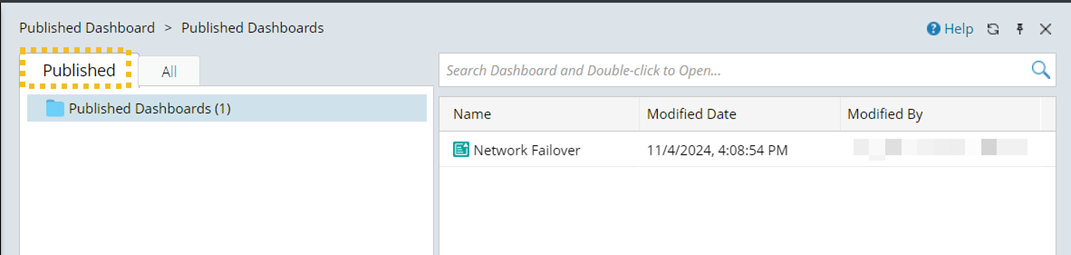
If the original observability dashboard is deleted, the published one will also be deleted.
Manage Published Observability Dashboard
You can manage the published observability dashboards:
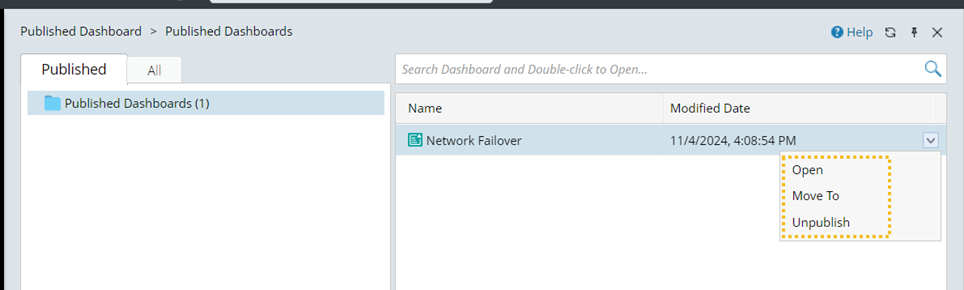
- Open
- Move to. Move it to another fold under the Published tab.
- Unpublish. Delete the dashboard from the Published tab.
- Share the dashboard.

Privileges
Whether a user can publish an observability dashboard depends on the privileges assigned to them.
| Operations | Privilege Required | ||
|---|---|---|---|
| The Shared Resource and File Management privilege
| ||
| View Published Dashboard | Do not require any privilege | ||
| Create a Dashboard in a Private Folder | The Private Resource Management privilege |
