Share Observability Dashboard
-
Click the start menu, and select Intent-Based Automation> Observability Dashboard.
-
Select and open an existing observability dashboard.
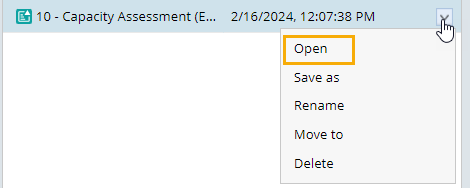
-
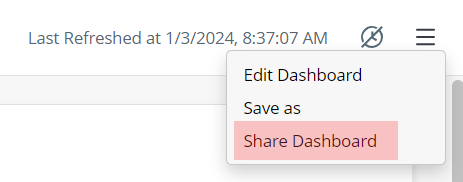
Click
 and select Share Dashboard from the drop-down menu.
-
In the Share Observability Dashboard window, you can share the observability dashboard.
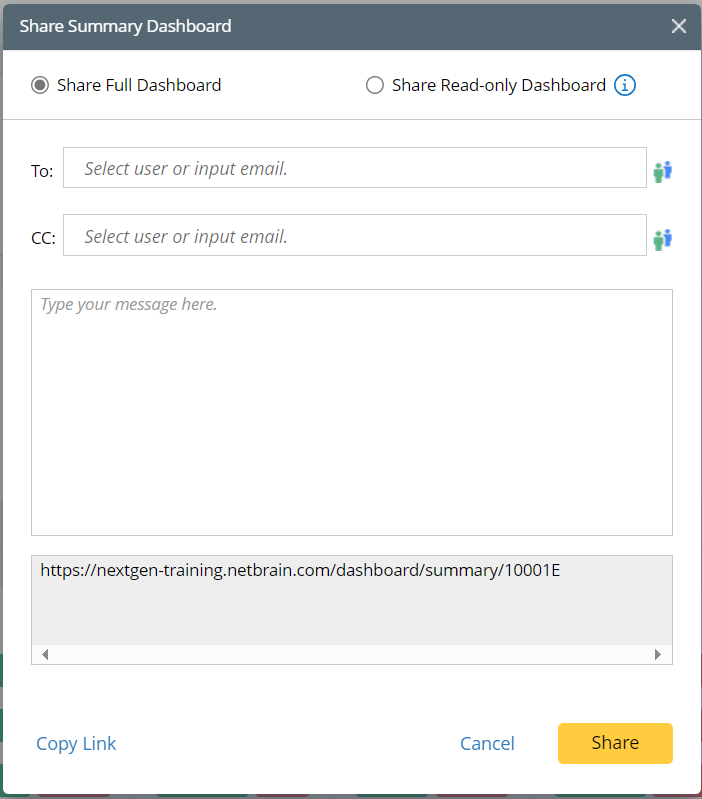
You can share a full or read-only observability dashboard based on the receiver's account status.
Dashboard Type NetworkBrain Account
Differences Full Dashboard Users who receive the link need a NetworkBrain account to log into the NetworkBrain system and view the full dashboard.
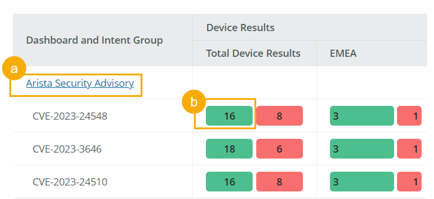
Users can view all the info in the observability dashboard.
- Click and view the individual intent dashboard.
-
Click the bar and view drill-down reports.
Read-only Dashboard Receivers do not need a NetworkBrain account.
- The individual intent dashboard is not clickable, or viewable.
-
The bar is not clickable and
the drill-down report is not provided.
Share Full Observability Dashboard
You can share a full observability dashboard with NetworkBrain users.
In the Share Observability Dashboard window, select Share Full Dashboard, and decide how the observability dashboard is shared.
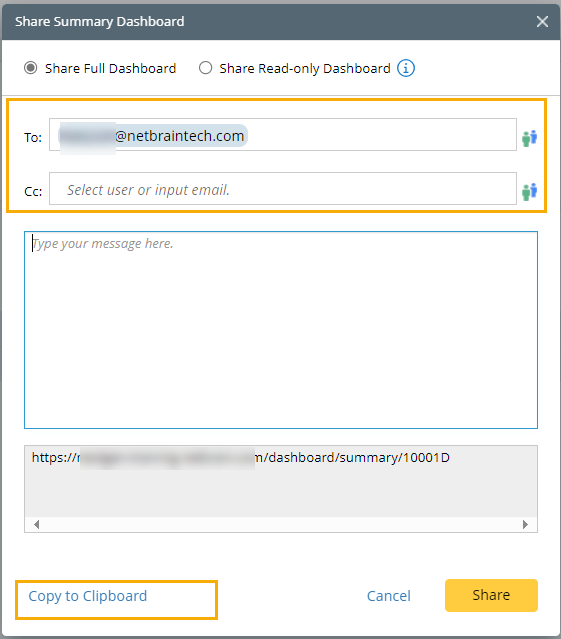
- Enter the username or the receiver's email, and click Share to share the full observability dashboard via email.
- Click Copy to Clipboard to copy the shared link and share it via other communication tools/apps.
Share Read-only Observability Dashboard
You can share a read-only observability dashboard with portal users.
You can also share a read-only observability dashboard via access code. Anyone with the access code and the shared link can view the observability dashboard. The receiver does not need any account.
In the Share Observability Dashboard window, select Share Read-only Dashboard.
-
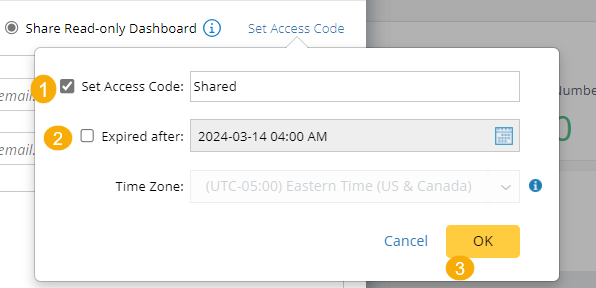
If the receiver does not have any NetworkBrain or portal account, click Set Access Code.
- Enable the Set Access Code option and enter the access code.
- (Optional) Define the expiry date.
-
Click OK.
-
Decide how the observability dashboard is shared.
- Enter the username or the receiver's email, and click Share to share the observability dashboard via email.
- Click Copy to Clipboard to copy the shared link and share it via other communication tools/apps.
- If the receiver has a portal account, follow step 4 above to share the observability dashboard.