R12.1 Project Publication-2025Dec23
Allocate NSX-T License to your NetBrain Tenant and Domain

|
Note: Before allocating NSX-T licenses to a Tenant and Domain, make sure your NSX-T license has been activated. If the NSX-T license information is not displayed, click the Refresh button to update the information.
|

Allocating NSX-T Licenses to a Tenant and Domain
If the NetBrain System uses separate license pools, you need to assign the NSX-T license to the tenant and domain manually.
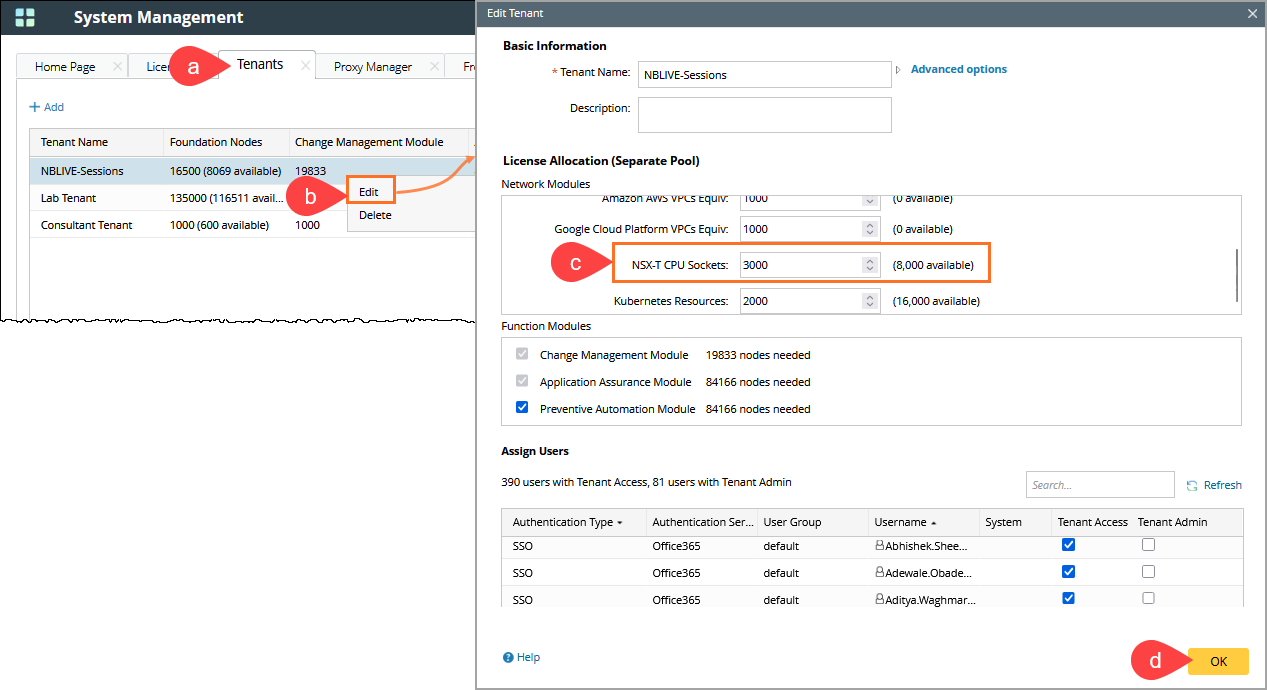
- Log in to the System Management page.
- Go to the Tenants tab.
- Right-click on the desired existing tenant, and then Edit from the dropdown.
- Allocate the desired number of NSX-T CPU Sockets to the tenant.
- Click OK to submit.
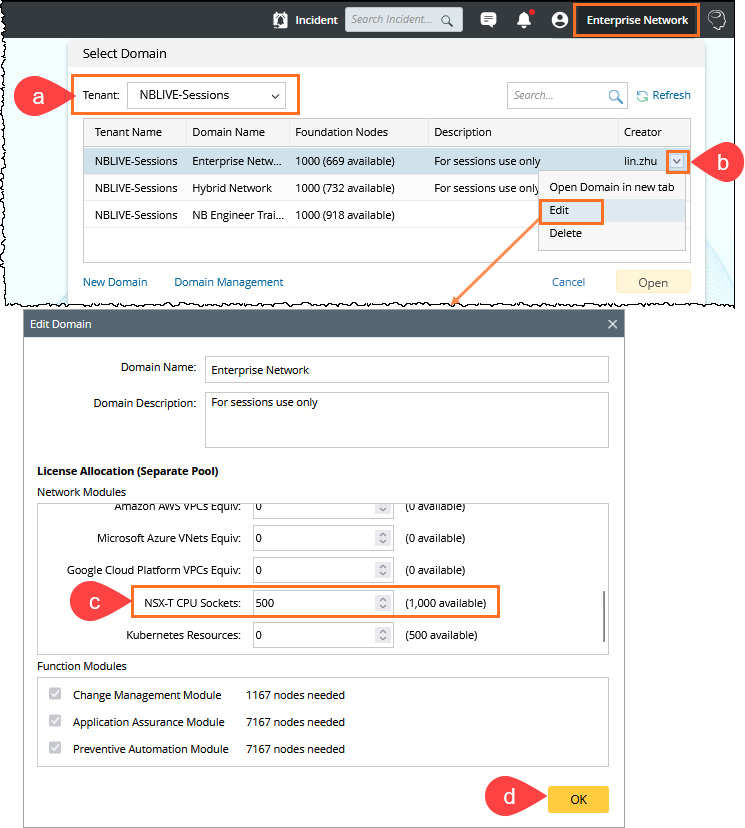
- Log in to the End User page.
- Select the existing Tenant.
- Hover over the tenant and click
 , and then select Edit from the dropdown.
 - Specify a domain name and allocate the desired number of NSX-T CPU Sockets to the domain.
- Click OK.