R12.1 Project Publication-2025Dec23
Assign API Groups to User

|
Note: This feature is supported in the patch 12.0.0.17. Ensure your system is upgraded to one of these patches to use this feature. |
In the API Users tab, you can assign access to multiple API groups to a user. The user then has access only to the APIs included in those assigned groups.
Follow the steps below to grant API access to a user.
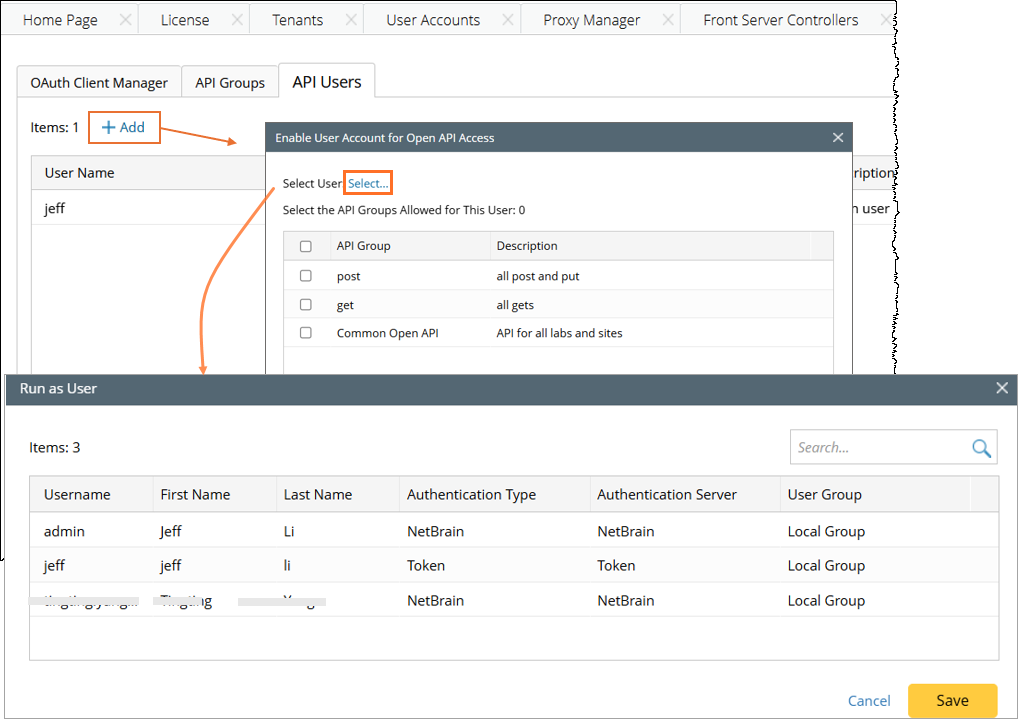
- Go to System Management > Open API > API Users tab.
- Click + Add, the Enable User Account for Open API Access window will pop up. In this window, configure the following settings:
- Click Select to select a user from the Run as User dialog, and then click Save.
- In the Enable User Account for Open API Access window, check the checkboxes of API group to enable API access of these APIs for this user. The available API groups are defined in the API Groups page.
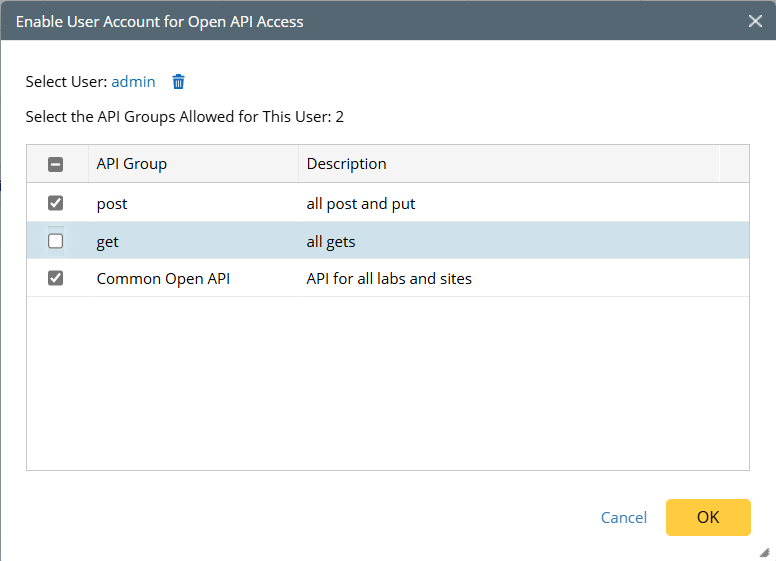
- Click OK. One entry is added to record the user and assigned API groups.

- Click Select to select a user from the Run as User dialog, and then click Save.