R12.1 Project Publication-2025Dec23
Manage API Group

|
Note: This feature is supported in the patch 12.0.0.17. Ensure your system is upgraded to one of these patches to use this feature. |
API access control for users is designed to manage API users and reduce security risks. User can specify which APIs each individual is allowed to access by grouping APIs into API Groups and assigning them to users. Users will only be able to access the APIs included in their assigned groups. Additionally, all user API calls are recorded in the audit log.
To add a API Group, follow the steps below.
- Go to System Management > Open API > API Groups page.
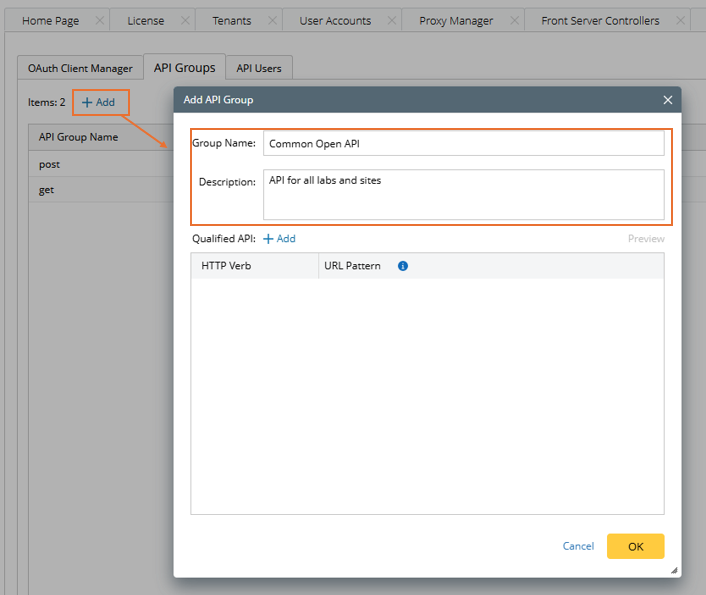
- Click + Add, then configure the settings with the following sub-steps.
- Specify the Name and Description for the API Group.
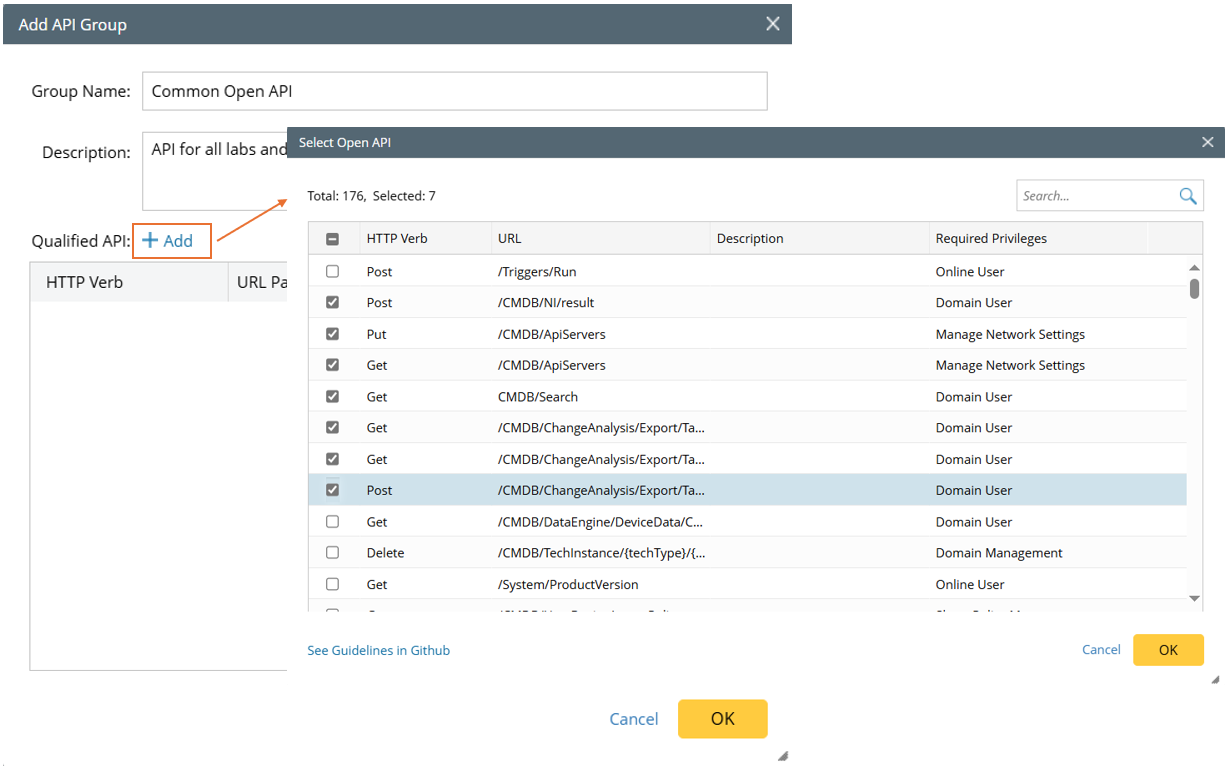
- In the Qualified API section, click Add, then select existing Open APIs to add to this group.
- The added APIs are added in the grid table below, which includes the HTTP Verb column and the URL Pattern column.
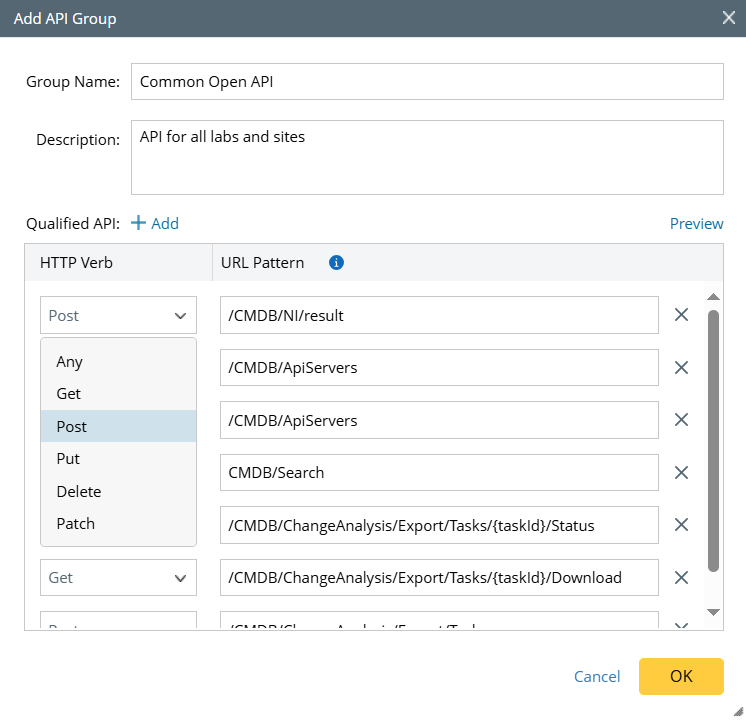
- Change the HTTP Verb (Any/Get/Post/Put/Delete/Patch) if needed.
Note: an HTTP verb refers to the HTTP method that defines the type of operation a client can perform on a resource. These verbs (or methods) are used to interact with web resources over the HTTP protocol. - The URL Pattern can be modified. You can enter the full API URL or use an Ant-style path matcher in the URL pattern field. URL mapping is determined based on the following matching rules:
"?" matches one character.
"*" matches zero or more characters.
"**" matches zero or more directories in a path.
“{spring:[a-z]+}” matches the regexp "[a-z]+" as a path variable named "spring".
Note: A URL pattern is part of the paths object in the Open API specification. It defines the structure of an API endpoint and can include path parameters wrapped in curly braces ({}).
- Change the HTTP Verb (Any/Get/Post/Put/Delete/Patch) if needed.
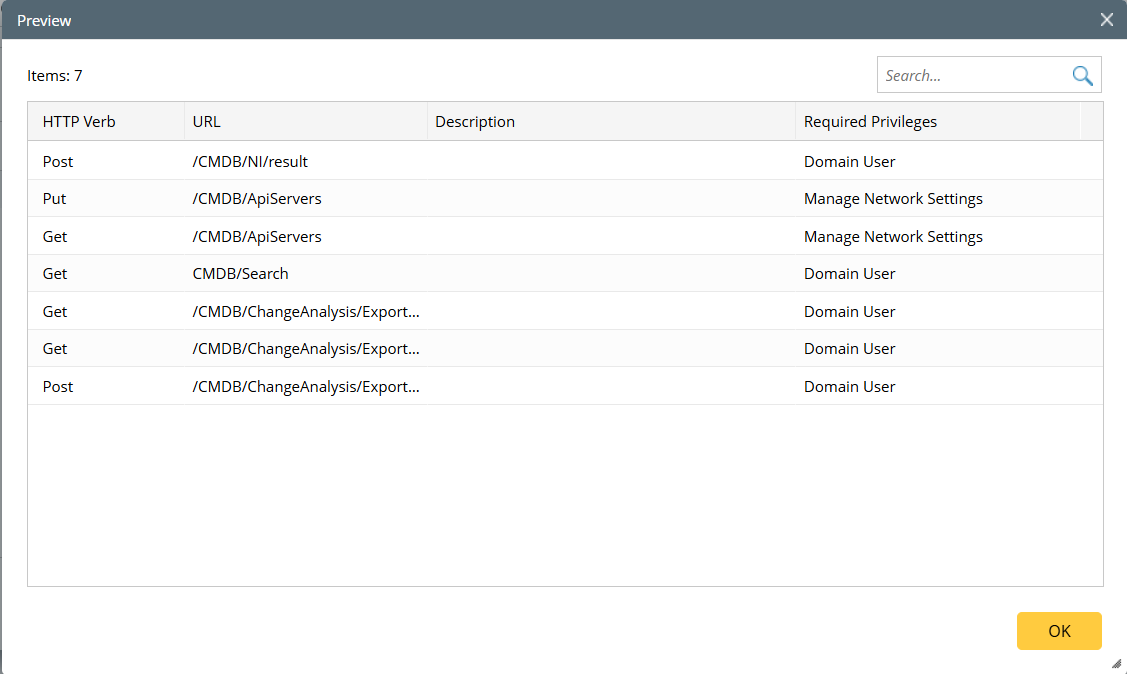
- Click Preview to preview the added APIs.
- Specify the Name and Description for the API Group.
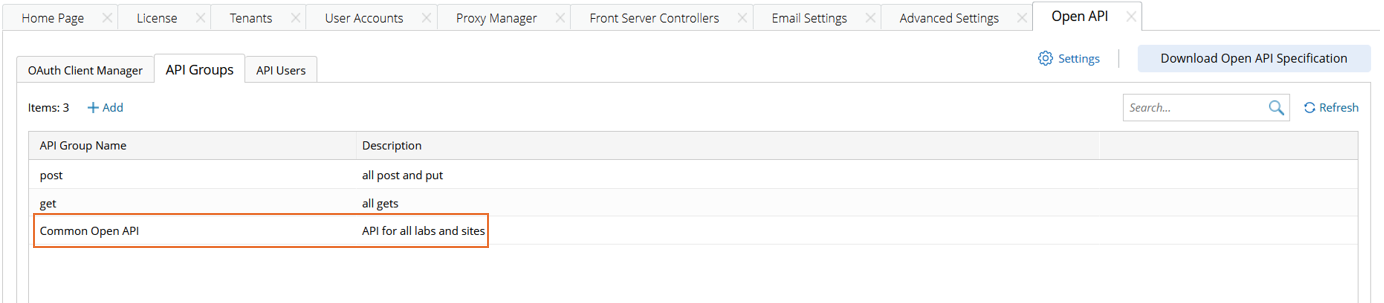
- Click OK in the Add API Group window, then you can see the new API group.