OAuth Client Manager
NetBrain supports Open API achieved by OAuth 2.0 protocol. OAuth Clients are managed in System Management Page > Open API > OAuth Client Manager tab. You can also configure advanced settings for Open API .
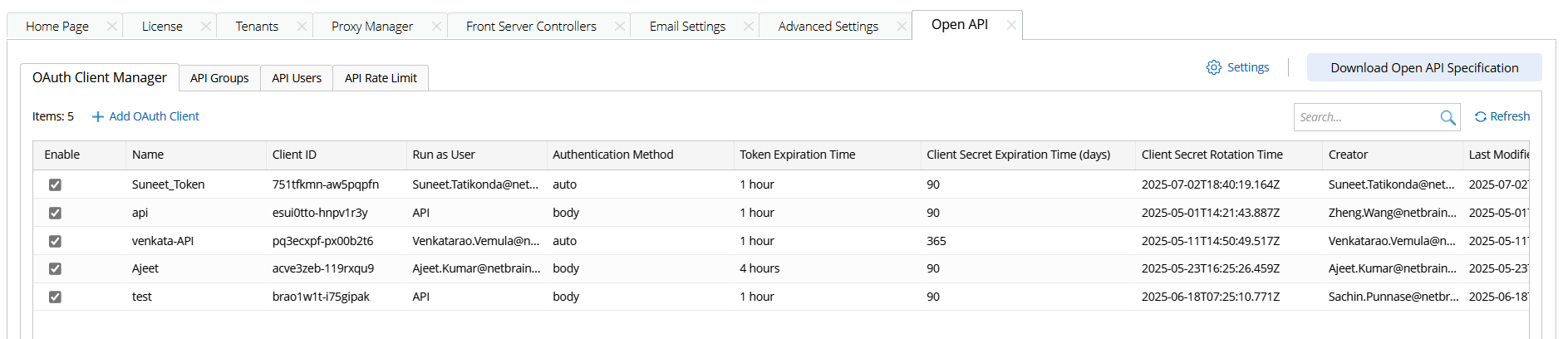
Add an OAuth Client
An Open API OAuth client refers to an application or component that uses OAuth 2.0 to authenticate and authorize access to APIs that are documented or defined using the Open API Specification.
Follow the steps below to add an OAuth Client.
- Go to System Management > Open API > OAuth Client Manager.
-
Click +Add OAuth Client, and define the following settings:
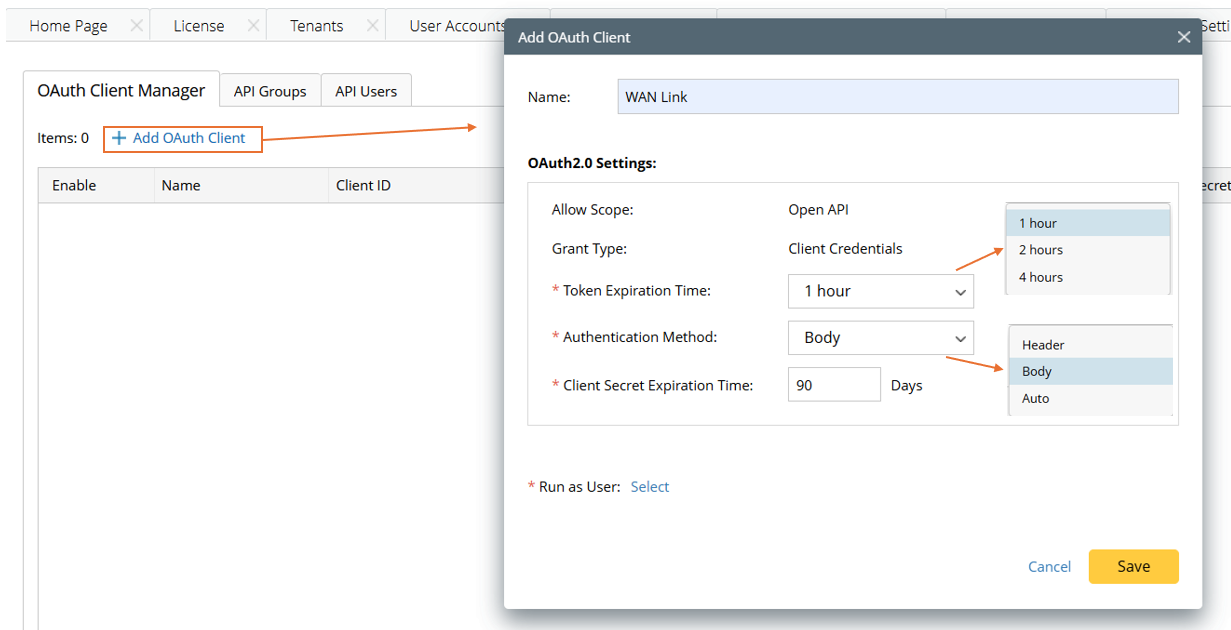
- In the Name field, specify a client name.
- Token Expiration Time: Select token expiration time.
- Authentication Method: Select Header, Body, or Auto to specify whether authentication is performed using using the header, the body, or determined automatically.
- Client Secret Expiration Time: The OAuth client secret is a confidential string issued by the OAuth 2.0 authorization server to an OAuth client during registration. In this section, specify the number of days the client secret is valid. Once the client secret expires, you must reset it to maintain access.
-
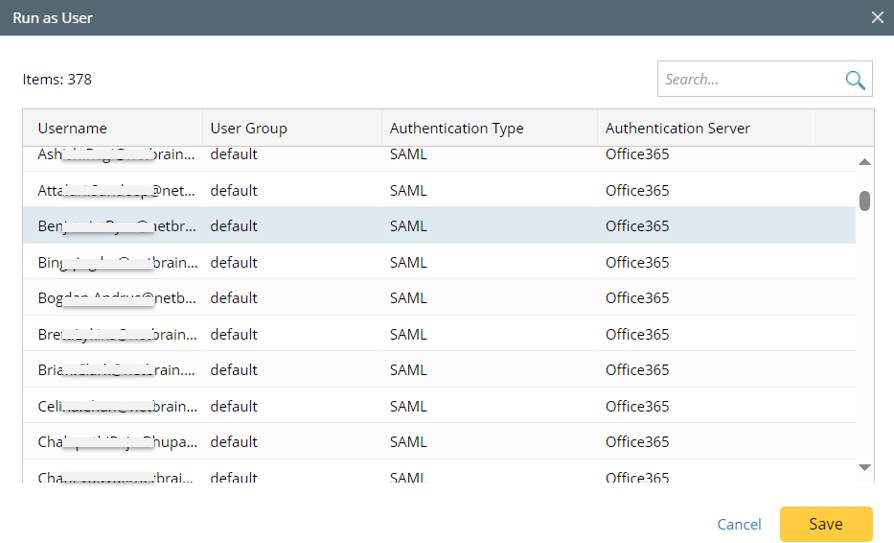
Run as User: Click Select to open the Run as User dialog. In this dialog, select a user associated with the current client ID, then the OAuth Client will access protected resources (APIs) on behalf this users with the same privilege as the user.
-
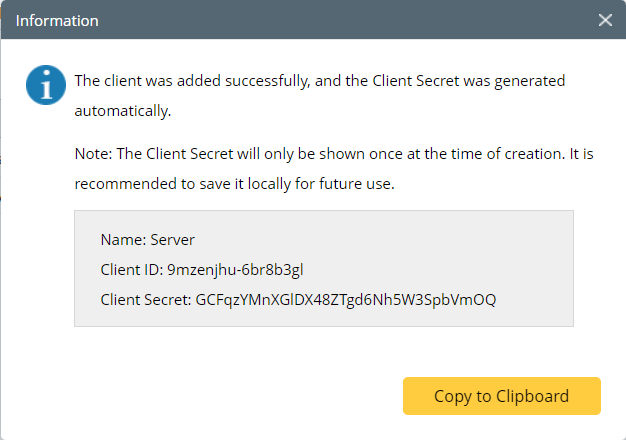
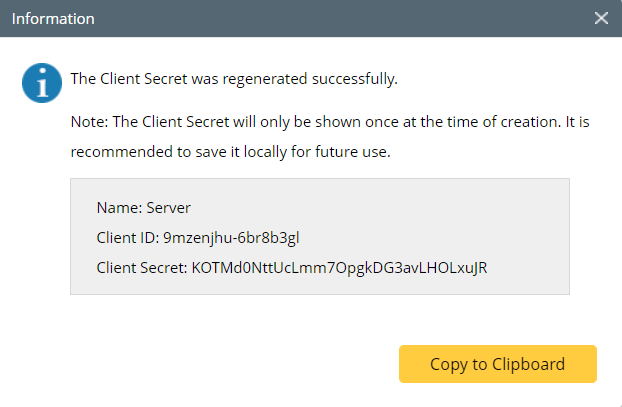
Click Save in the Add OAuth Client window, an information dialog will appear to provide information about the client secret. Users are prompted to keep the Client ID and Client Secret information.
- View the added OAuth Client. A new OAuth Client will be added as an entry in the Open API table.
Delete an OAuth Client
Follow the steps below to delete an OAuth Client.
- Go to System Management > Open API > OAuth Client Manager.
-
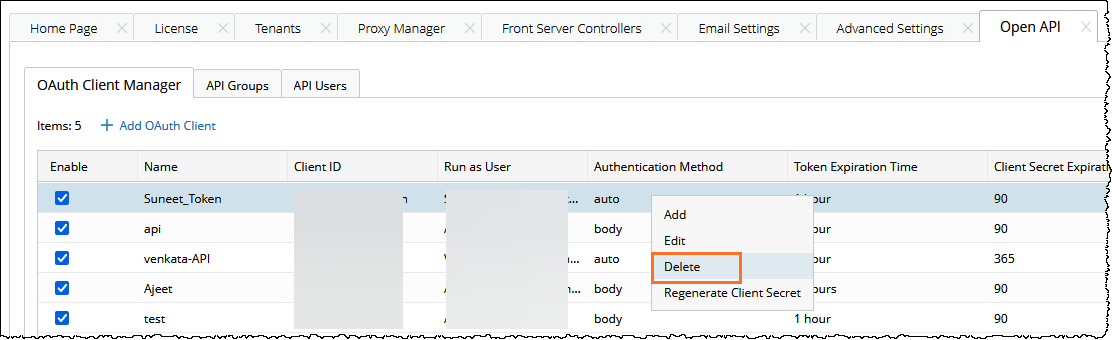
Select a target entry from the table, then click Delete from the right-click menu.
-
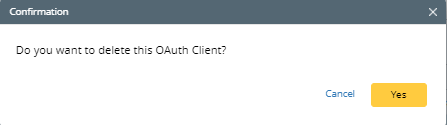
In the pop-up confirmation dialog, click Yes to delete the OAuth client.
Reset Client Secret
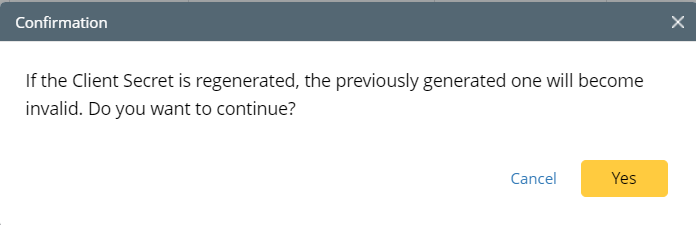
Client Secret can be reset, then the previous Client Secret will become invalid and the new Client Secret will be generated.
-
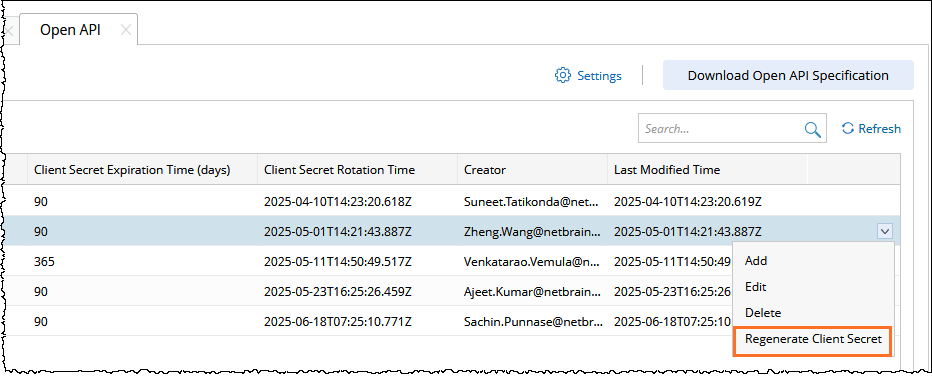
From the dropdown menu of the target OAuth Client, click Regenerate Client Secret.
-
In the pop-up Confirmation dialog, Click Yes.
-
The new Client Secret is generated, and you are prompted to save the new client secret.
Advanced Settings of Open API
It is important to configure Open API settings to ensure its secure usage. These configurations can be made in the Open API Settings dialog.
-
Click the
 icon in the Open API pane.
-
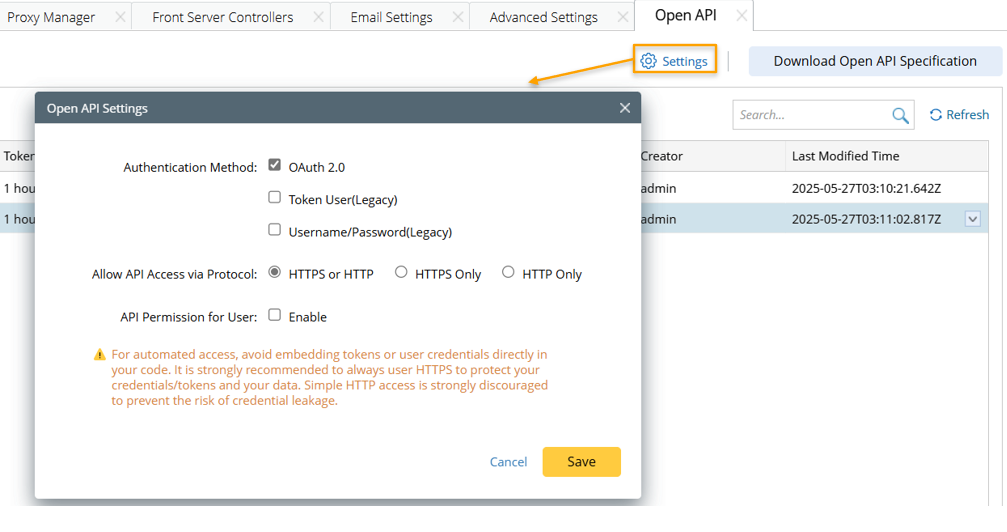
In the pop-up window, do the following:
-
Authentication Method: Three authentication methods are available, and you can select one or more of the authentication methods. The authentication method can influence the use of Open API.
-
OAuth 2.0: This is recommended option.
- Token User (Legacy): If this option is not selected, the existing token user will be disabled. Make sure you do not have token users if you choose not to enable this. It is recommended to disable this function and access open API with OAuth 2.0 protocol. However, you can enable token user here and set the token expiration time to continue with token authentication.
- Username/Password(Legacy): This option is selected by default.
-
- Allow API Access via Protocol: Select one from the three Protocol (HTTPS or HTTP/HTTPS Only/HTTP Only) that Open API will work with. The default options is HTTPS Only. It is strongly recommended to enable HTTPS Only, because using HTTP may cause data leakage and system risk. If you upgrade to this version, your previous choice is kept.
- API Permission for User: By default, the "API Permission for User" option is disabled, allowing all users to access all APIs. When this option is enabled, users with corresponding privilege can define API groups to manage and assign API access permissions to specific users.
-
Authentication Method: Three authentication methods are available, and you can select one or more of the authentication methods. The authentication method can influence the use of Open API.
-
Click Save to save the settings.
Important: The Token User authentication method is significantly less secure than the industry-standard using NetBrain's Open API (with OAuth 2.0). Some third-party API servers have not yet migrated to the industry-standard and require a single-step authentication method. To maintain backwards compatibility, NetBrain has continued the support for these types of tokens. It is strongly recommended to not use tokens for scripting and to migrate to the OAuth 2.0 via the Open API to address security concerns with tokens for API server integration as soon as possible.
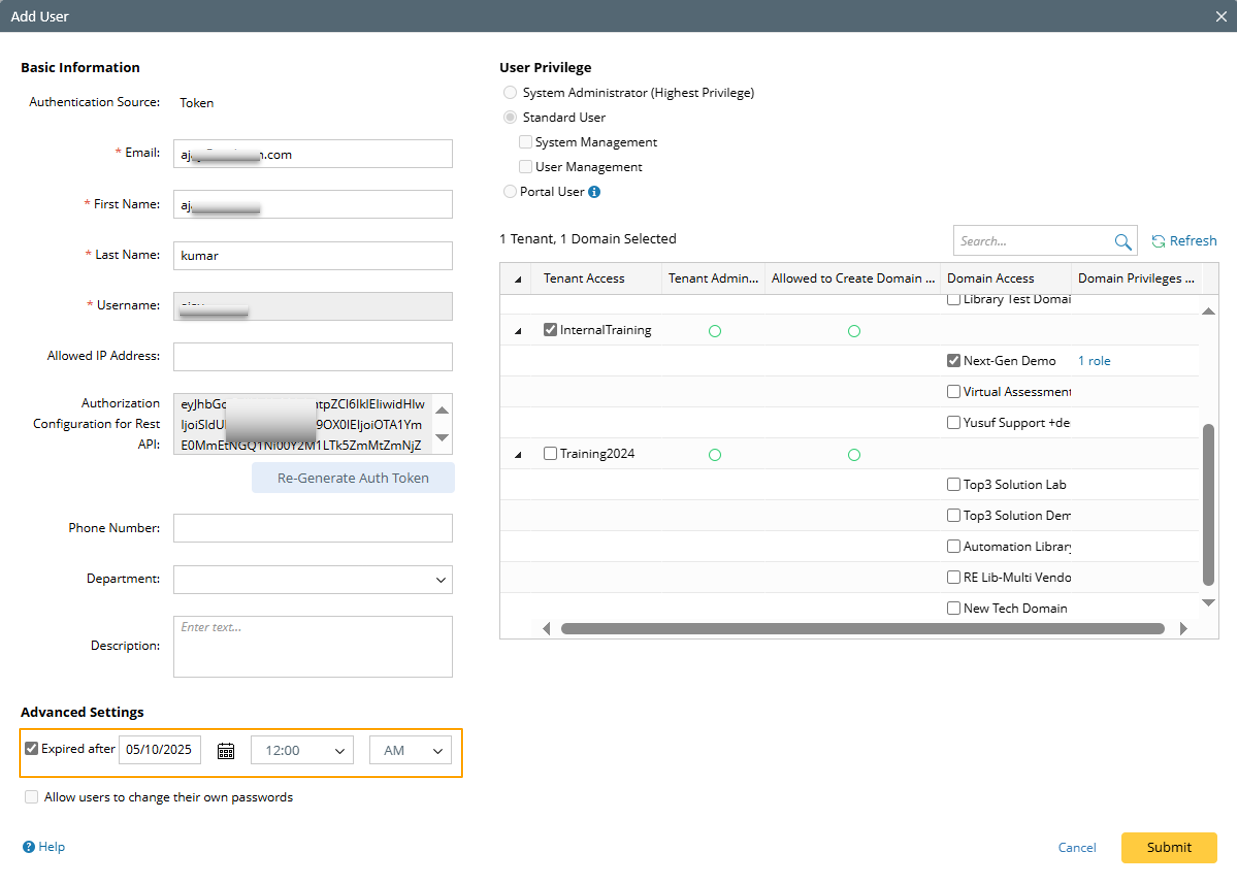
To revoke a token user account, disable token user authentication as described in the above session or set the expiration date for the user account when it is added in the System Management > User Accounts tab.
NetBrain Open API can be downloaded, then users can import the file to API Gateway to use NetBrain's Restful API.
- Go to System Management > Open API.
-
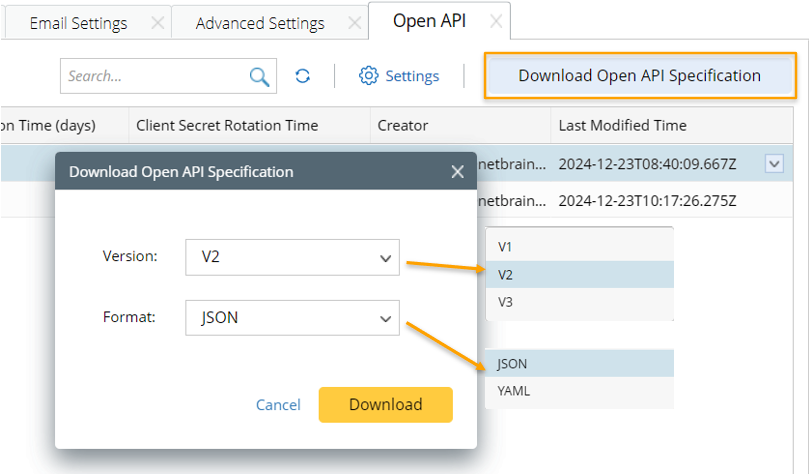
Click Download Open API Specification, and the Download Open API Specification dialog will appear.
-
In the Download Open API Specification dialog, define the following:
- Select an API version. By default, the latest API version is selected.
- Select a format. The open API can be exported to JSON or YAML format.
- Click Download.