R12.3-2026Apr21
Add Device Variable via Importing CSV/ADT Files
Click Import to import CSV/ADT files to create device variables.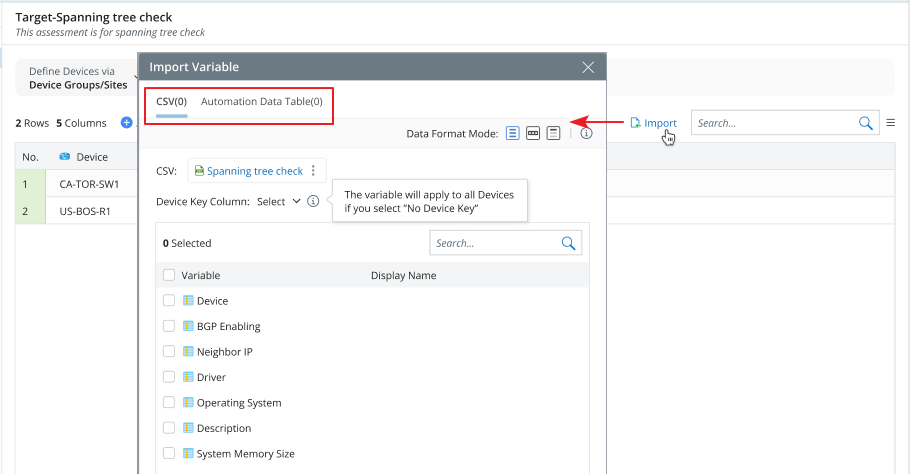
- Import via CSV: You can select a CSV file to match the current device column.
- Import via ADT: One or more ADT files can be imported.
Logic of Importing via CSV
When importing a CSV file to the current device list, you can select a device key—if present in the file—to map and add data to the device table.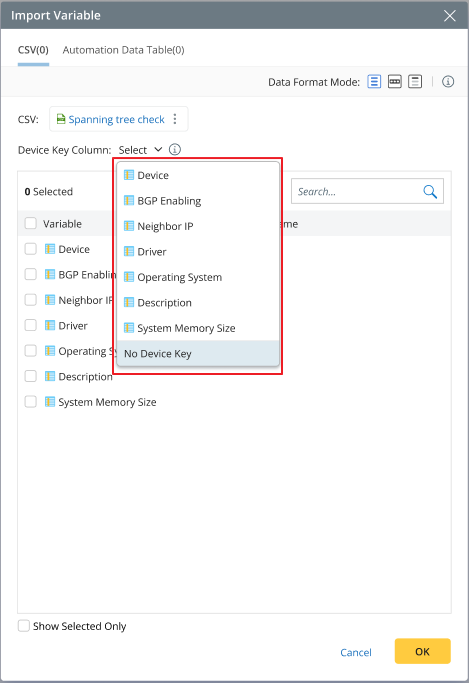
For example, A simple assessment target consists of devices R1, R2, and R3.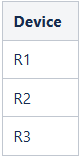
The following are the imported CSVs, which may or may not include a device key.
CSV1: CSV2: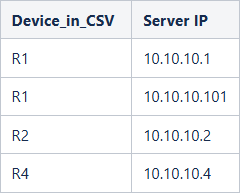
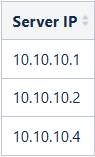
The imported results are as follows.
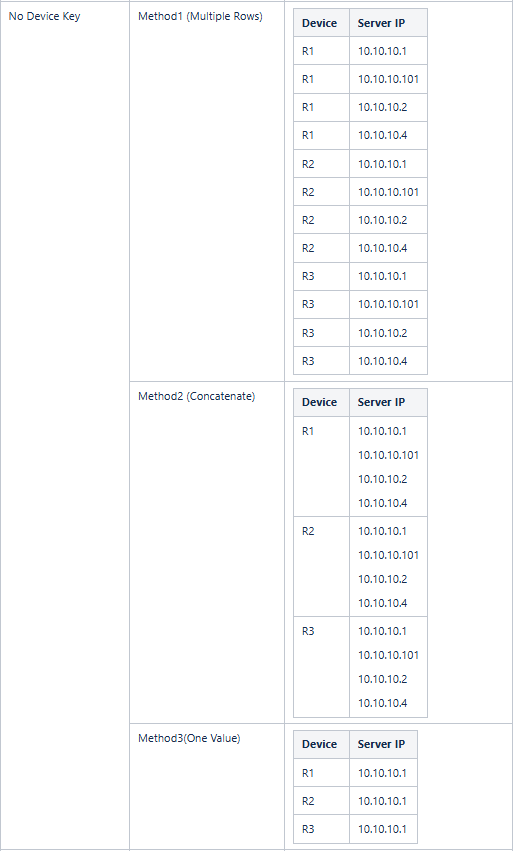
For CSV1: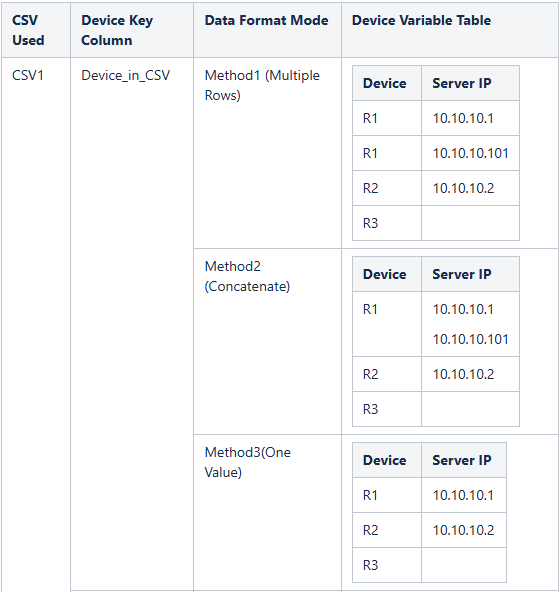
For CSV2: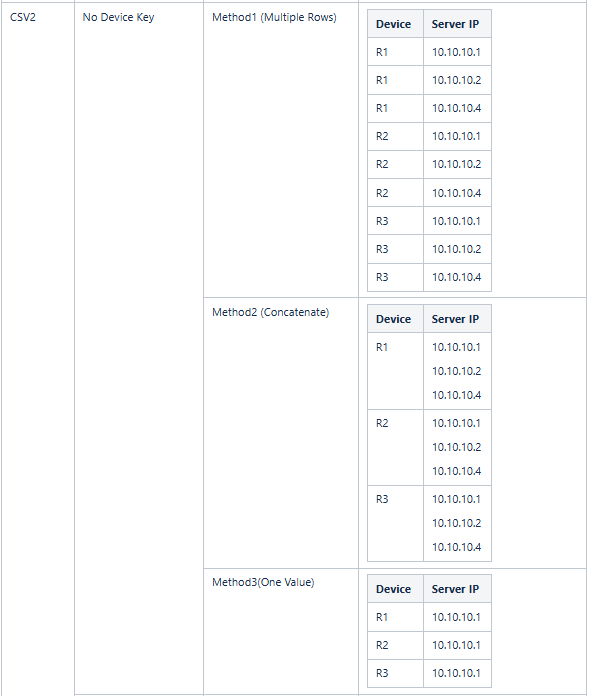
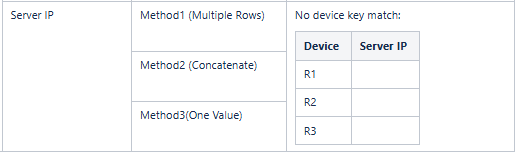
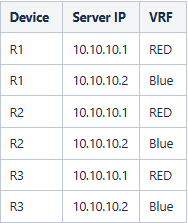
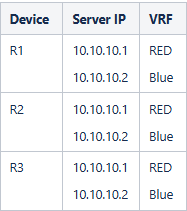
For a CSV file with multiple rows, when using Method 1 or Method 2, the original row structure should be preserved.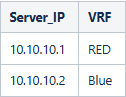
- Method1:
- Method2:
Logic of Importing via ADT
The logic for importing ADT files is the same as for CSV files. The supported and unsupported ADT column types are:
| Supported Types | Not Supported Types |
| String | Time |
| Float | Node |
| Int | Node List |
| Bool | Map |
| Device | Device Group |
| Device List | Site |
| Device Interface | Path |
| Device Interface List | Intent |
| Primary Probe | |
| Secondary Probe | |
| Dataset |