Build Base Table via Node of Pre-Decoded Intent Template
When to build ADT by selecting the intent template?
Decoded nodes and their parsed data—including signature variables, table signature variables and macro variables—can be used to populate the ADT. The selected intent template is applied to decode the devices or nodes in selected node group, and the resulting parsed data is then used to construct the ADT.
Define Base Table Data via Node of Pre-decoded Intent Template
Select a pre-decoded intent template to build a node-based Automation Data Table. Based on the intent template decoding results, each replicated device will be populated as a table row. The replicated intent and the related Signature variable values of the nodes are shown in the corresponding table columns of this device row.
To build a Base Table via nodes of pre-replicated intent template, follow the steps below:
Prerequisites:
- Create a node group "AWS_EC2", the nodes in the group are found by dynamic search as follows:

- Create an intent template (for example, NIT: Aw01040000_AWS Resource Health Check Base Intent) and install it in the Intent Based Automation Center, then enable it for intent decoding.
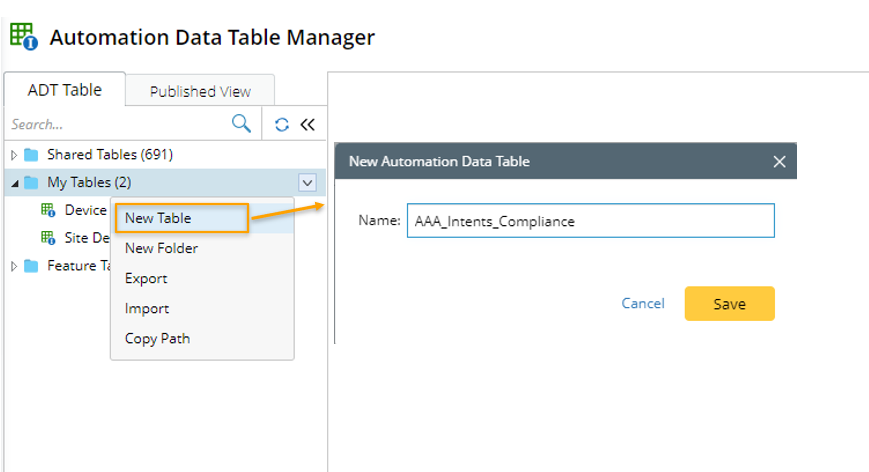
- Go to Automation Data Table Manager, then create a new table and name it (for example, AWS_Resource_Health_Check).

- Open the newly created ADT table and click Table Builder.
- Under the Define Base Table tab, define the following settings:

- Select Method to Build Base Table: Select Node > Node of Pre-Decoded Intent Template.
- Description: Input descriptions for the base table to describe its use and function.
- Auto-Intent Template: In the Auto-Intent Template field, click Select to select the created intent template (AW01040000_AWS Resource Health Check Base Intent) for building the base table.

When selecting the intent template in the Select Intent Template dialog, you can first filter the NITs by Installed Intents (intents installed in Intent Based Automation Center) to narrow down the scope. Then you can select Device-based from the Filter by field to filter the NITs by type. - Filter Devices and Nodes of Cloned Intent by Device Group: Select a group, the devices and nodes in that group are used for intent replication.
- Select Method to Build Base Table: Select Node > Node of Pre-Decoded Intent Template.
- Mapping Available Fields to Column Group: Drag and drop the available fields to the column group definition area to create ADT columns automatically.


Note: To perform common operations on a column, click corresponding items from the drop-down menu. For example, you can click Unbind Data Field from the drop-down menu to unbind the data associated with this field. In the created ADT, this column will be empty. 
- Click Save to save all the settings.
- Click Save and Build to save the settings and build the ADT.
The following table describes available data fields for building base table if the intent template is the data source.
| Field Type | Fields | Description |
| Built-in Field | Node Intent | The built-in fields are created from the data used for intent template definition. |
Signature Variable | Dynamic Fields | Signature variable is aimed to expose the main variable values used in parser when NI is used for NIT replication, and can be output to ADT as row data based on the ADT-based table and to build ADTs. If the selected intent template has single-value signature variable defined, signature variables are available fields. |
| Table Signature Variable | Dynamic Fields | If the intent template has table signature variables defined, these macro variables are available fields. |
| Macro Variable | Dynamic Fields | If the intent template has macro variables defined, these macro variables are available fields. |
| Intent Data Field | Intent Message Intent Status Code Device Status Code Status Code Summary Result Summary Intent Devices Intent Map Intent CLI Commands Last Execution Time | The intent data fields are created from intent details of the intents generated from the intent template. |
| CSV | CSV Columns | If the selected intent template has CSV outputs, the CSV columns can serve as available field. |