R12.3-2026Apr21
Create a Network Dashboard Template
The system provides two ways to create a Dashboard Template.
Create a Dashboard Template from Scratch
- Click the start menu
 and select Network Dashboard Widget & Template.
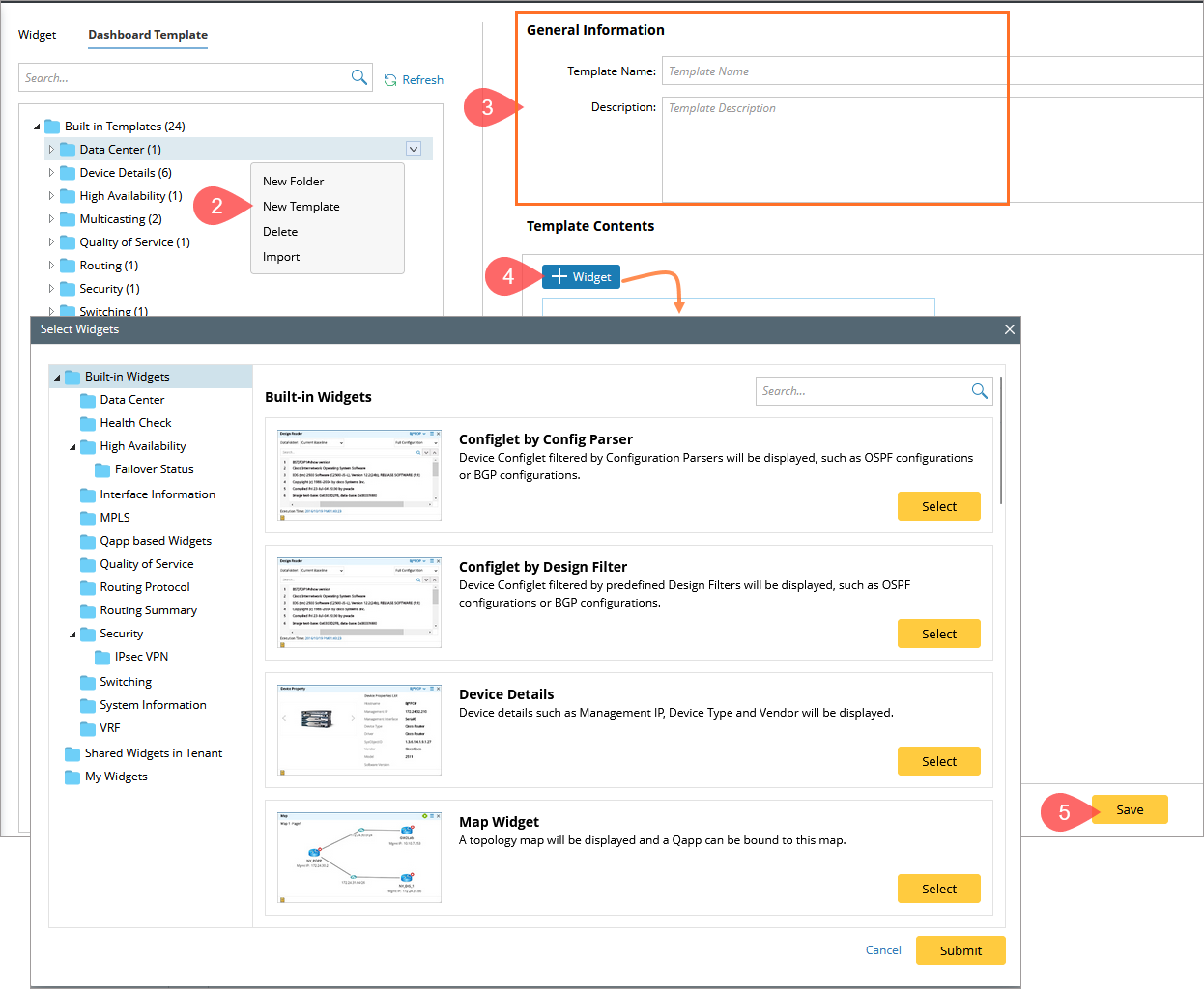
 - Select the Dashboard Templates tab, point to a category in the left pane and click the
 icon to select New Template.
 - Specify the generic information about the template, including template name (case-insensitive) and description.
- Add widgets to the template.
- Click + Widget or the
 icon. All available widgets are categorized by functionality.
 - Click Select to pick out your interested widgets.
- Click Submit.

Tip: If you add monitor widgets into the template, click Qapp Settings to set the frequency.
- Click + Widget or the
- Click Save.
Create a Dashboard Template from a Real Dashboard Instance.
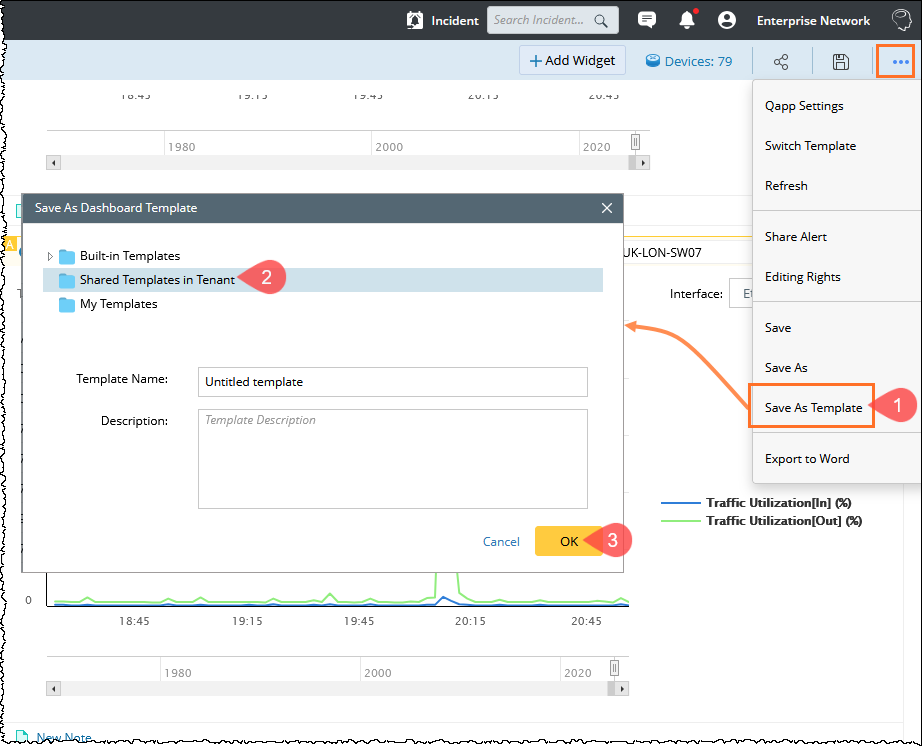
- Click the
 icon at the upper-right corner of a network dashboard and select Save As Template from the drop-down list.
- Select the Shared Templates in Tenant category to save it as a shared template, and then enter the basic template information.
- Click OK.
See also: