R12.3-2026Apr21
Create Multi Chats and Share
When you first use the AI companion, there will be a My Chat (Chat 1). 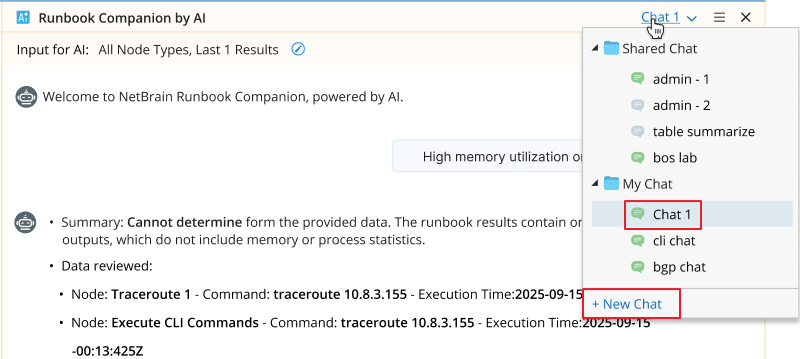
To restart your conversation with the AI, click New Chat.
- Each chat is independent, including prompts and responses. The default is My Chat > Chat 1.
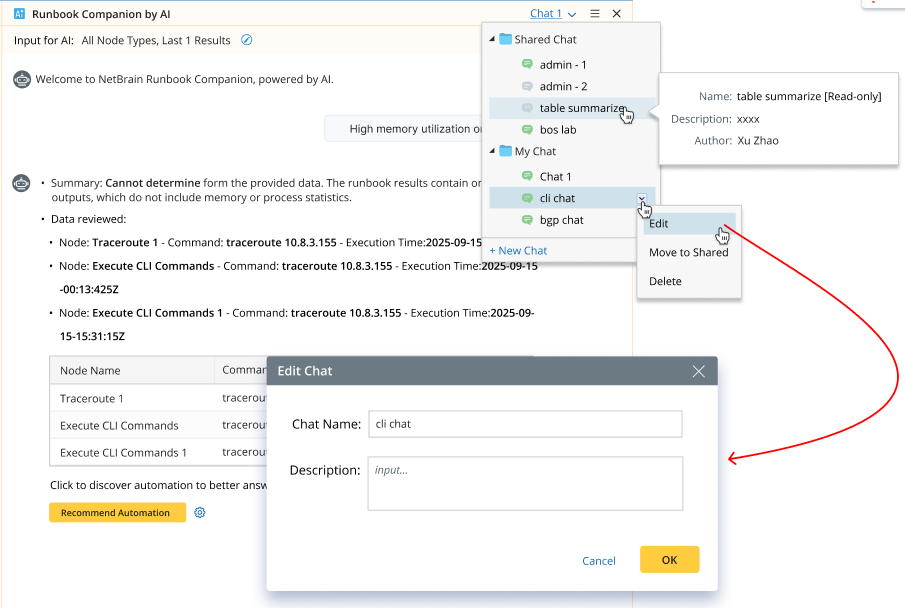
- Shared Chat menu options: Edit/Move to My, Delete — these options are only available for the owner (Me). Shared chats are read-only for other users.
- Clicking the New Chat option under My Chat always creates a “My Chat”.
You can edit, share, and delete your chats.