R12.3-2026Apr21
Recommend Automation
After completing the above steps, you can directly use Recommend Automation in the AI response. Alternatively, you can simply click Recommend in the Runbook left pane for quick access to the same functionality.
Recommend Automation in AI Response
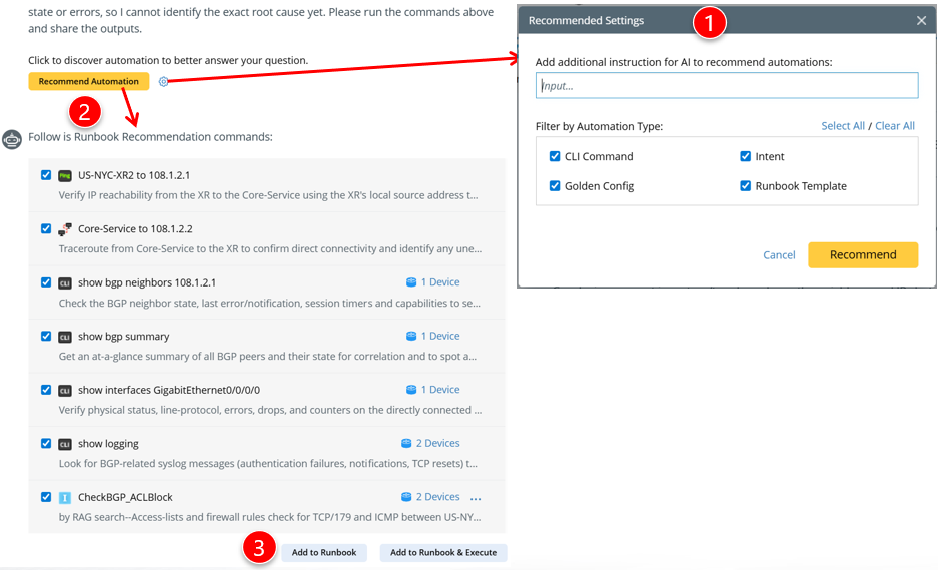
If no runbook data is available to address the network problem described in the prompt, a Recommend Automation button appears to help you find suitable automations to add to the runbook for ongoing troubleshooting.

|
Note: The reasoning process is also displayed for runbook automation recommendations.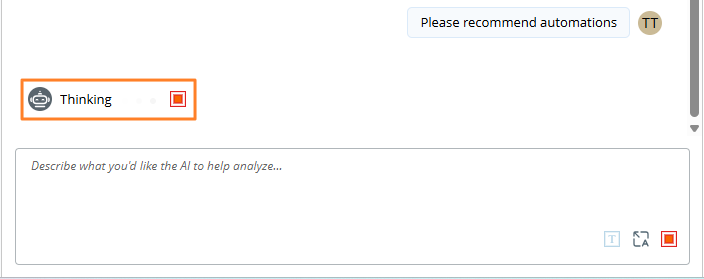 |
- Define Recommended Settings.
You can first provide additional instructions for the AI to deliver accurate automations. For example, please add ping 10.10.10.1 from map devices. Then select the automation types they want the AI to recommend.
Supported Automations: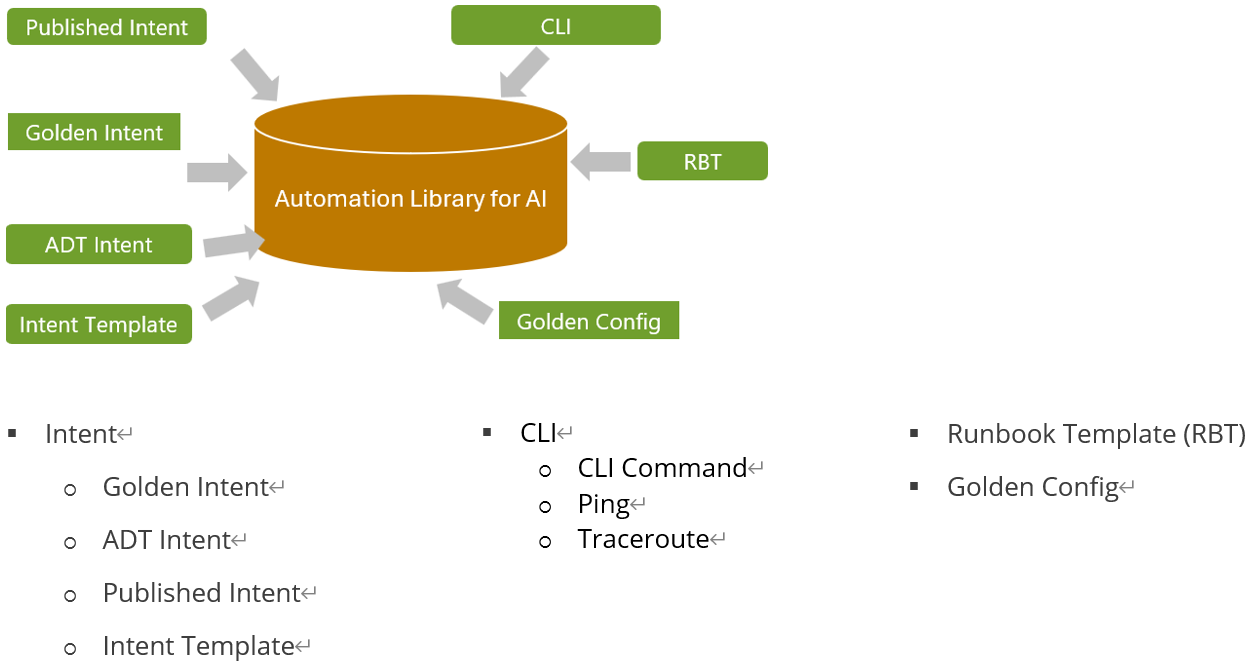
- Obtain Recommended Automation.
- Add to Runbook & Execute.
Recommend Automation in Runbook Left Pane
You can also click Recommend in the Runbook left pane to quickly access the same functionality. This option provides a more concise version of the recommendations shown in the AI responses.
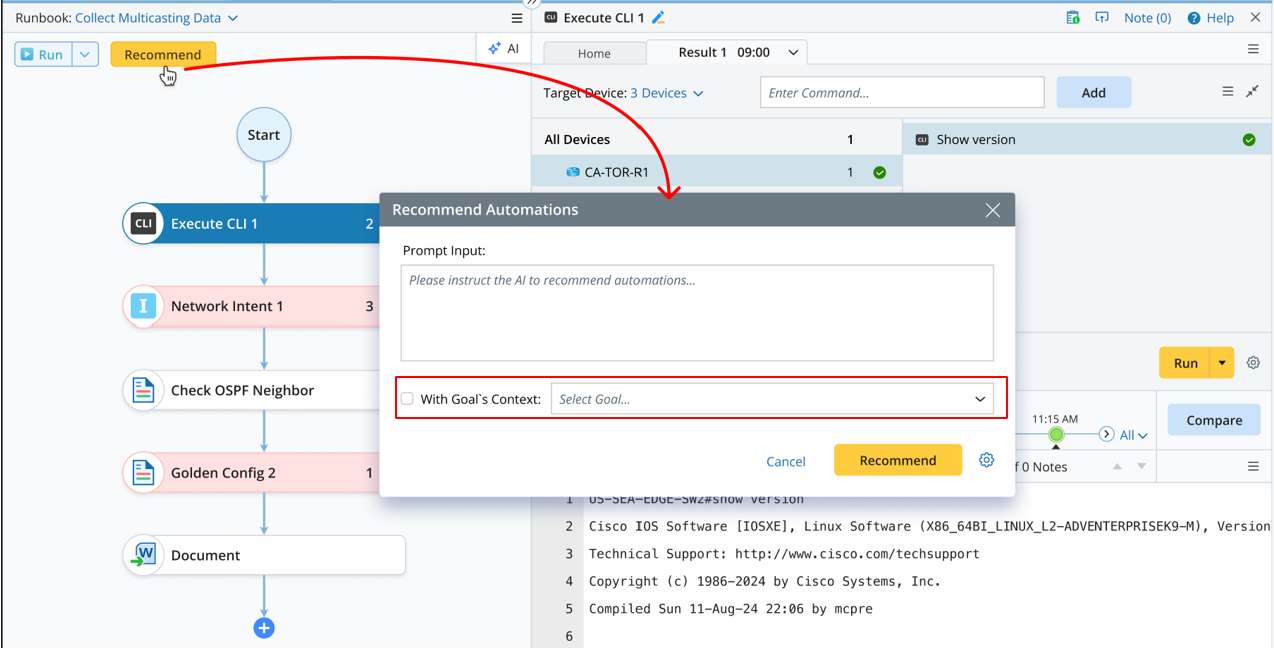
Difference Between the Two “Recommend”
- The Recommend in AI response sends the last three Q&A interactions as the context.
- The Recommend in left pane only sends the latest response of the selected goal. By default, it is unchecked—only the user input is sent with no additional context.