Create Node Group
In the Device/Node Group Manager, you can now create and manage Device Groups, Link Groups, and also the Node Groups.
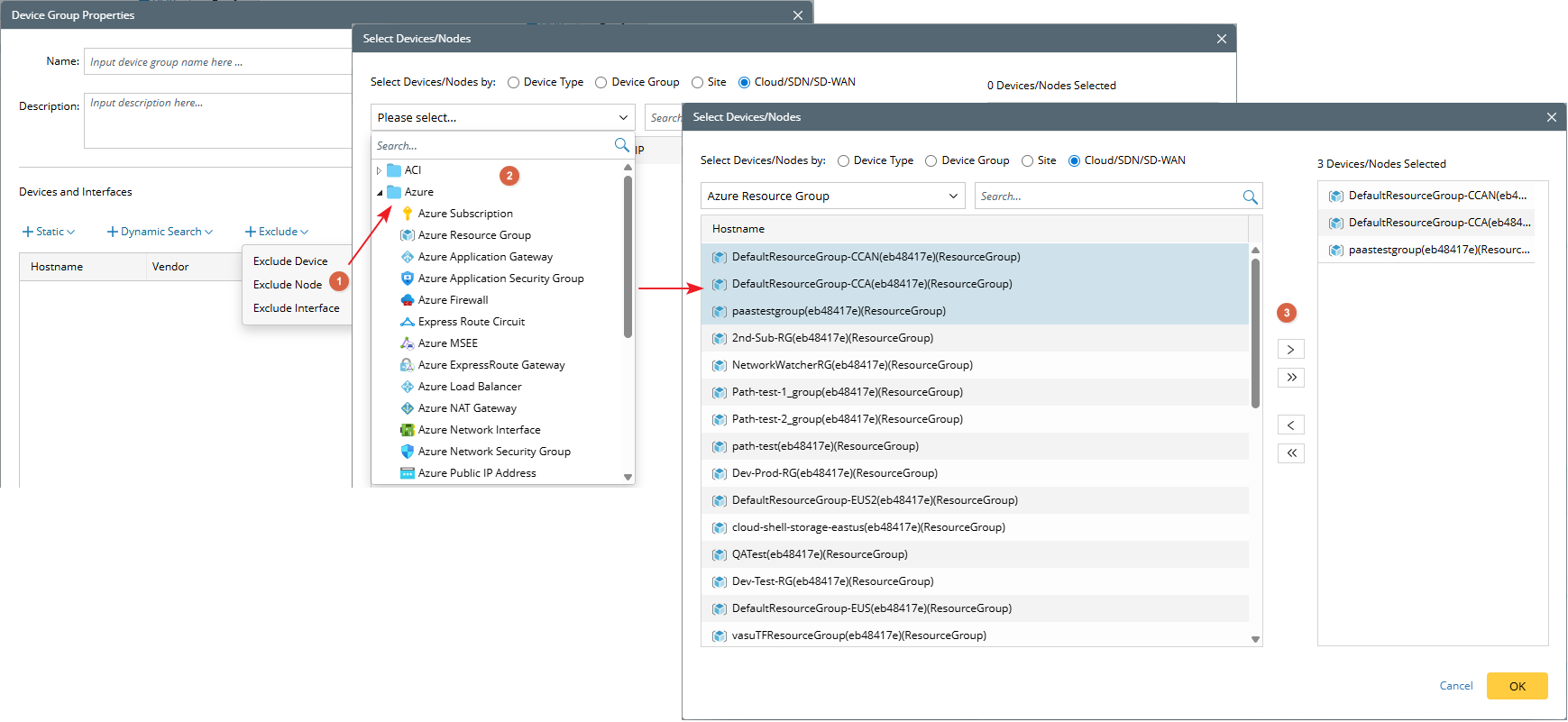
Create the node group with the following methods: 1) Dynamic Search Node; 2) Static Node; 3) Exclude Node.
Dynamic Search Node
The Dynamic Search Node method enable you to search for nodes via a pop-up dialog dynamically.

|
Note: The Dynamic Search dialog provides functionality similar to Dynamic Search in ADT, but focuses exclusively on logic nodes and does not support traditional device searches. |
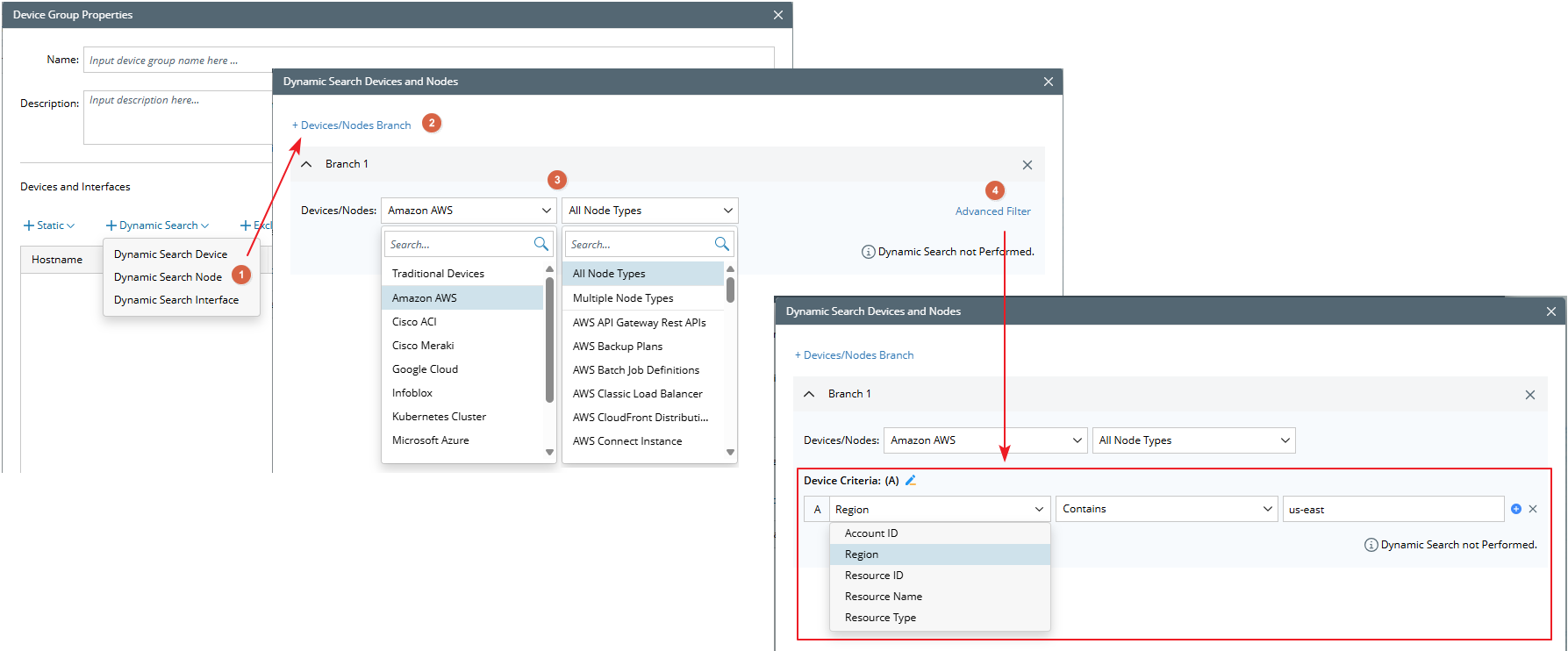
- Select Dynamic Search Node.
- Add a Devices/Nodes branch.
- Configure the basic scope of the node.
- Click Advanced Filter to refine the scope.
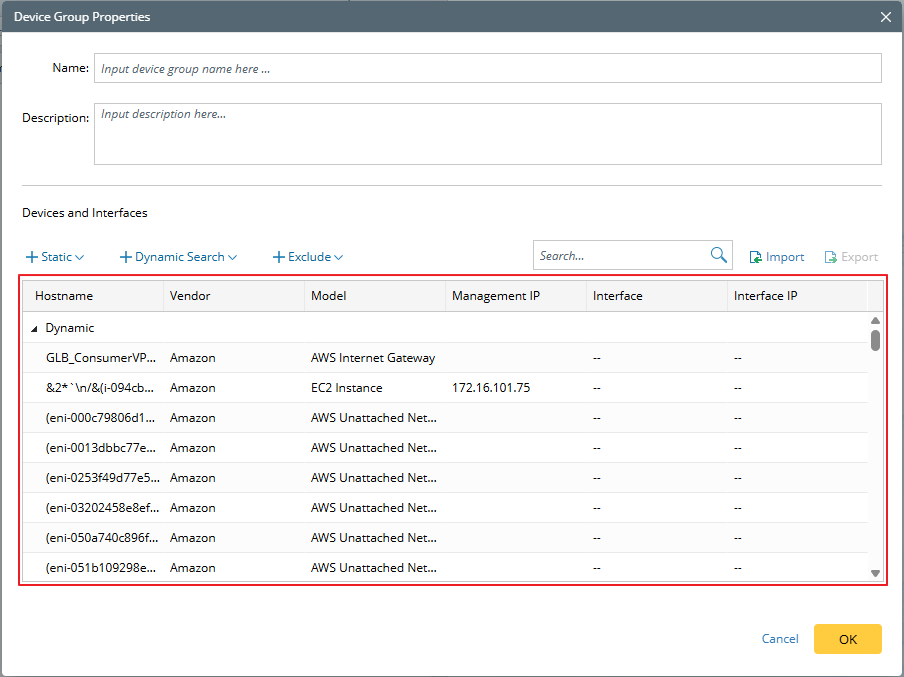
- View the search results.
Static Node
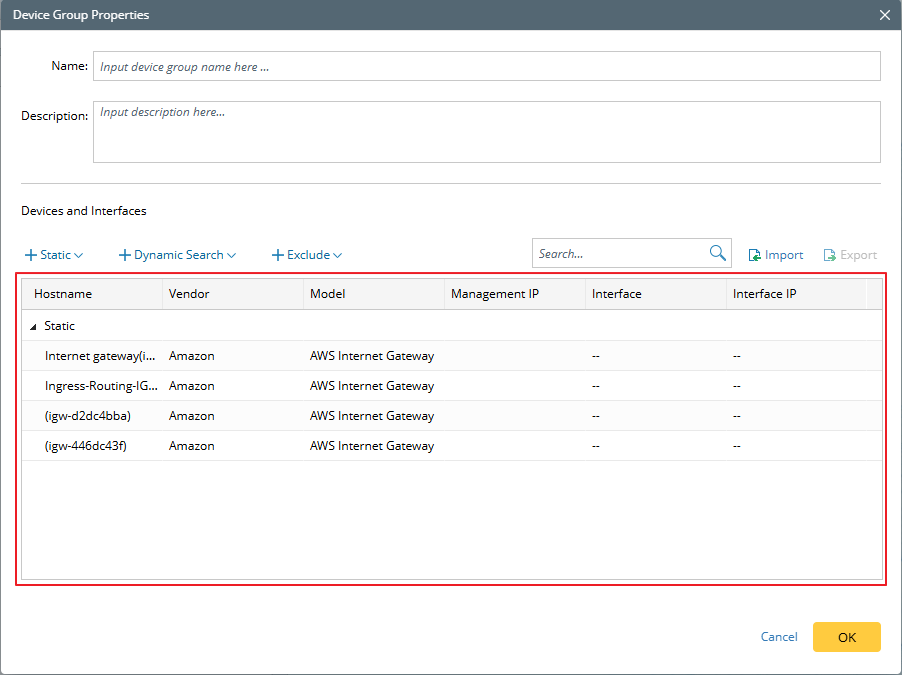
You can use the Static Node to select specific nodes from the pop-up dialog. The Cloud/SDN/SD-WAN option is selected by default, with the flexibility to switch to traditional device selection as needed.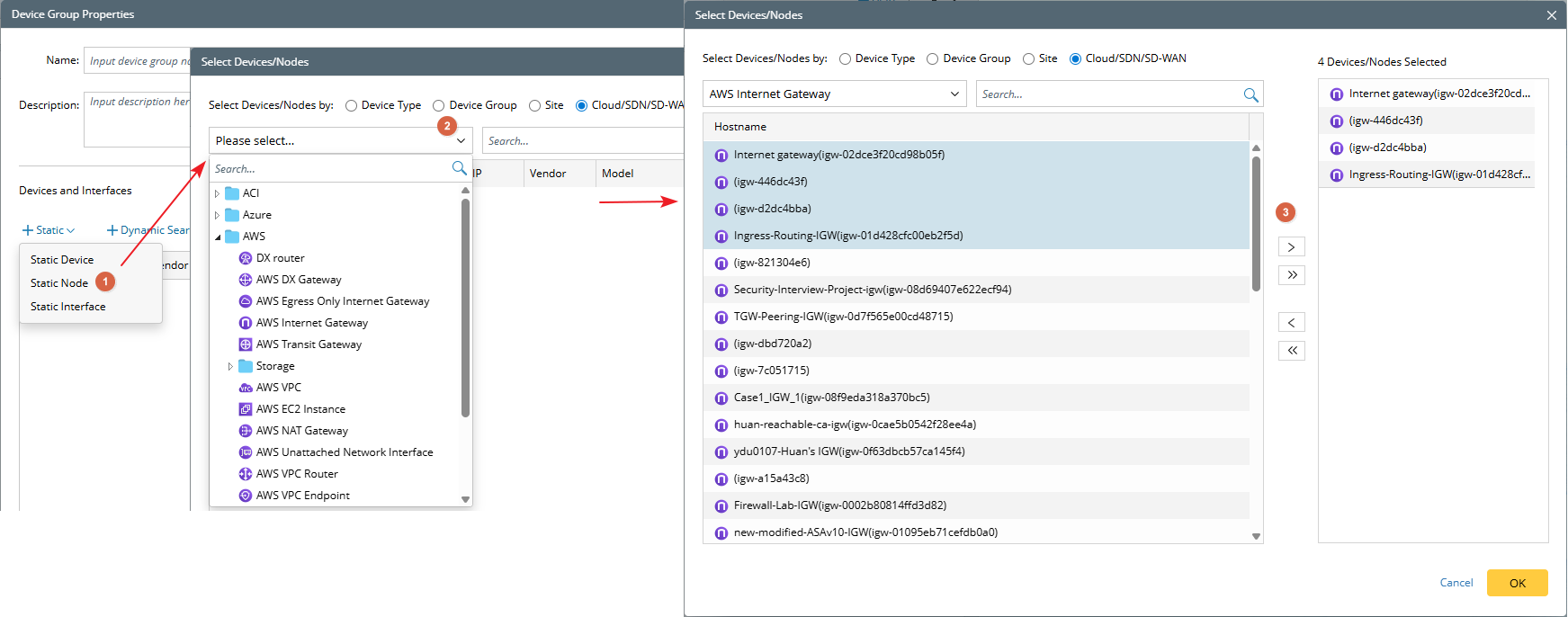
- Select Static Node.
- Define the basic scope of the node.
- Choose the specific nodes to include.
- View the result.
Exclude Node
Exclude Node option enables you to specify nodes that should be excluded from the node group. Similar to Static Node Selection, Cloud/SDN/SD-WAN is selected by default, with the ability to switch to traditional device selection if required.