R12.3-2026Apr21
Create Table Pattern with AI
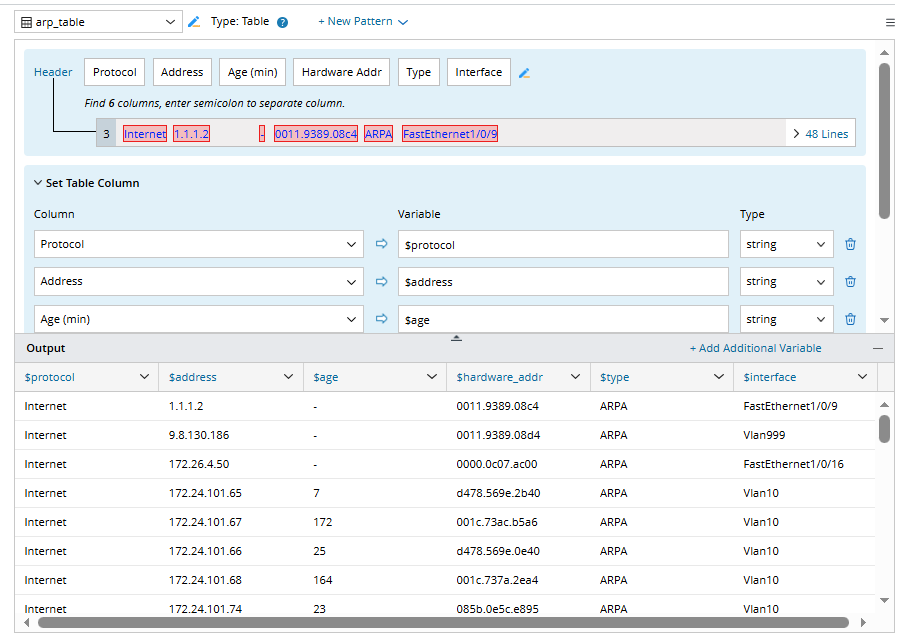
AI can create a table pattern, identifying and separating table headers, generating the appropriate table structure. Users can further refine the result by asking the AI to remove unwanted columns.
- Command: show arp
- Prompt: Please parse this table.
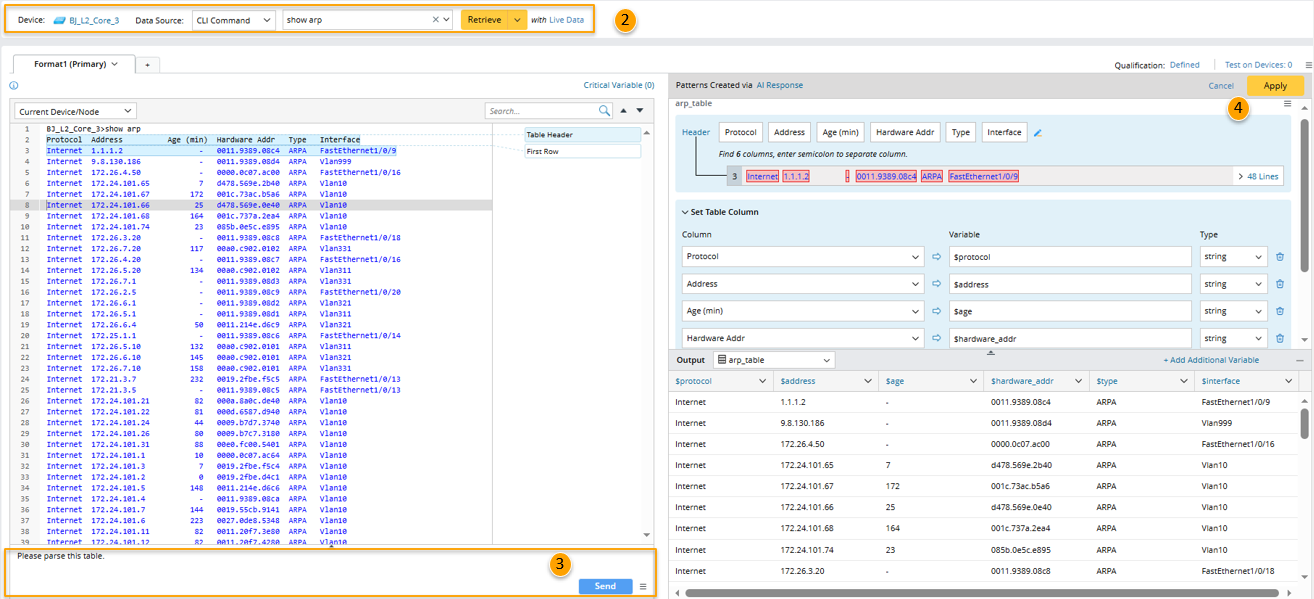
Steps:
- Create a parser and define the parser name and description.
- Select device and retrieve data with the CLI command "show arp" .
- In the Prompt Input Pane, input the prompt "Please parse this table.", then click the Send button. a table pattern "arp_table" is created by AI. You can manually change the column headers for define more advanced settings or give more prompts to AI to ask AI do this.
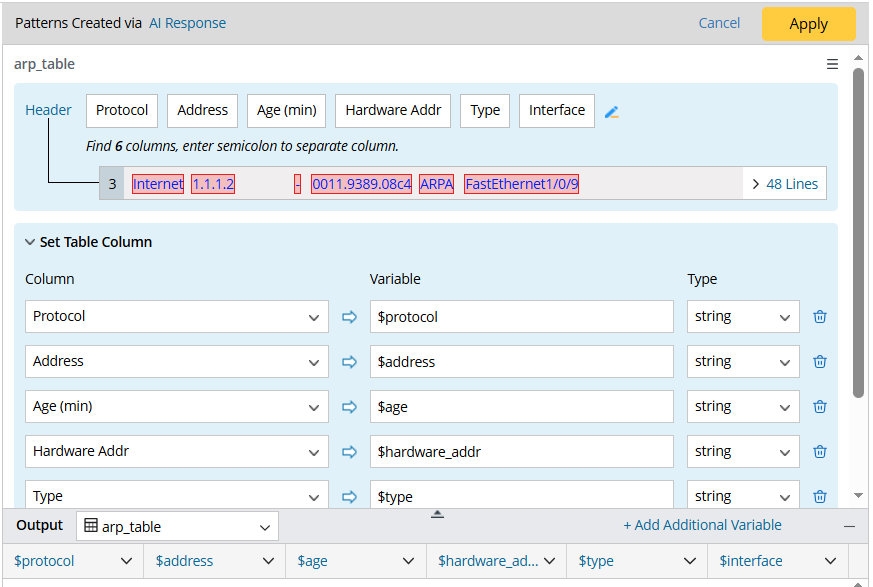
- Click the Apply button, the table pattern is saved to the parser.