R12.3-2026Apr21
Discover Meraki Devices in NetBrain
After adding the Meraki API server, follow the steps below to discover Meraki devices:
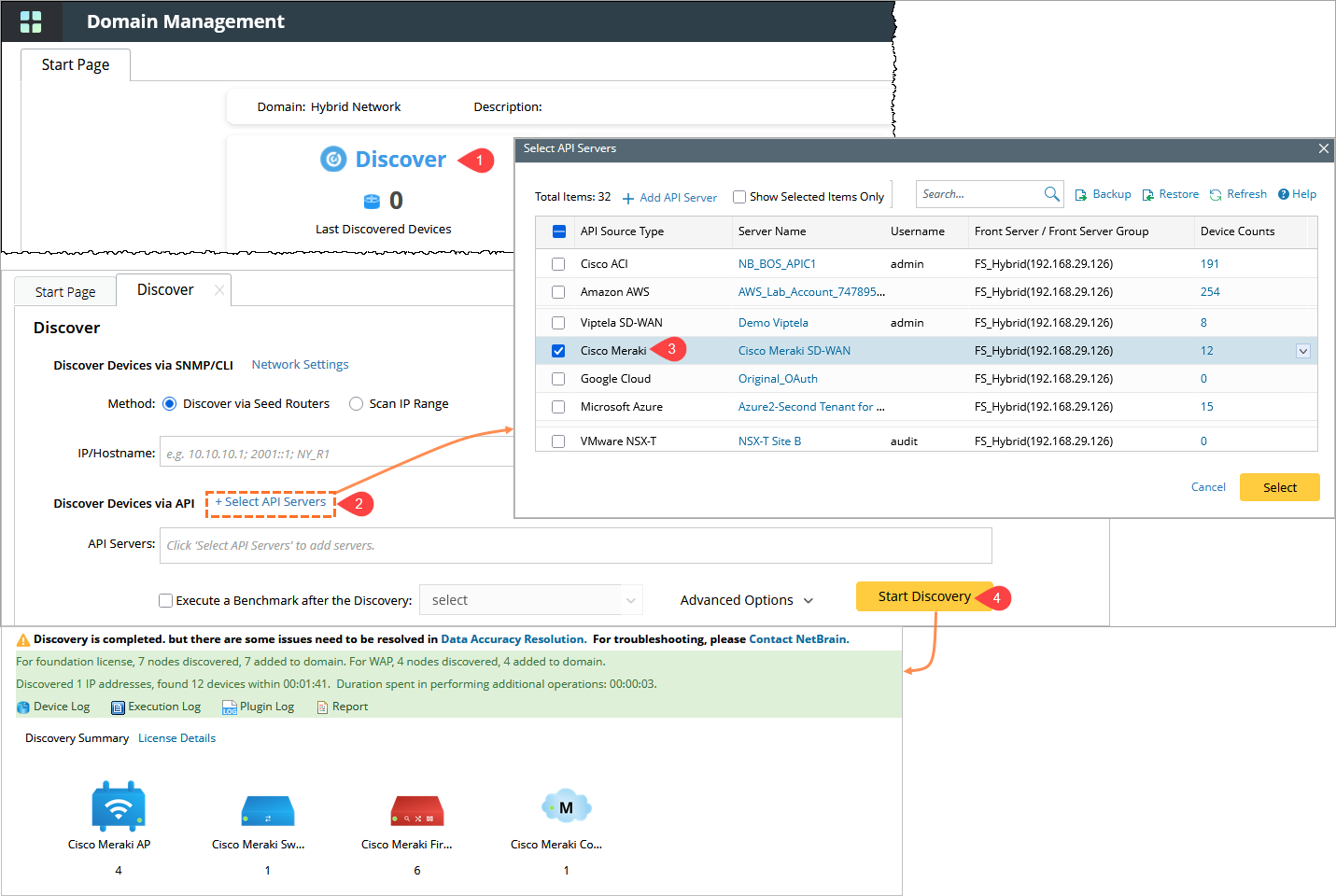
- In the Domain Management page, click Discover.
- In the Discover page, under Discover Devices via API, click + Select API Servers.
- In the Select API Servers window, select the checkbox for the configured Cisco Meraki API server, then click Select.
- Click Start Discovery to begin discovering Meraki devices.
 |
Note: |