Filter ADT Data by Condition
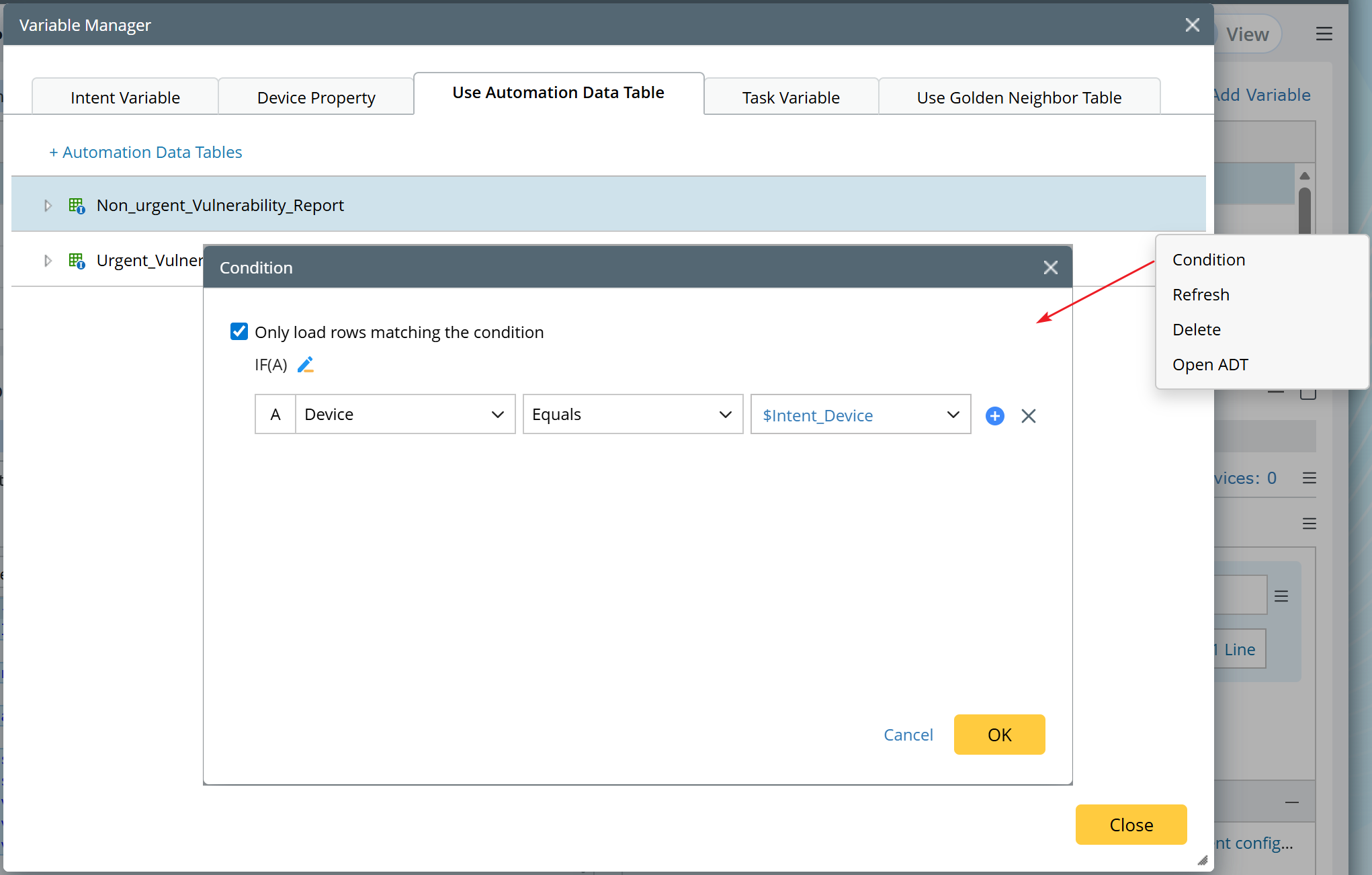
As deployments scale, multiple cloned NIs writing to a shared ADT table can generate extremely large datasets. Each NI has to load the entire table on every upsert, causing severe performance degradation and high database load. Filtered ADT data loading can address this: when an ADT is referenced in an Intent, only the rows matching a defined condition are loaded, reducing database I/O and improving scalability for large deployments.
Default Filter Condition
When importing an ADT into an Intent, a checkbox Only load rows matching the condition is provided and checked by default. A default condition is automatically populated based on the ADT’s device column, using the built-in variable $Intent_Devices (which represents all devices in the current Intent) with the Match operator.

|
Note: If the ADT has multiple device columns, the first one is used. If no device column exists or the current Intent has no device scope, no default condition is applied. |
Multiple Filter Conditions
Multiple conditions can be defined to support for more granular filtering. Each condition includes:
- Left Field: Select a column from the ADT.
- Operator: Automatically determined by the ADT column data type.
- Right Field: Set a value manually or choose a built-in variable (e.g., $Intent_Devices).
More Notes
- When the filter is enabled and conditions are defined, the query runs via Elasticsearch (ES), with results limited to 100,000 rows.
- Opening the Intent Editor automatically refreshes ADT data using the active filter conditions.
- You can also access the filter condition dialog via the context menu in the Variable Manager.