Manage - Knowledge Document in Deep Diagnosis
Knowledge documents supplement the AI’s knowledge when the user has a specific cases. Deep Diagnosis uses these documents during the reasoning process to identify root causes that cannot be determined using general network knowledge alone.
For example, the Omaha Test is a specific case that is not part of standard networking knowledge. By adding it as a knowledge document, Deep Diagnosis can recognize and reason about it correctly during troubleshooting.
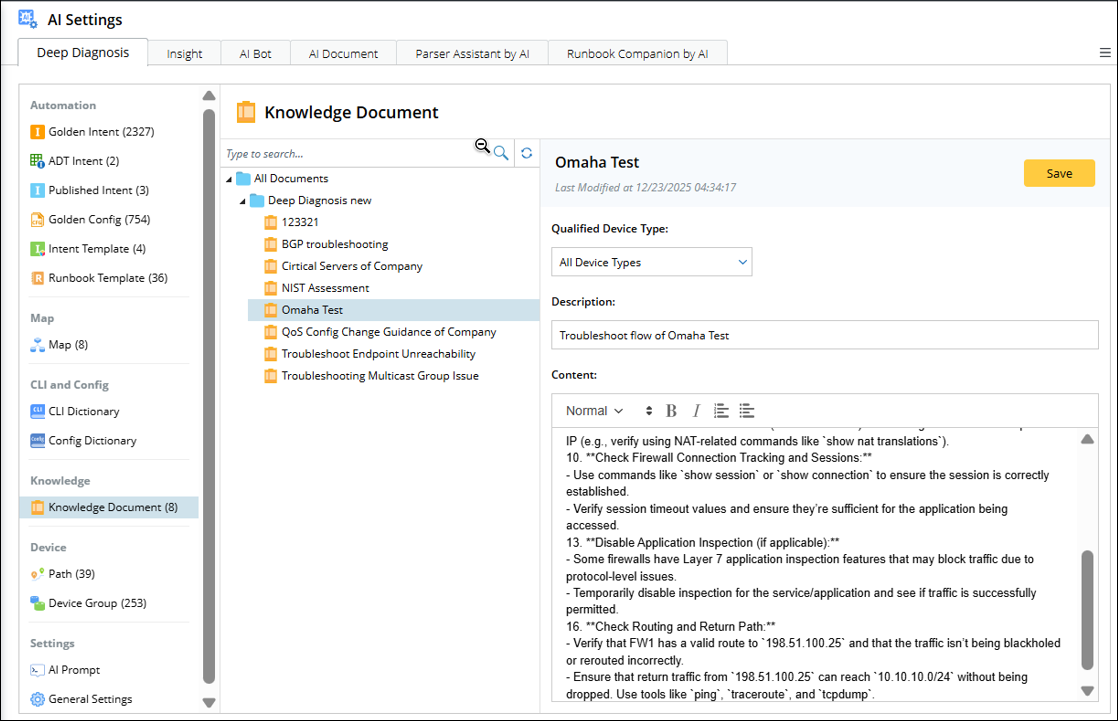
To add a new document:
-
Go to AI Settings > Deep Diagnosis.
-
Select Knowledge Document from the left navigation pane, the details appear on the right.
-
Choose a folder and open the menu, select New Document.

-
Adding content to the document:
-
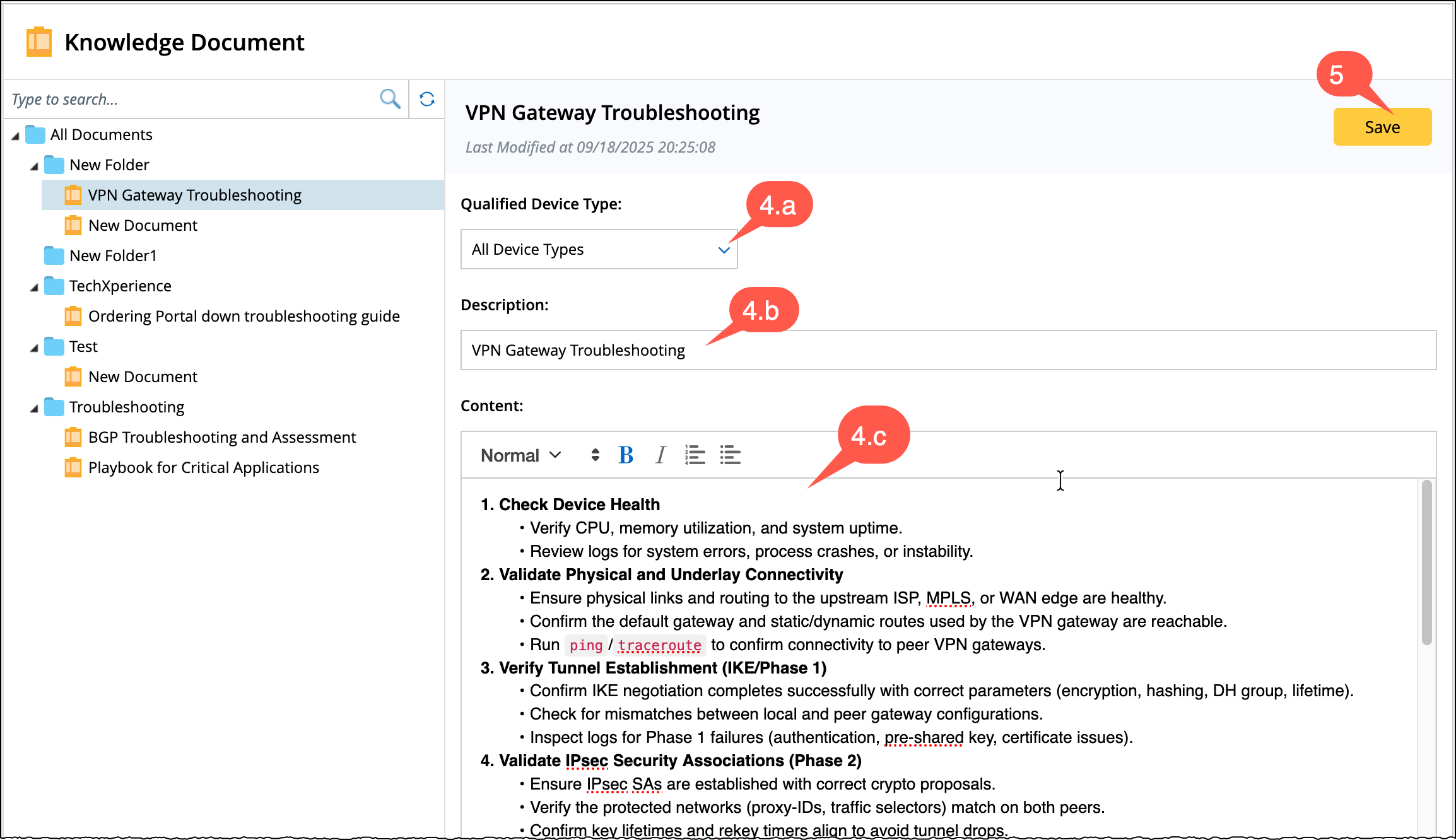
Qualified Device Type: You can select multiple device types.
-
Enter a description.
- Content: Write the detailed explanation of the case to provide data to the AI to understand the case.
-
- Save the document to add it to the knowledge base.