Remediation Management
You can manage the remediations in a central place by navigating to the Auto Remediation Management tab.

|
Note: Auto Remediation Management privilege is required. |
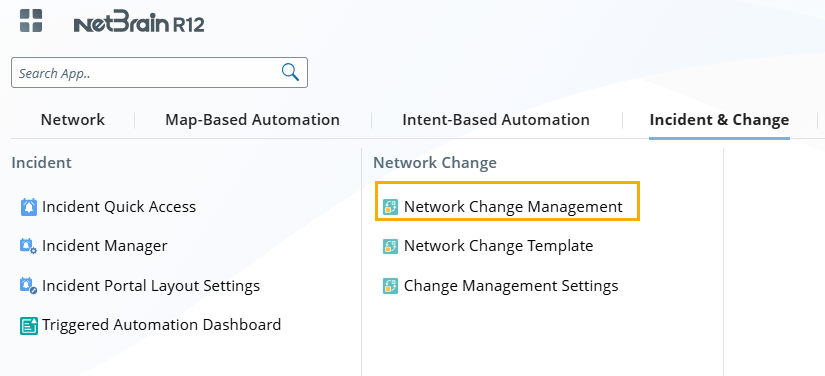
- Click the start menu, and navigate to Incident& Change > Network Change Management page.
- Navigate to the Auto Remediation Management tab, and manage your auto remediations.
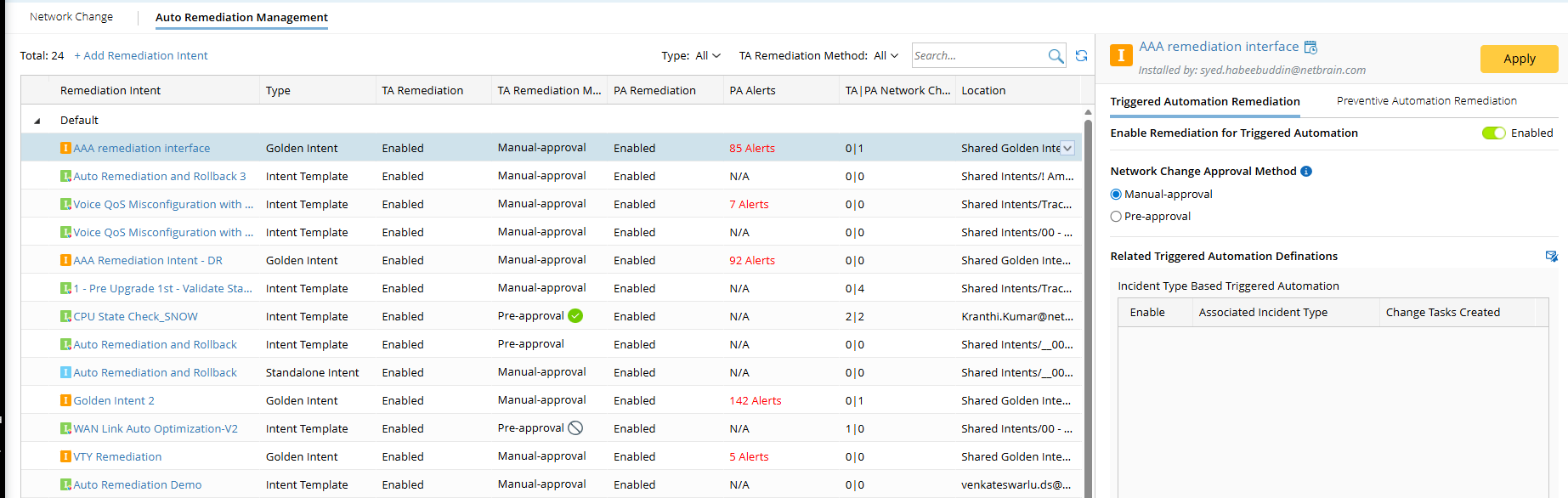
- Add/edit/disable/enable remediation intent for triggered automation.
- Add/edit/disable/enable remediation for preventive automation.
- Group the remediation intents into categories.
Example: Organize the intents SNMP String Check 1, SNMP String Check2, SNMP String Check3 and SNMP String Check4 into the group CIS Benchmark Compliance, making these intents easier to find, review, and manage.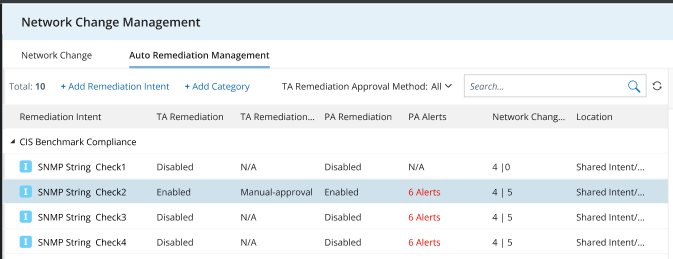
- View task generation details.
- View information for remediation intents.
Column Description Remediation Intent remediation intent name TA Remediation Whether TA (triggered automation) remediation is enabled globally.
- Disabled.
- Enabled.
Note: This field will display Enabled as long as it is enabled globally, even if no incident types are enabled.
TA Remediation Approval Method The approval method for triggered automation remediation.
- Manual-approval. The designated approver needs to approve the task before it can be executed.
- Pre-approval. The task has been approved prior to its generation. It has four statuses: in progress (
 ), approved (
 ), inactive (
 ), rejected (
 ).
).
PA Remediation Whether PA (preventive automation) remediation is enabled globally.
- Disabled.
- Enabled.
Note: This field will display Enabled as long as it is enabled globally, even if no scheduled tasks are enabled.
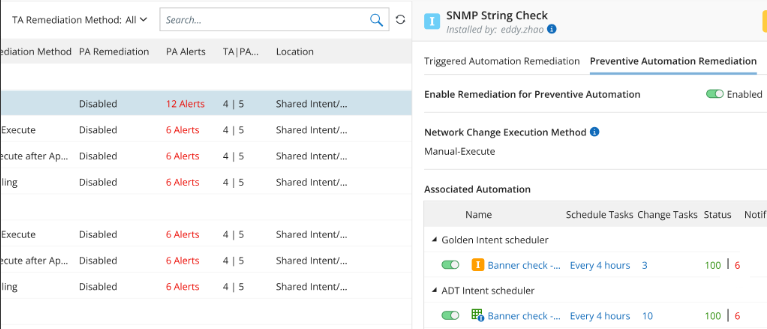
PA Alerts The total number of alerts generated by all scheduled PA tasks.
Example: One remediation intent is used in 2 different PA tasks; One is a scheduled golden intent task which generates 6 alerts, and the other is a scheduled ADT intent task, which generates 6 alerts. So the total alerts are 12.
Network Change via TA|PA The total number of change tasks generated. Location The location of the remediation Intents.
See also: