R12.3-2026Apr21
Use PA Remediation
PA remediation applies to Golden Intents and intents triggered by ADT intent timer.
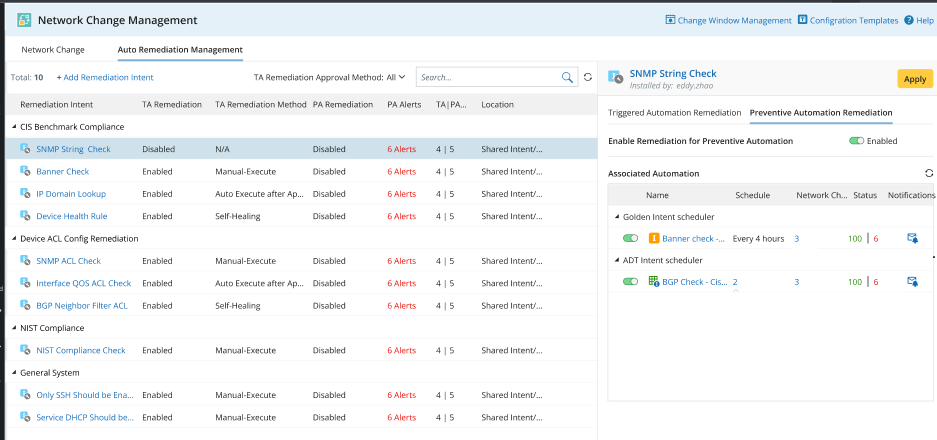
Here is the use flow for preventive automation remediation.
- Define the change template used for the remediation.
-
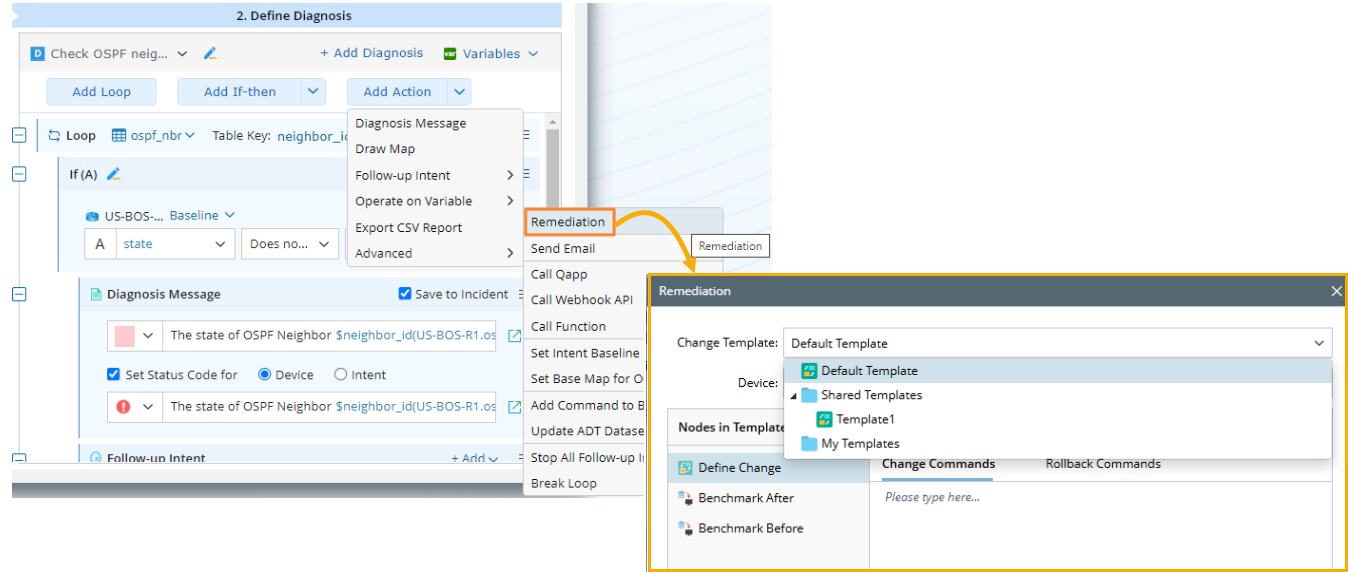
In an NI diagnosis, navigate to Add Action > Advanced > Remediation, select an appropriate change template for the remediation NI.
-
To configure remediation capabilities, add and define the remediation NI in the Auto Remediation Management.
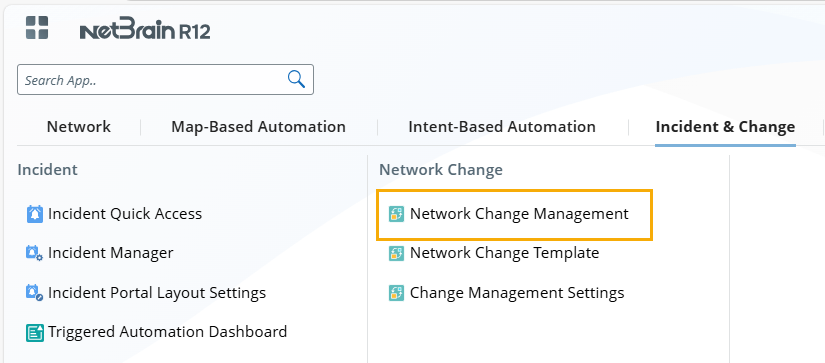
- Click the start menu, and select Incident & Change > Network Change Management.
- In Network Change Management, navigate to the Auto Remediation Management tab.
- In the Auto Remediation Management tab, click Add Remediation Intent.
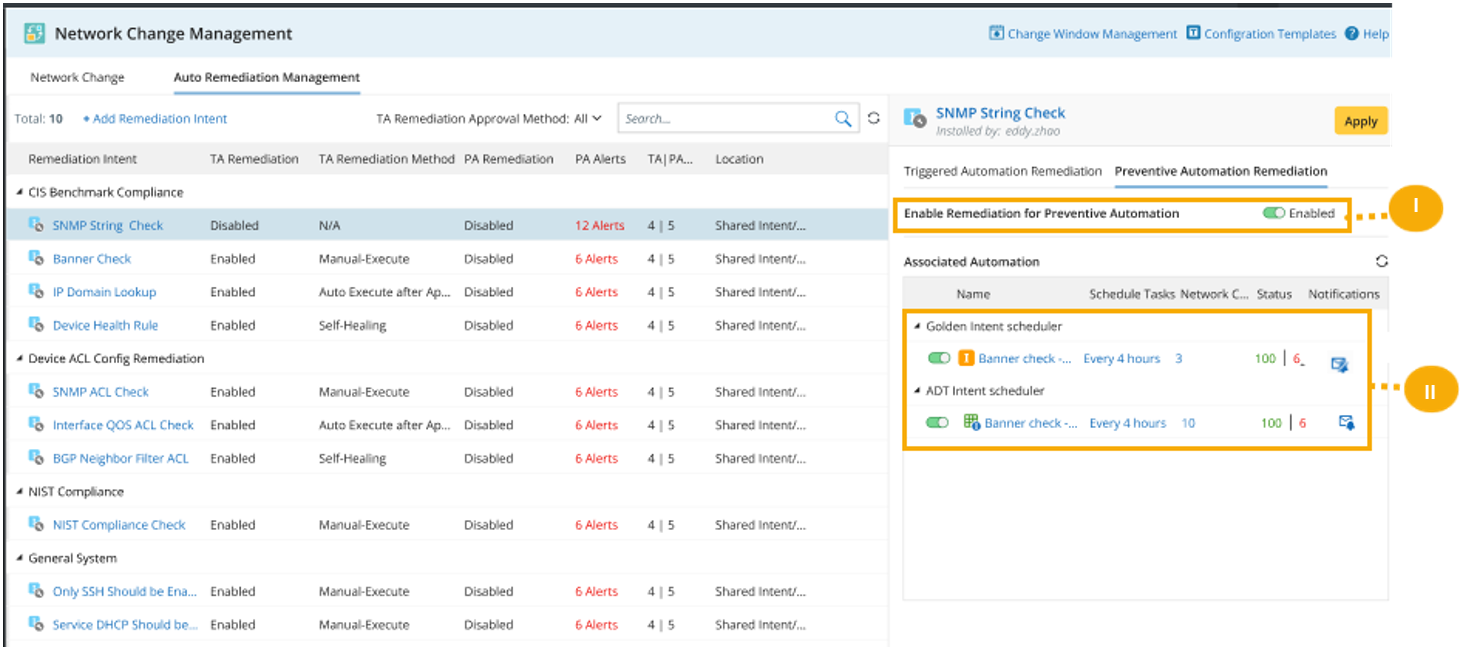
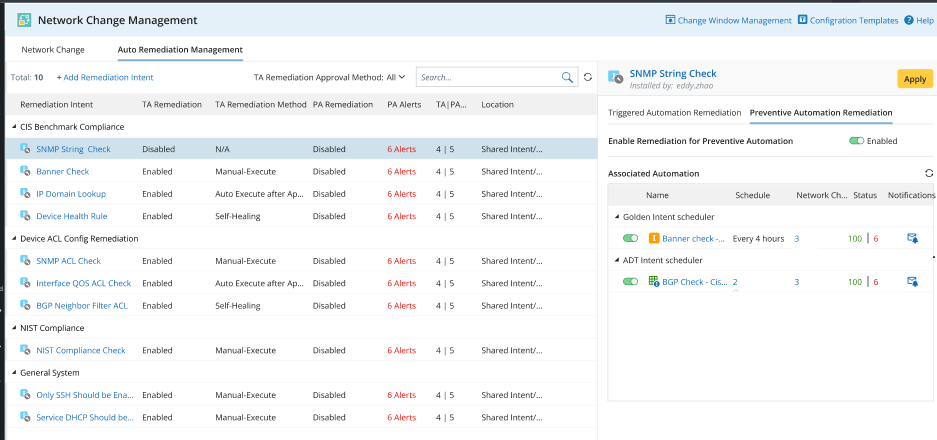
- Navigate to the Preventive Automation Remediation tab, configure the settings for the remediation NI.
-
Enable the Enable Remediation for Preventive Automation checkbox.
 Tip: Once it is enabled, users can also view it in Preventive Automation Manager or Golden Assessment.
 - Enable its golden intent scheduler or ADT intent scheduler and define who receives an email notification once the change task is generated.
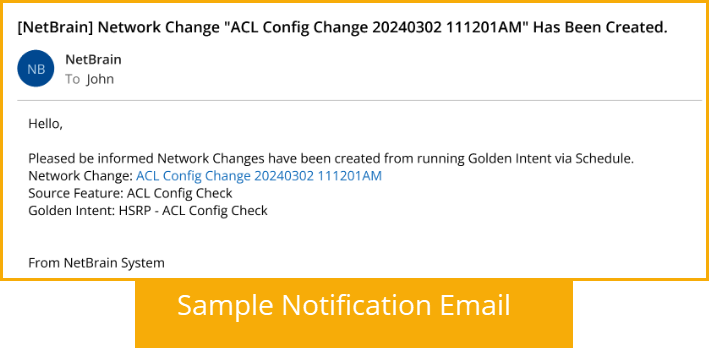
-
Enable the Enable Remediation for Preventive Automation checkbox.
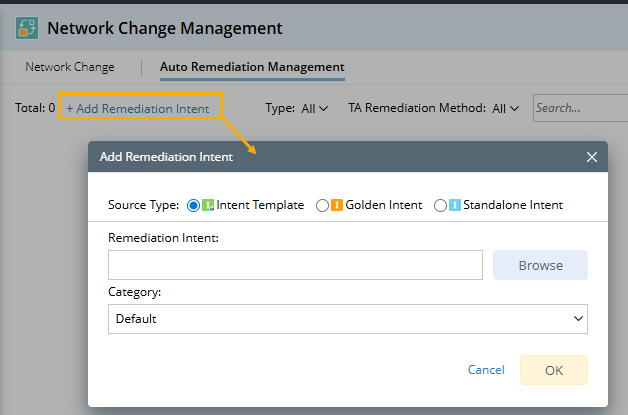
- Click the start menu, and select Incident & Change > Network Change Management.
-
A timer triggers the remediation NI, and a change task is generated. View and manage the settings for auto remediations.
See also: