R12.3-2026Apr21
Response
When an instruction is sent, the AI displays its reasoning process before delivering a response, helping engineers understand how conclusions are reached.
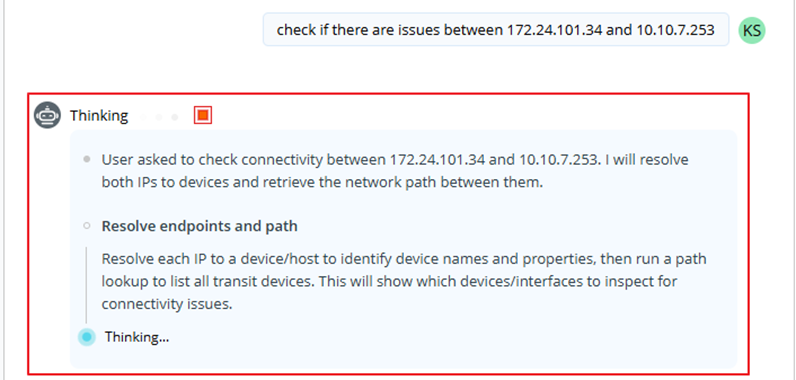
Real-Time Thinking: While processing, a streaming "Thinking …" block appears on the UI.
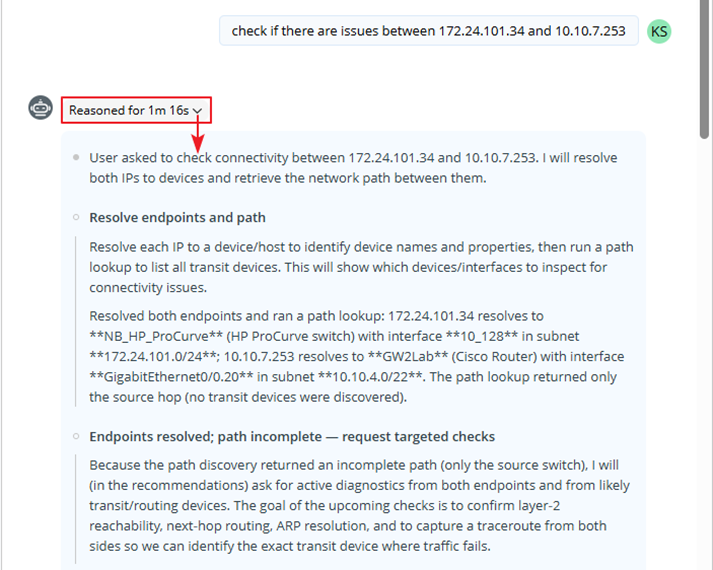
Reasoning Summary: Once reasoning completes, the block collapses into a "Reasoned for X" summary banner, which you can expand at any time to understand how the AI arrived at its conclusions.
Once the process is complete, the final response is generated using the input data and the instruction. When you hover over the response, you are allowed to perform the following actions: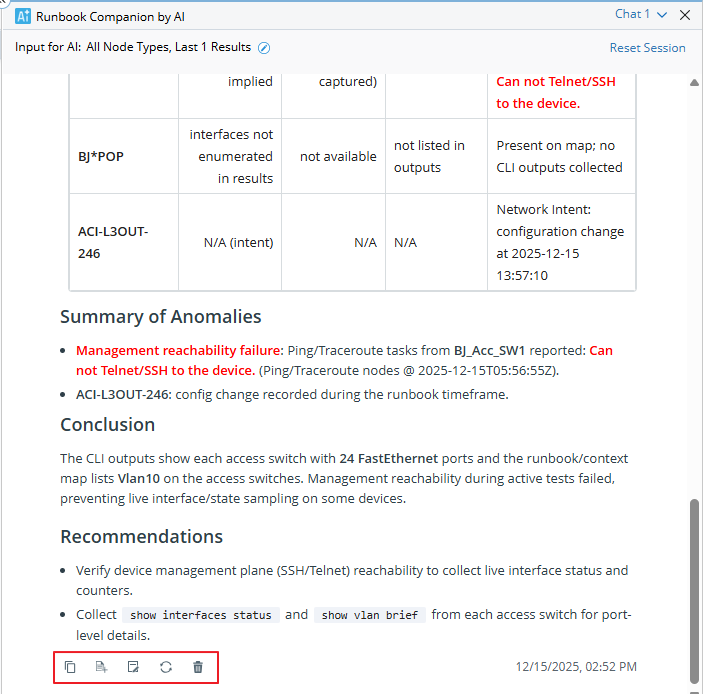
- Copy: Copy the response result to the clipboard for further use.
- Add to Runbook Note: Save to the runbook note.


Note: Selecting a node will add a note for the home. Selecting the result will add a note for the result. - Add to Free Text Node: Add the response to a free text node in the runbook and append it to the end.
- Regenerate: Regenerate the response based on its original instruction, which will add a new Q&A pair at the end.
- Delete: Delete the response and its prompt together.
|
|
Note: You can clear all instructions and responses at once by clicking Reset Session.
|