R12.3-20260213
Settings for Parser Assistant by AI
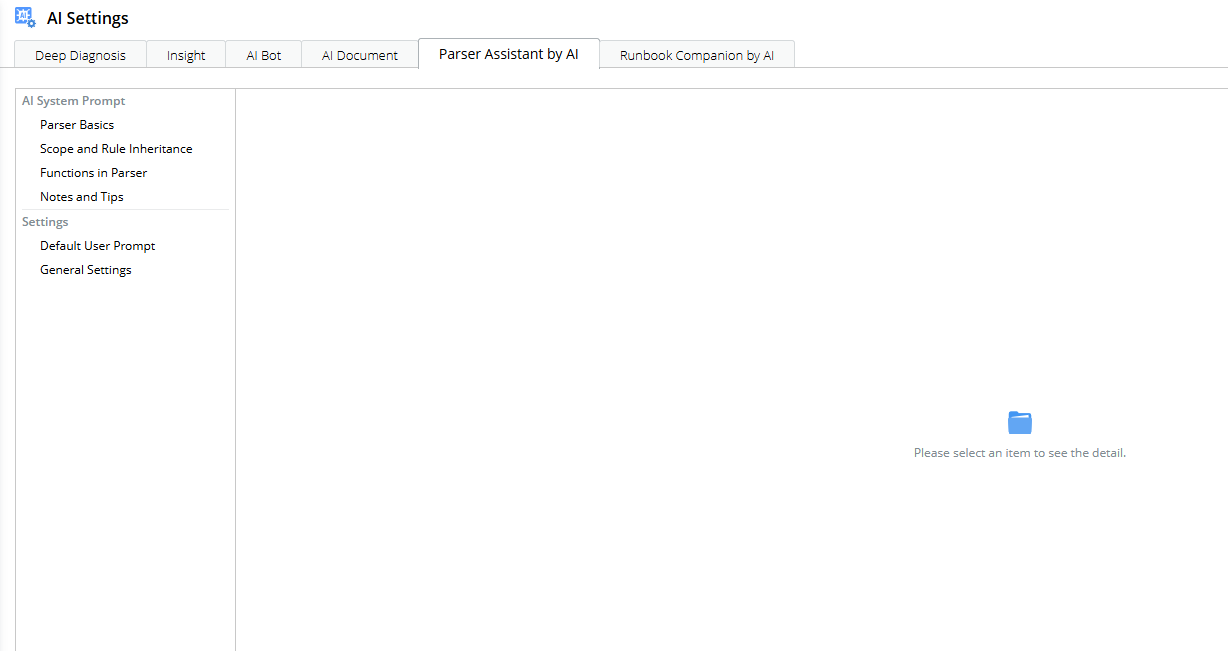
The Settings for AI parser are configured in the AI Settings > Parser Assistant by AI tab.

|
Note: Only users with the AI Resource Management privilege can access the AI Settings pane. |
AI System Prompt
AI system prompts are maintained by NetBrain engineers. Access verification is required to view or modify the AI System Prompt settings. End users can submit requests to NetBrain to have the AI system prompts used by the AI Parser modified.
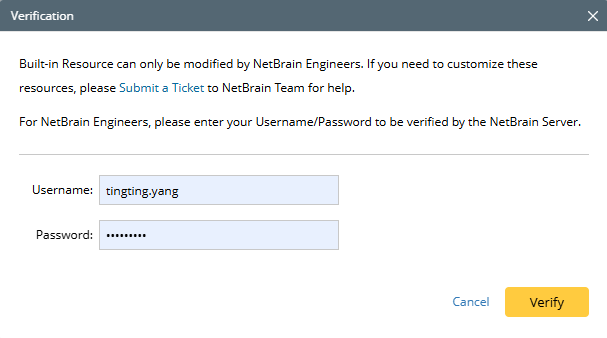
There are four categories under AI System Prompt section:
- Parser Basics
- Scope and Rule Inheritance
- Functions in Parser
- Notes and Tips
Each category includes an editable AI prompt section. And user can restore all prompts to default values by clicking Reset to Default. The system supports View and Edit modes (default: View Mode) for AI system prompts.
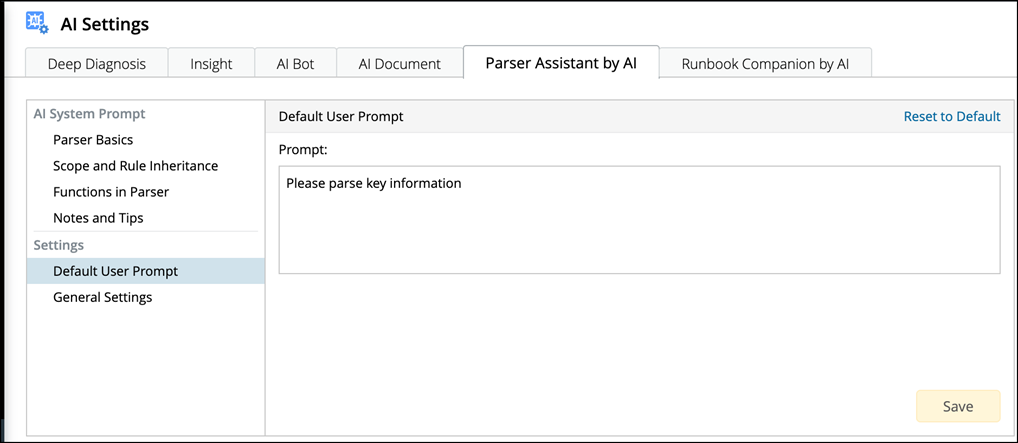
Default User Prompt
You can input a frequently-used prompt as default user prompt. The default user prompt will be automatically displayed in the Prompt Input Pane in Parser.
General Settings
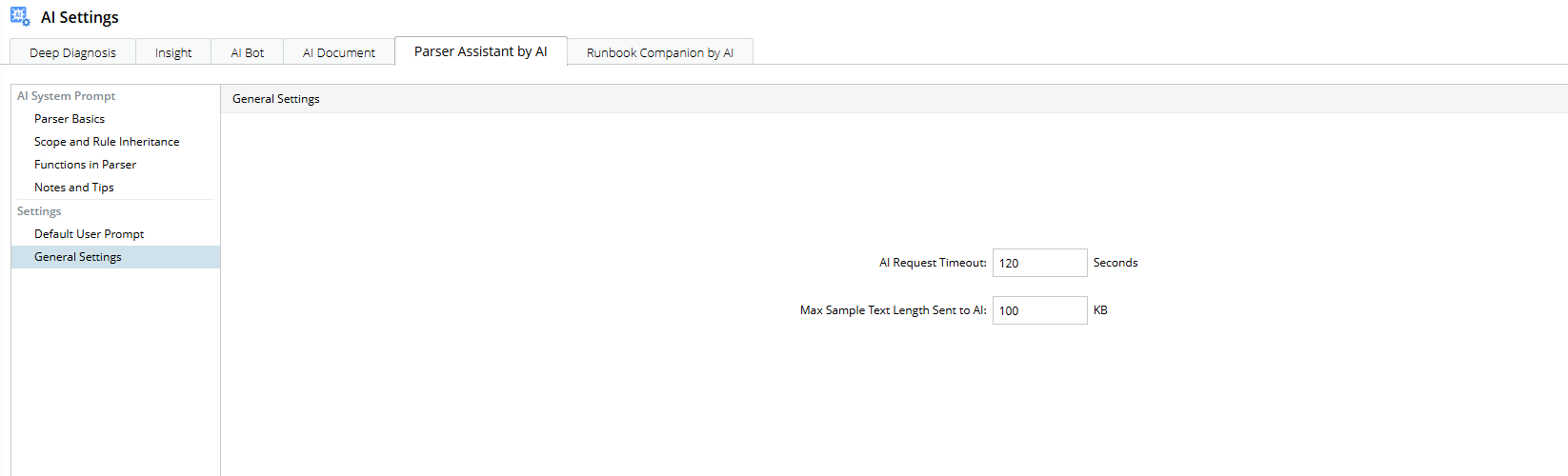
AI Request Timeout: Specifies the maximum time (in seconds) to wait for an AI response. The valid range is 30–500 seconds.
- If the value is not specified, the error message “Value is required.” is displayed.
- If the value is outside the valid range, the error message “This value must be an integer between 30 and 500.” is displayed.
Max Sample Text Length Sent to AI: Specifies the maximum length of sample text sent to the AI. The valid range is 30–1000 KB.
- If the value is not specified, the error message “Value is required.” is displayed.
- If the value is outside the valid range, the error message “This value must be an integer between 30 and 1000.” is displayed.