Schedule Golden Intent
Schedule Golden Intent provides a new method to batch and schedule the execution of golden member intents, enabling users to perform network diagnostics periodically for Preventive Automation. The schedule execution result can be viewed/browsed via the dashboard or golden intent pane.
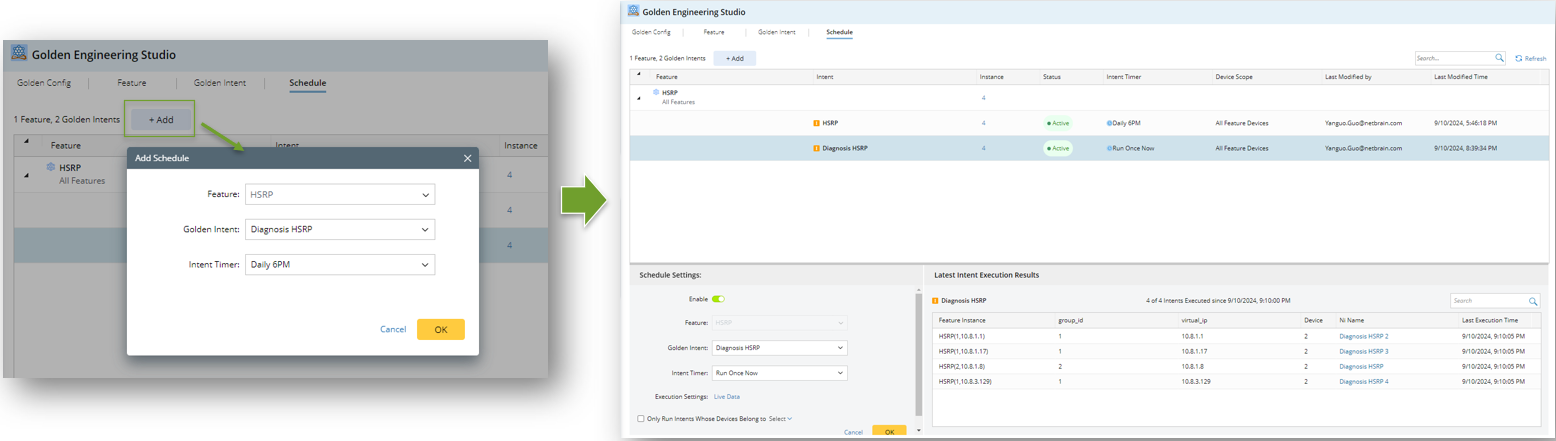
The following actions are allowed for users:
-
View Scheduled Golden Intents
All scheduled golden intents are listed under the Schedule tab, grouped by feature. Clicking a scheduled task will display its details below.

-
Add New Schedule
Users can click the Add button to create a new schedule, the flow is ‘Select a Published Feature > Select a Published Golden Intent of the Selected Feature > Select a Timer’.
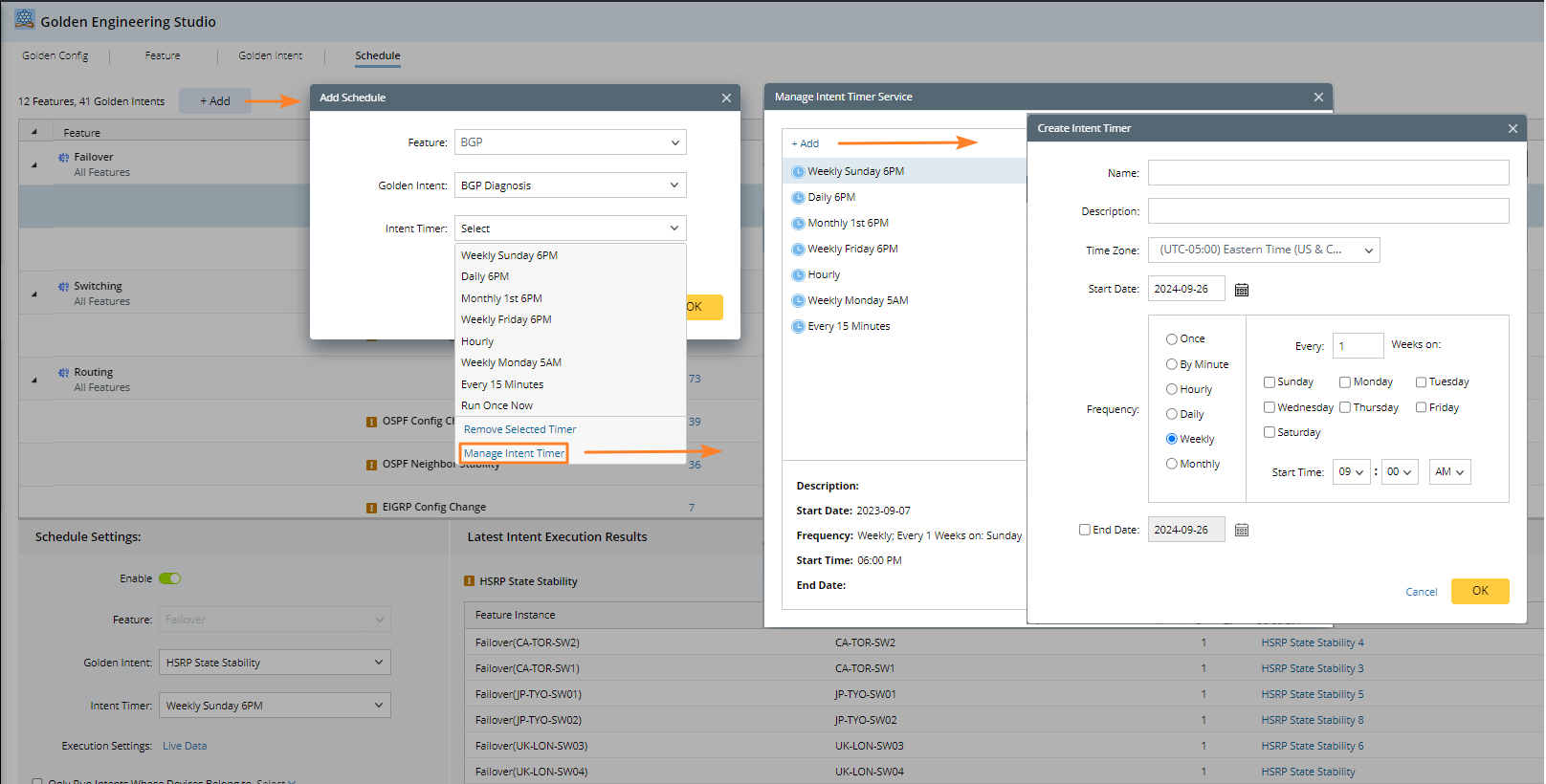
When selecting an intent timer, users can either choose a predefined one in PAF or create a new one by clicking 'Manage Intent Timer'.
-
Edit Existing Schedule
Users can select a scheduled golden intent and edit its definition information below.
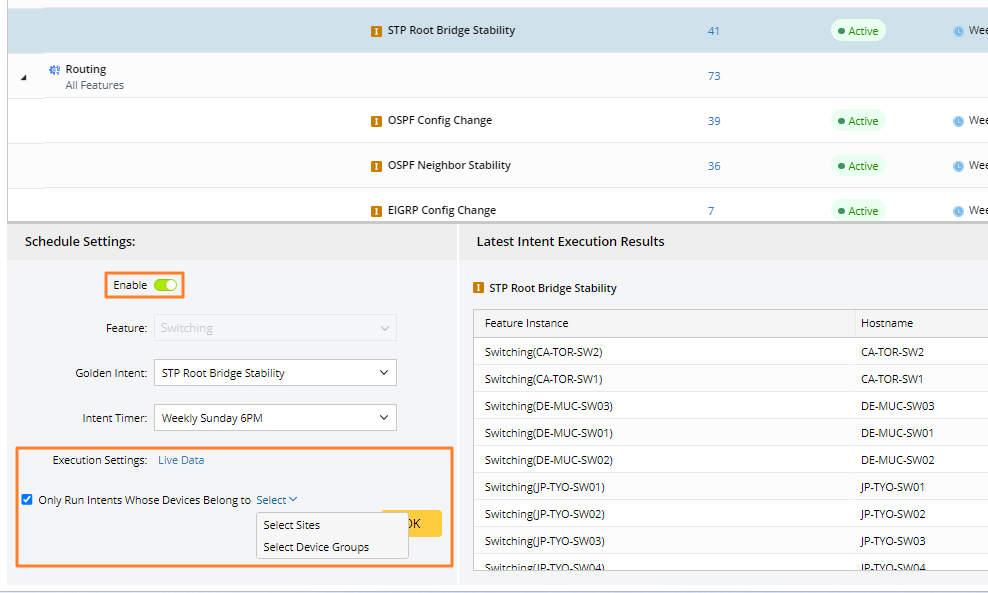
- Users can directly edit the scheduled golden intent. And the Enable switch determines whether this scheduled task can be executed.
- Users can define the data source in the Execution Settings area, which is live data by default.
- The ‘Only Run Intents…’ check box determines which intents are scheduled to run.
Users can hover over a scheduled task and delete it by clicking the delete icon.


Note: The Add/Edit/Delete Schedule actions require the 'Triggered Intent Management' permissions.