Auto Intent is a function to enable you to clone and execute an intent based on the results of the intent decoding service in the IBA Center. Further, ADT installed and enabled in IBA Center and the corresponding ADT assets associated with the map device are also included in Auto Intent for creating proper intents. When a map opens, the matched intents with the auto intent enabled in the IBA Center and the qualified devices as well as enabled ADT assets are listed for creating and executing intents. Auto Intent allows users to build intents that apply intent to their network based on existing intent templates/ADT without defining parser and intent diagnosis logic from scratch.
Auto Intent UI
Auto Intent is a tab added under the Intent tab of a map. The Auto Intent UI is shown below:
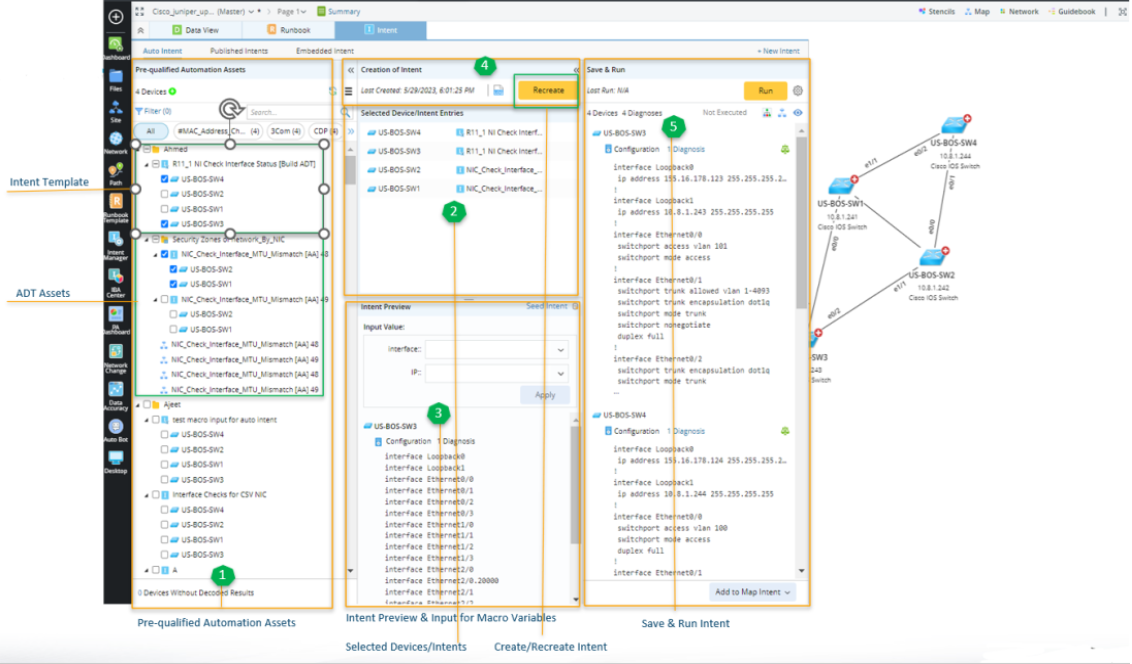
- Pre-qualified Automation Assets: A folder structure to display and organize intent template matched with the decode results, the intents matched with the ADT, and automation assets of ADT (intent/map/path). You can view and use the items by category.
- Intent Template: The intent templates enabled for Auto Intent and associated with map devices of the current map are listed in the left pane.
- ADT Assets: Intents/Maps/Paths of ADT are listed in the left pane.
- Selected Device/Intents Entries: Show the items selected from the left pane.
- Intent Preview & Input for Macro Variables: Preview items highlighted or selected in the left pane and the items highlighted in the Selected Device/Intents area to facilitate network intent selection; input values for macro variables of the target device to create proper intent.
- Create/Recreate intent: Create intent based on the selected devices/intents and the configured macro variables.
- Save & Run Intent: Run intent and view the execution results, then add the created intent as map/path/common intent for further troubleshooting.

|
Note: ADT folder in this pane is represented by the icon  , and the intents/maps/paths of the ADT are listed under the ADT folder. , and the intents/maps/paths of the ADT are listed under the ADT folder.
|
Where to Start
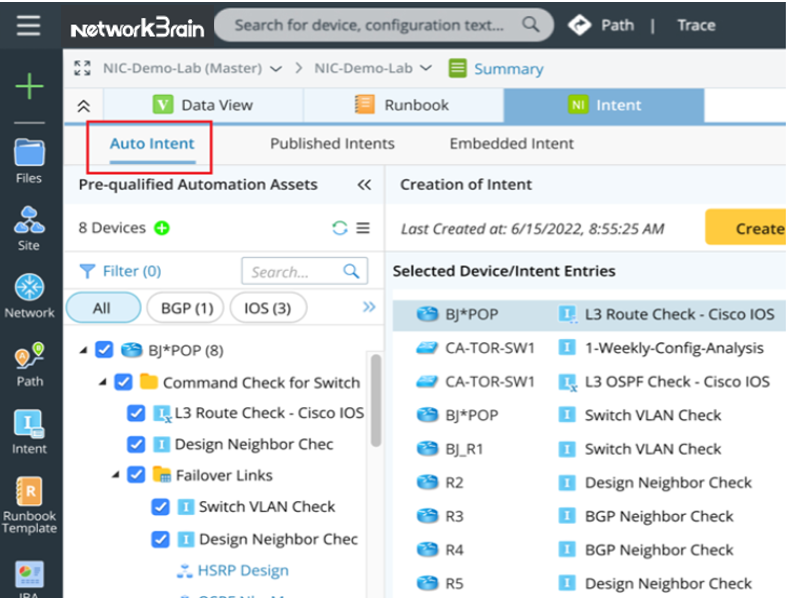
If you are an end user, open a map, then go to Intent > Auto Intent to perform relevant operations.
See also: