Data View and Add the diagnosis data to Runbook
The diagnosis data can be added to a runbook for reuse and can also be viewed on the map through the following options:
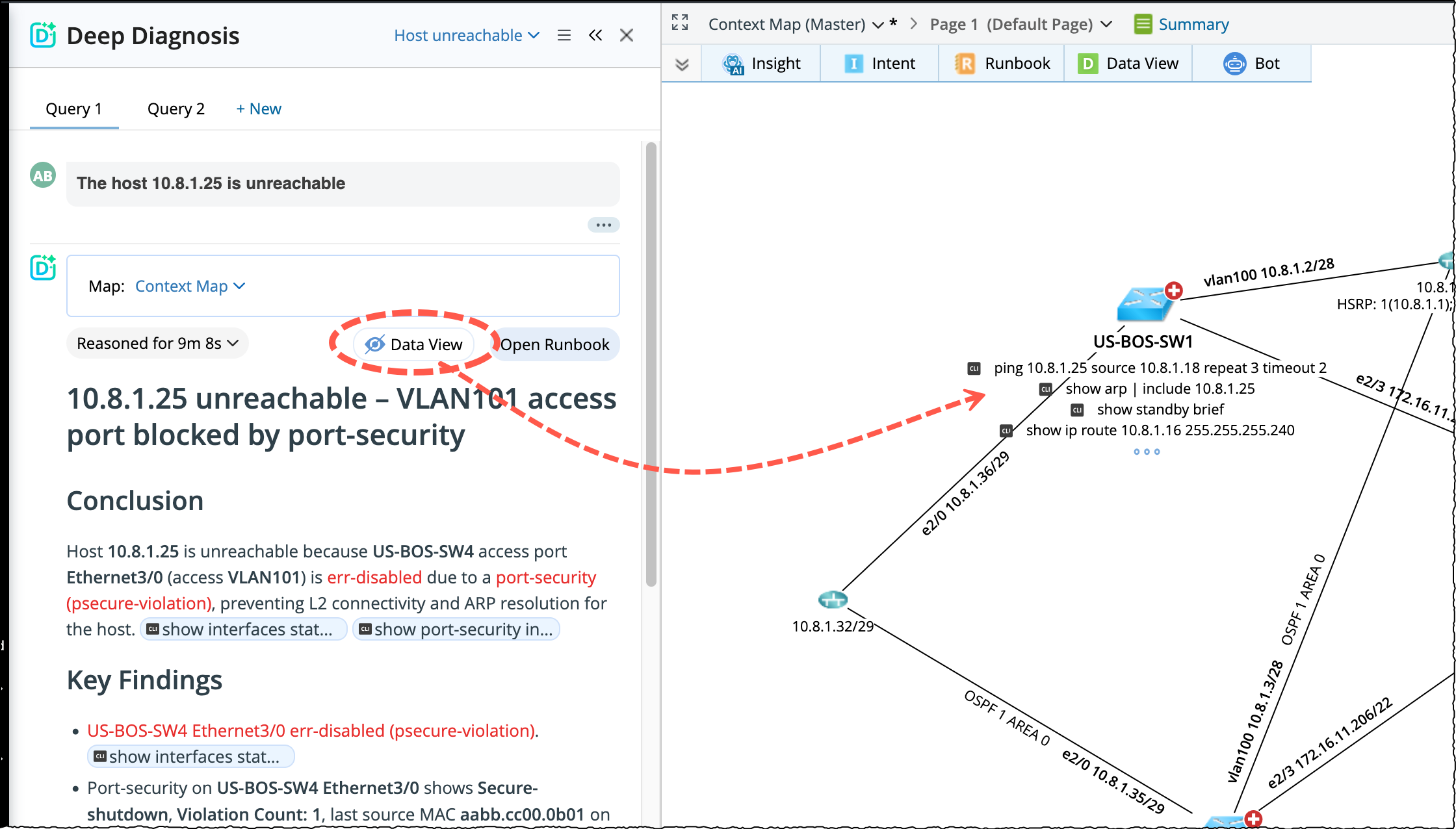
Data View
If a query was executed without using any existing map, click Data View provided in the deep diagnosis pane to visualize the results on the context map.
Add to Runbook
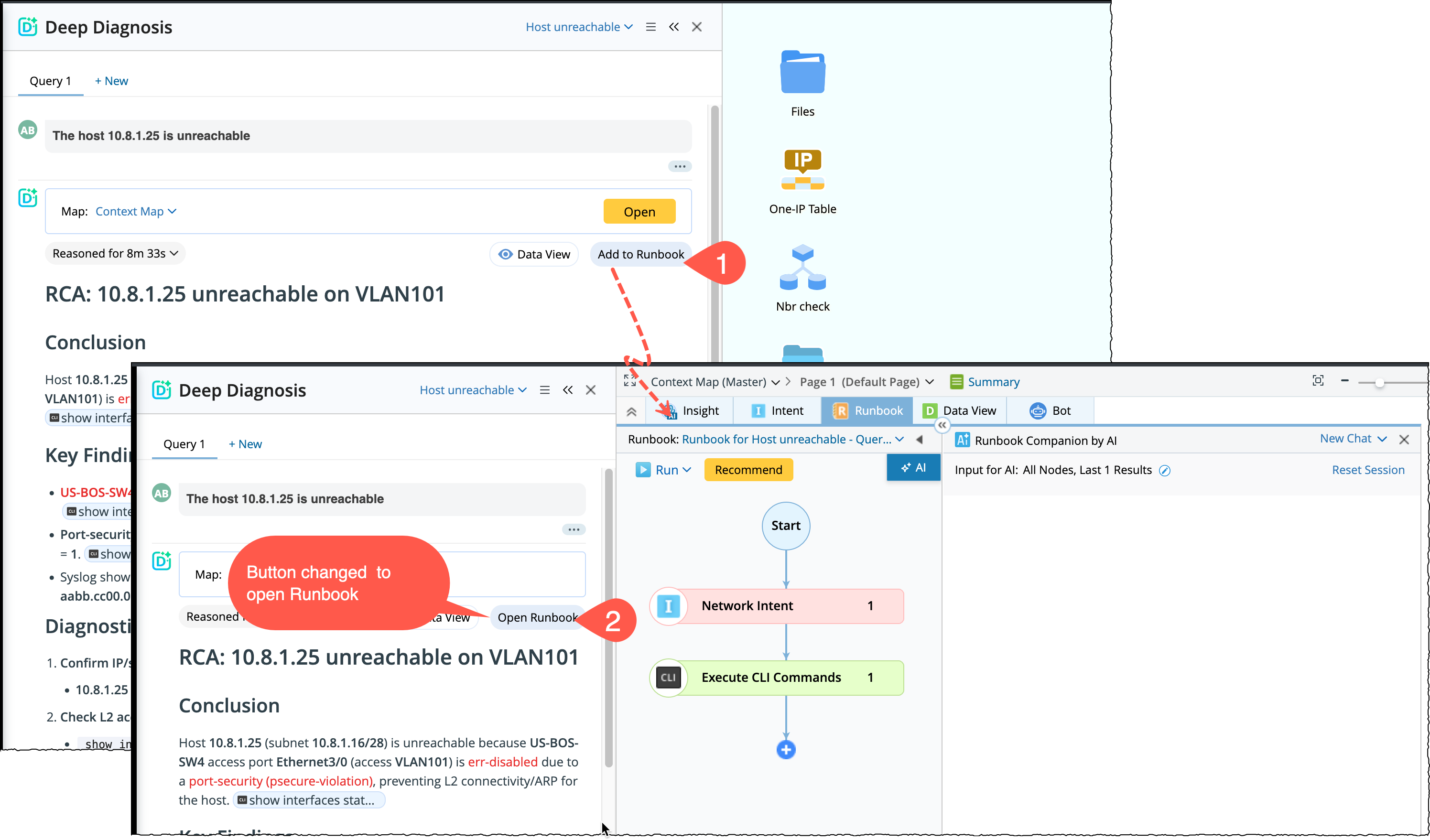
Add to Runbook button connects Deep Diagnosis and Runbook, allowing you to seamlessly move from automated diagnosis to guided, step-by-step troubleshooting.
-
Deep Diagnosis acts as an AI-driven diagnostic engine that automatically identifies root causes.
-
Runbook Companion provides a transparent, editable workflow where you can continue investigation, validate findings, or take remediation actions.
With this feature, you can start with deep diagnosis and then reuse all collected evidence and automations inside a runbook without redoing any work.
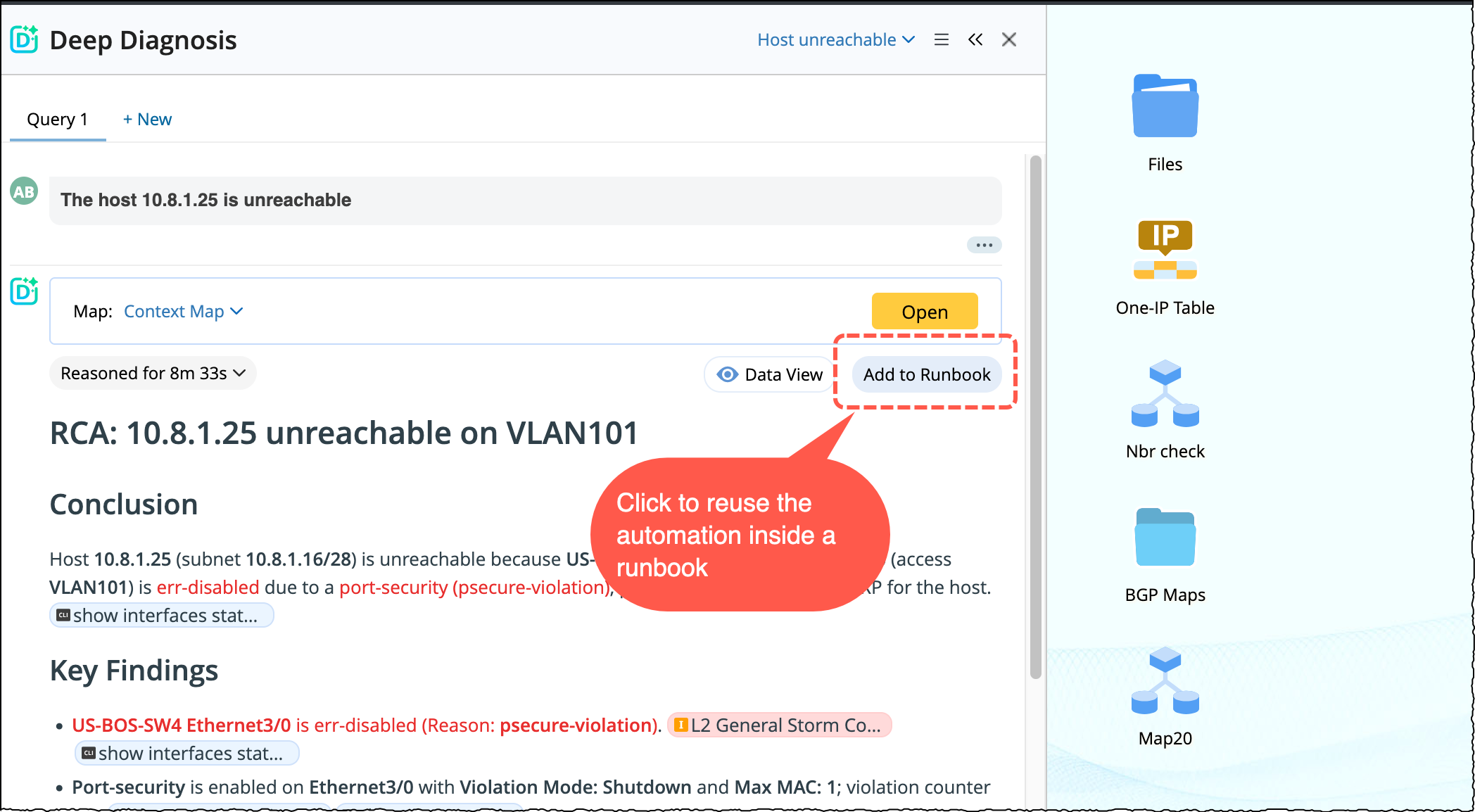
When does the button Add to Runbook appears?
It appears in the Deep Diagnosis result pane when the diagnosis is completed.
Creating a Runbook from Deep Diagnosis
Once the diagnosis is completed:
- Click Add to Runbook and a new runbook is created and stored (for future use) under the context map.
- CLI commands are merged into a single Execute CLI Command node (until limits are reached).
- Replicate Intent from NIT, ADT Intent, Published Intent and Golden Intents are added as Intent nodes.
- Golden Config and Configlet added as Configlet nodes. If a node reaches its maximum capacity (for example, configlets), additional nodes are created automatically
- Runbook template and Map are skipped
-
Opening an Existing Runbook: If a runbook is already associated with the diagnosis, the button changes to Open Runbook. On clicking the button, it opens:
- The Default context map.
- The existing runbook.
- The AI Runbook pan.
This lets you resume troubleshooting exactly where you left off in the previous session.
All automations used during the diagnosis are added as runbook nodes and all the results from the diagnosis are included. To keep the runbook clean and readable, automations are grouped as follows: