Deep Diagnosis Operational Flow
As mentioned in the earlier topics, Deep Diagnosis is an intelligent diagnostic companion designed to help identify the root cause of network issues. During the reasoning process, it leverages multiple data sources within the system to identify the root cause.
This section explains how Deep Diagnosis processes a user query step by step using AI. From the moment a query is submitted, Deep Diagnosis analyzes the input, applies reasoning across available data sources, executes relevant checks, and produces actionable diagnostic results:
Execute a Query and Analyse Results
Let us run a query and see the overall flow of the process using the example (Host 10.8.1.25 unreachable network issue).
-
Enter the network issue and Run a Query:
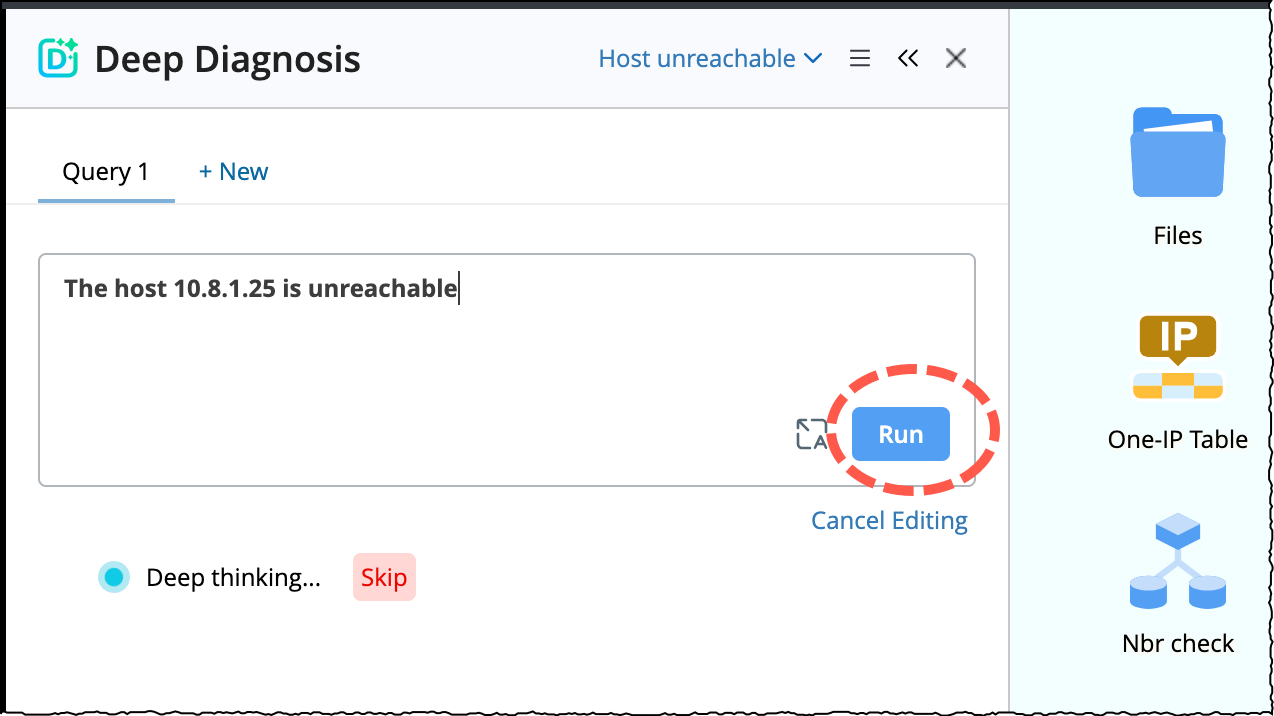
- Input the the network problem (The host 10.8.1.25 is unreachable) in the query field and click Run.
-
The diagnosis reasoning process will be initiated, the reasoning process will show how the AI finds the root cause. You can Skip the diagnosis at any time.
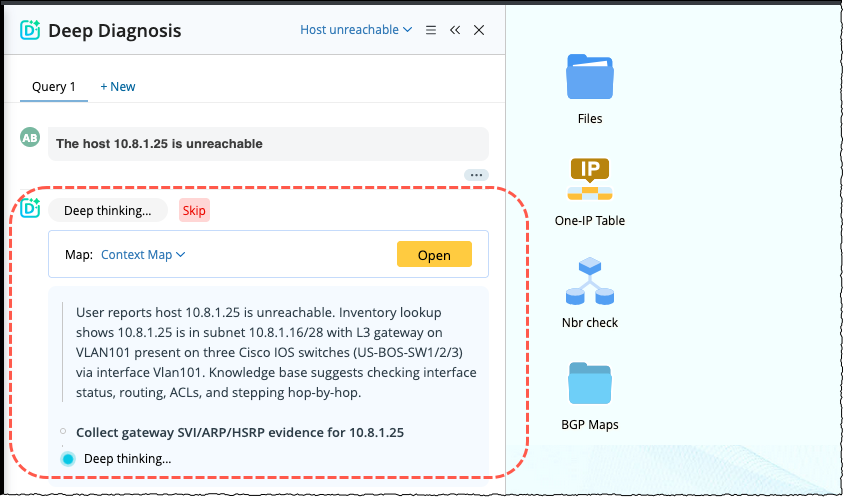

Note: The process will take 3 or 4 minutes to complete and then you can review the final result.
-
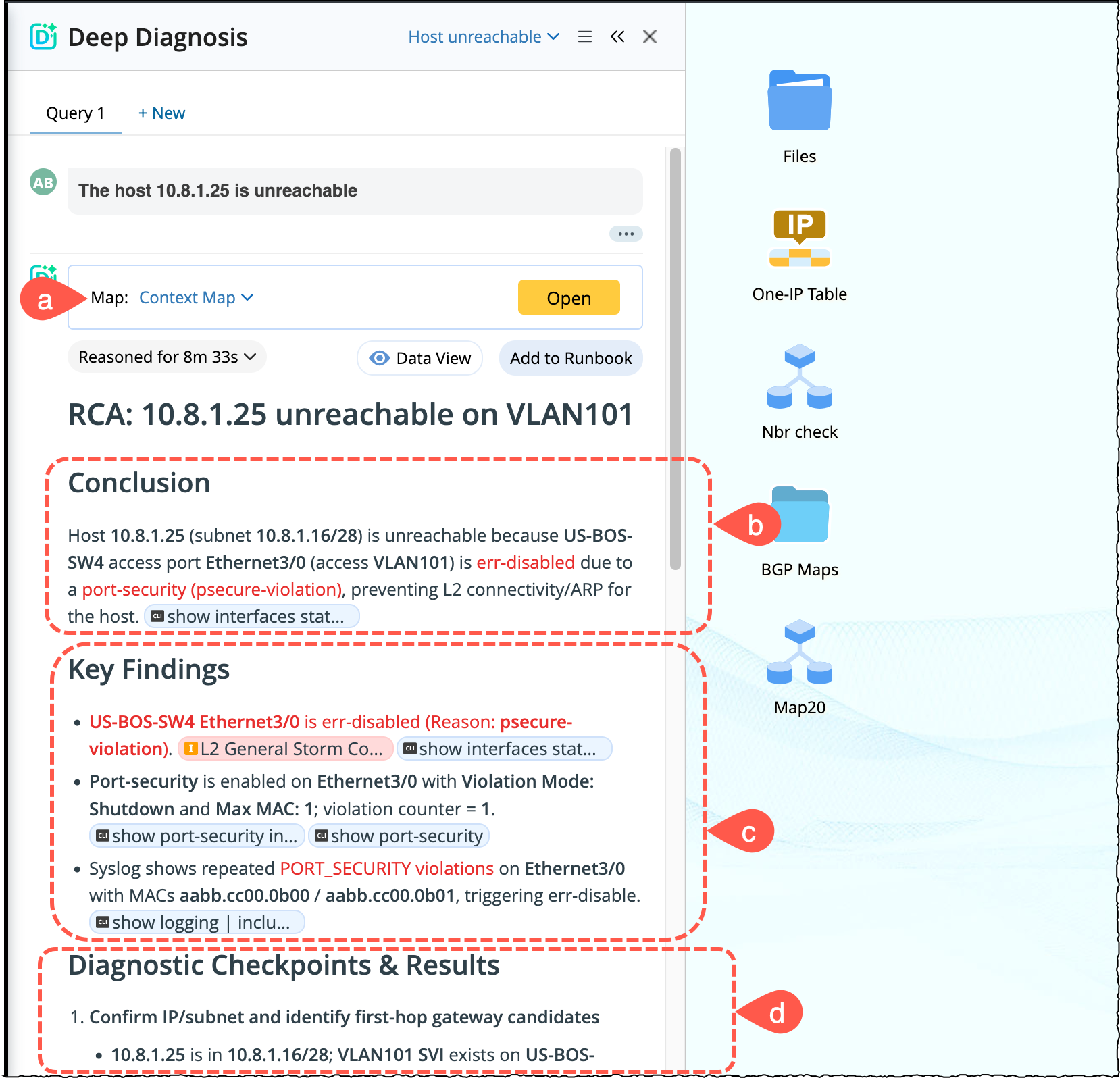
Review the Results: Once the diagnosis is completed, user can the review the following output:
- Context Map: By default, the system will create an context map, open the map to view the final summarized results summarized directly in the map’s data view.
- Conclusion: It summarizes the final outcome of the AI-driven reasoning process. It shows what the problem is and why it occurred.
- Key Findings: It presents the most important observations identified during the Deep Diagnosis reasoning process. you can click the inline links to open the automation and explore the findings.
- Diagnostic checkpoints & Results: Provides the AI evaluations. I represents the structured validation steps executed during its reasoning process. Each checkpoint corresponds to a specific verification point used to confirm, rule out, or narrow down potential causes of the reported issue.
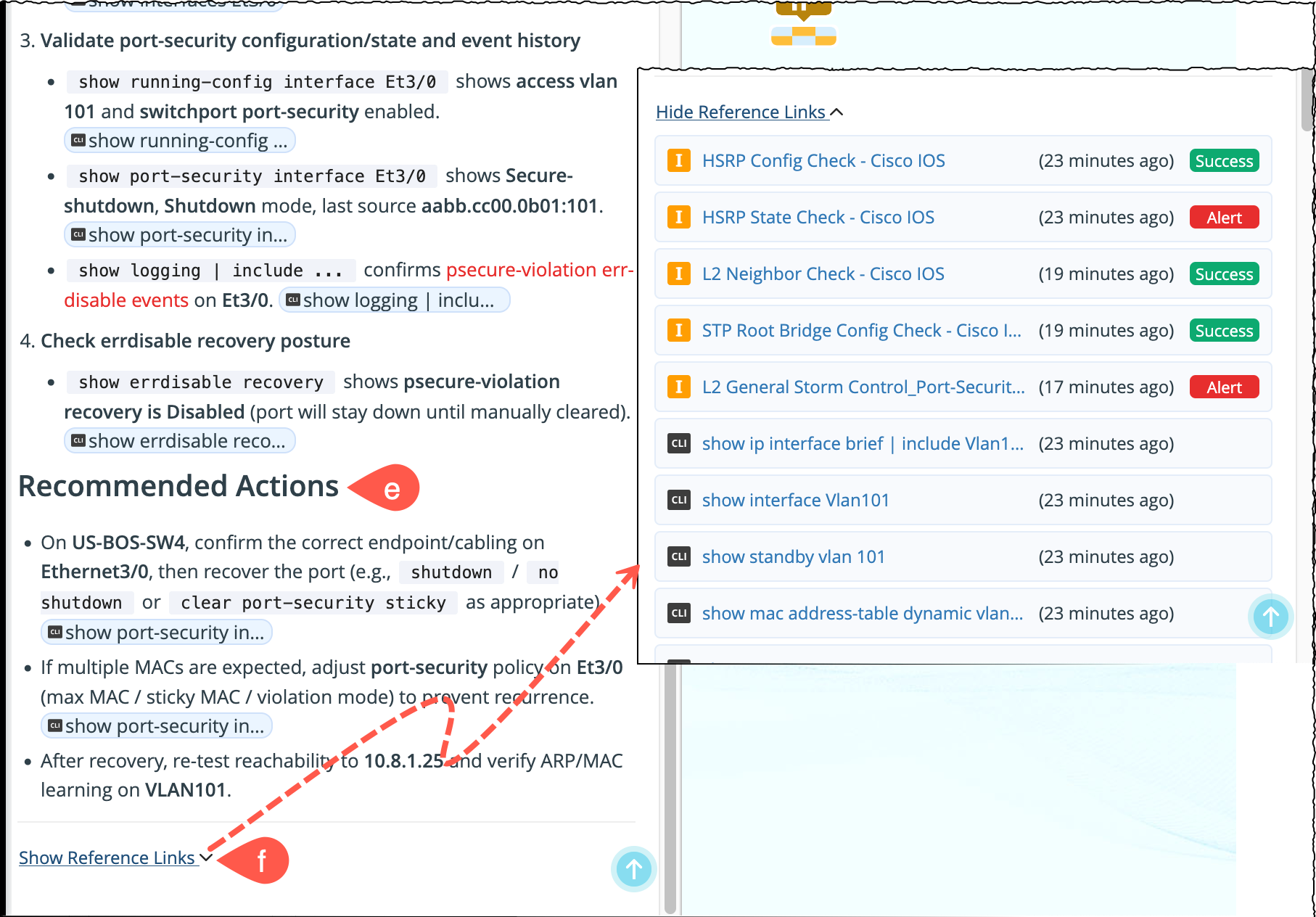
- Recommended Actions: Suggestions by the AI to help the user with the next steps.
-
Show reference link: At the end of final results, all automations used in this issue will be displayed under this section. The reference links are color-coded with different meanings:
- Red = Alert
- Green = Success
- Blue = Informational
-
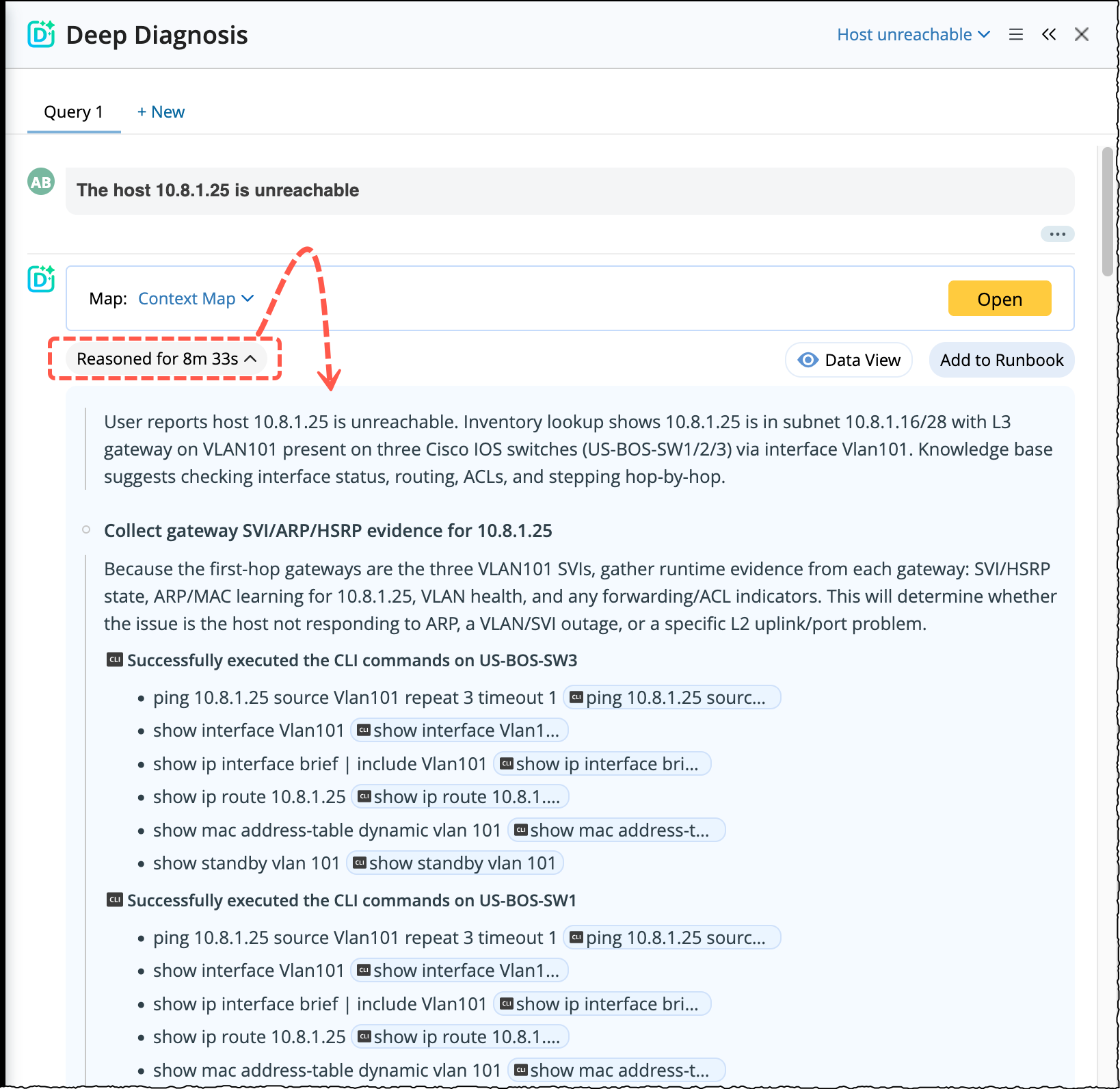
Review the Reasoning Process:
To know how the reason beyond the provided results and how the AI has procured this result, click Reasoned for 9m 8s. The entire reasoning process will be displayed.