Manager - Deep Diagnosis
Deep Diagnosis uses different data within the system to identify the root cause during the reasoning process. The digital twin is essential data that includes device property, interface property, L3/L2 neighbors, and One-IP table. The AI uses this data to identify the problem area, and determine which devices need to be checked.
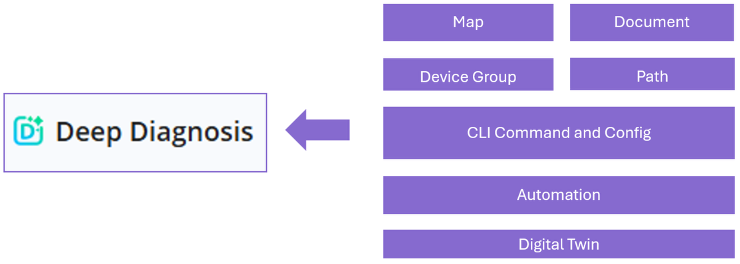
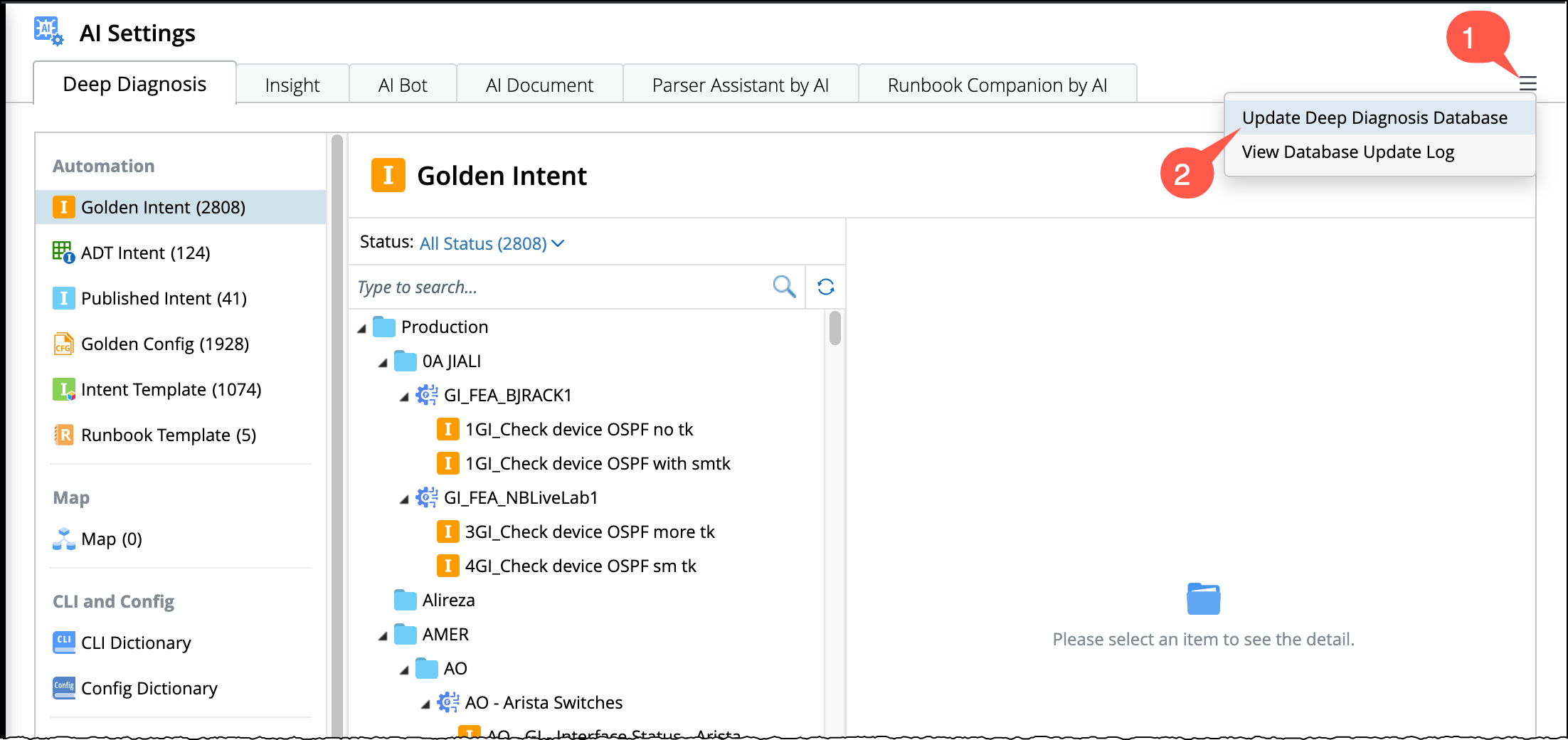
You can manage the diagnostic templates, runbooks, and maps within a centralized workspace inside the AI settings. It is designed to simplify how engineers create, organize, and run automated diagnostic workflows. To begin:
- Open AI Settings from the menu
 .
. - Go to Deep Diagnosis tab.

The different data types that can be configured in Deep Diagnosis Manager are described as follows.
- Automation - Golden Intent
- Automation - ADT Intent
- Automation - Published Intent
- Automation - Golden Config
- Automation - Intent Template
- Runbook Template
- Map
- CLI Dictionary
- Config Dictionary
- Knowledge Document
- Application Path
- Device Group
- Data Source
Update Deep diagnosis Database
The Deep Diagnosis database is automatically updated incrementally every 4 hours. To make newly added or updated automation available immediately:
-
Go to
 menu located on top right corner of the window.
- Select Update Deep Diagnosis Database to trigger a manual refresh.