R12.3-2026Apr21
Before Change: Pre-verification
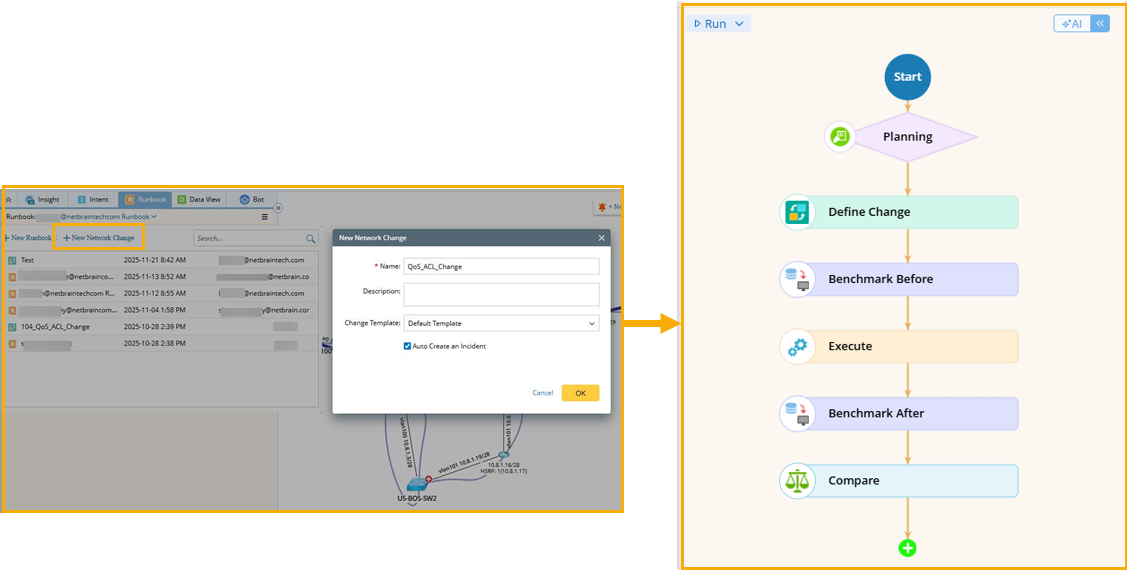
- Create a network change task on your map.
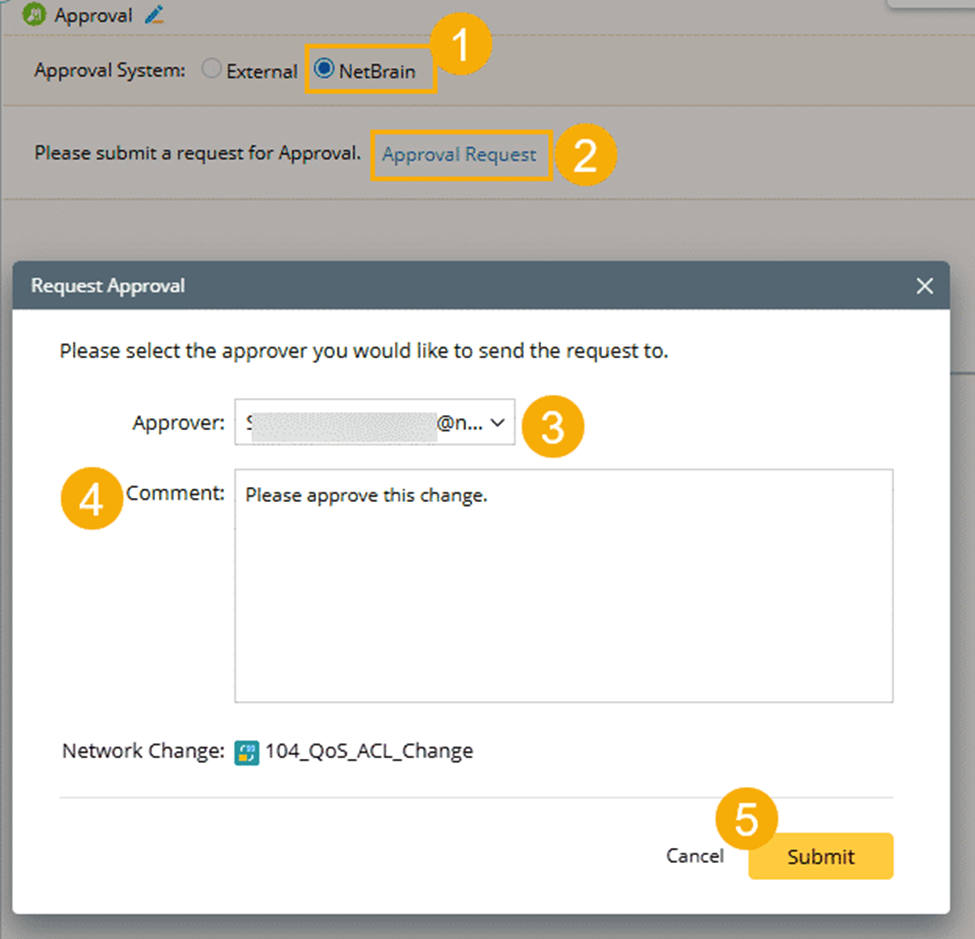
- Define the Planning node to request approval within the NetBrain system.
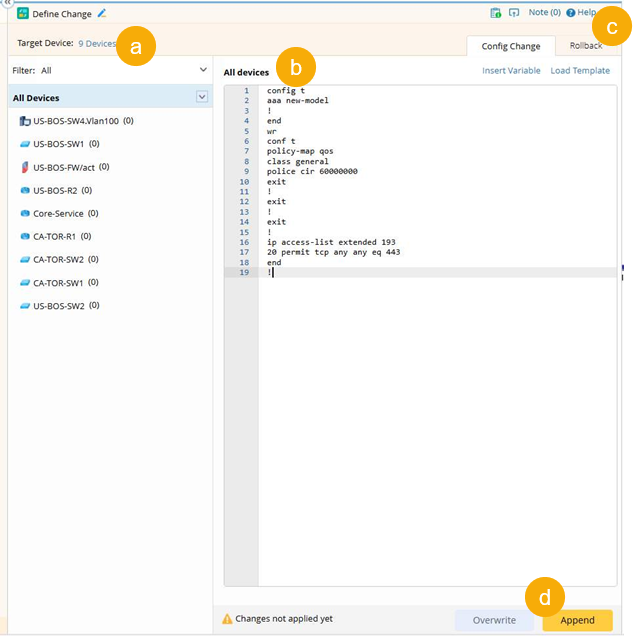
- Configure the Define Change node.
- Select the target devices for this change.
- Define the command.
- In the Rollback tab, enter the rollback commands in case you need to cancel the change.
- Click Append to apply the command to the target devices.
- Define nodes for pre-verification.
 Prerequisites:
- Prepare a Config Change Intent to verify that the current QoS and ACL configurations match the baseline.
- Prepare a Critical Design Intent to verify whether HTTPS (port 443) traffic is permitted.
- Add an intent node to verify the current QoS and ACL configurations.
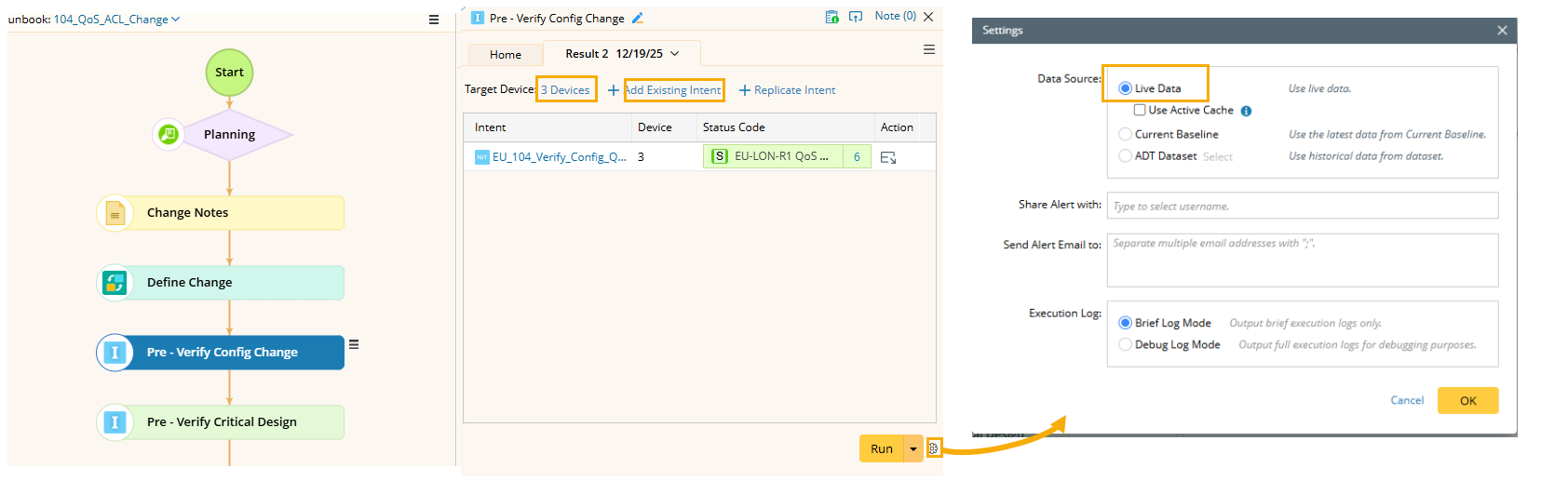
- Add an intent node, and change its name to Pre - Verify Config Change.
- Select the target devices.
- Select the Vefiy_Config_QoS_ACL intent for this intent node.
- Use the Live Data in the setting.
- Click Run to run the intent.
- View the result: Success. The configuration has not been changed yet and still matches the baseline.
- Add an intent node to verify critical design.
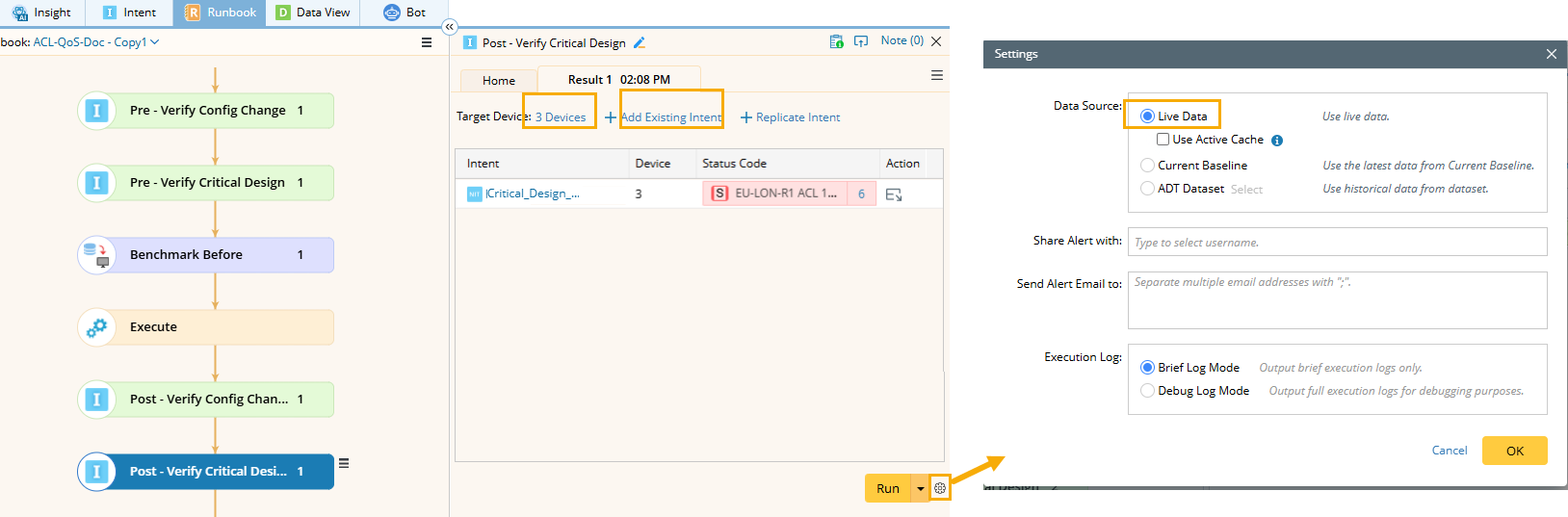
- Add an intent node and change its name to Pre - Verify Critical Design.
- Select the map devices as the target devices.
- Select a Critical_Design_ACL intent for this intent node.
- Use the Live Data in the setting.
- Click Run to run the intent.
- View the intent result: Alert. ACL 193 does not allow HTTPS traffic as the design has not been implemented.
- Define the Benchmark Before node to retrieve data of the target devices before the network change, and to store the data for comparison after the change.
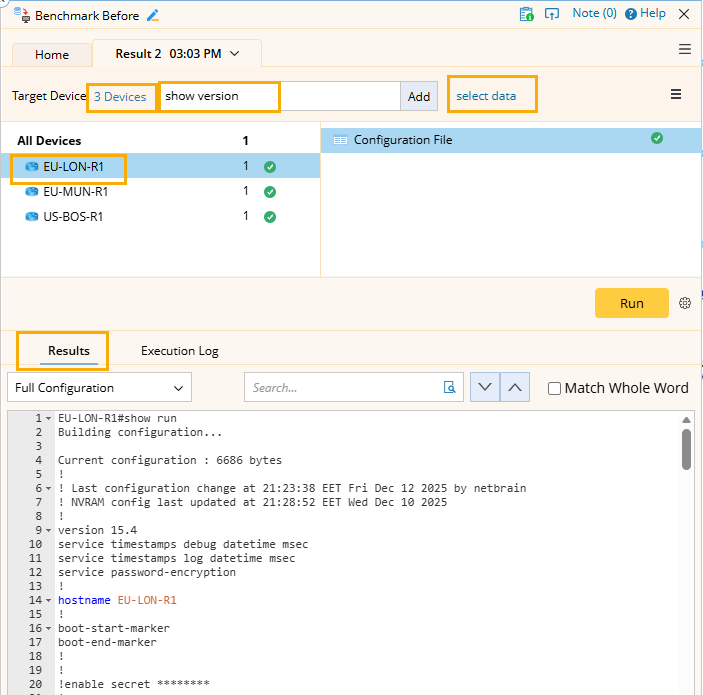
- Select the target devices.
- Add CLI command.
- Select a data type
- Click Run.
- Select a device to view results.
See also: