Recommend Automation Detail
The basic information of the recommended automations is as follows.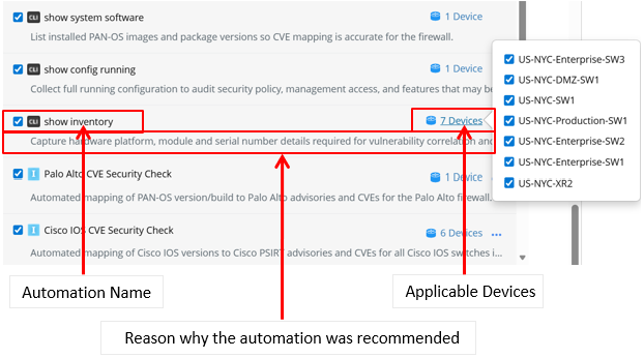
Add Automation as Runbook Node
After completing the recommended settings and obtaining the recommended automations. You can then select the automations to add to the runbook. By default, all automations are selected.
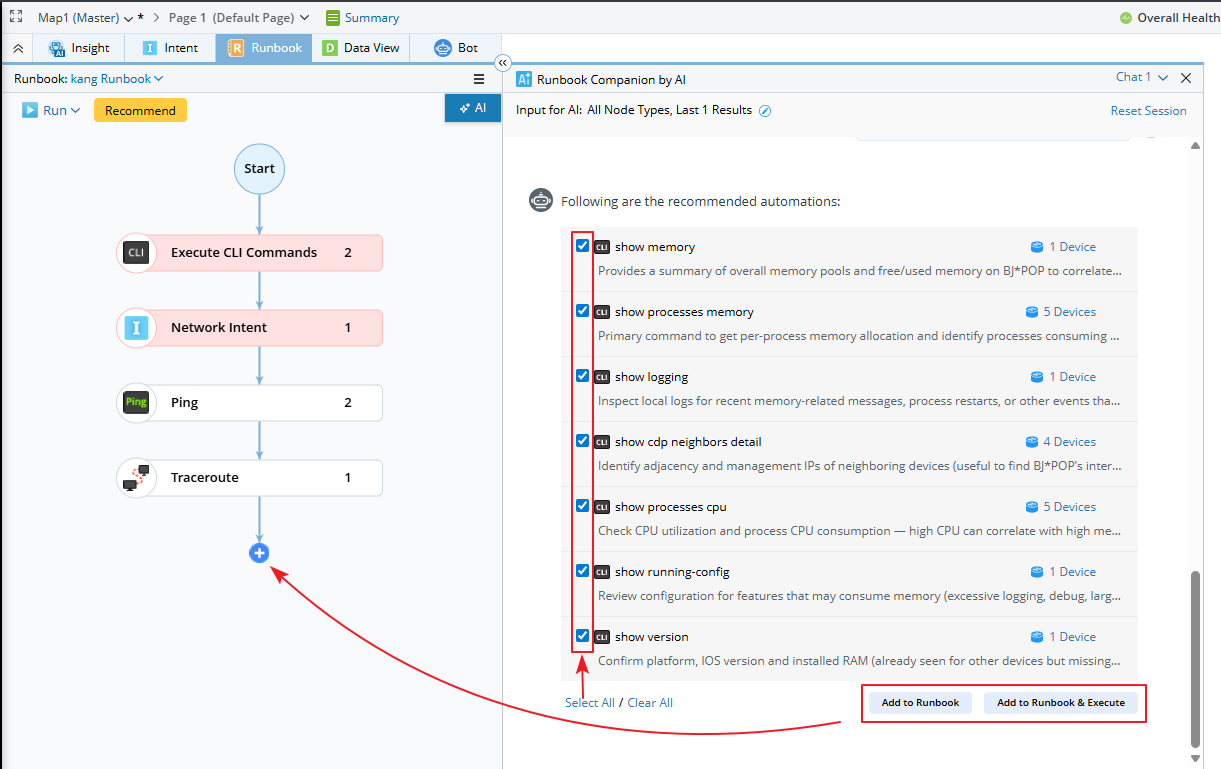
Add to Runbook
Add selected automations to Runbook nodes; modify settings if needed, then execute manually. Clicking the corresponding nodes shows the added commands.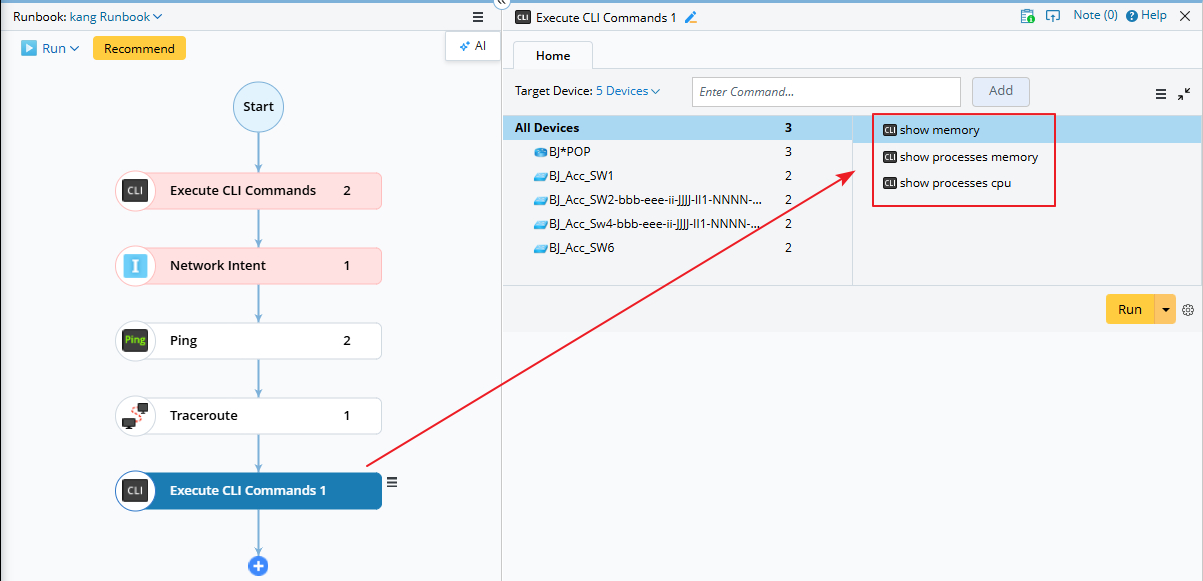
Add to Runbook & Execute
Add selected automations and run immediately without modification.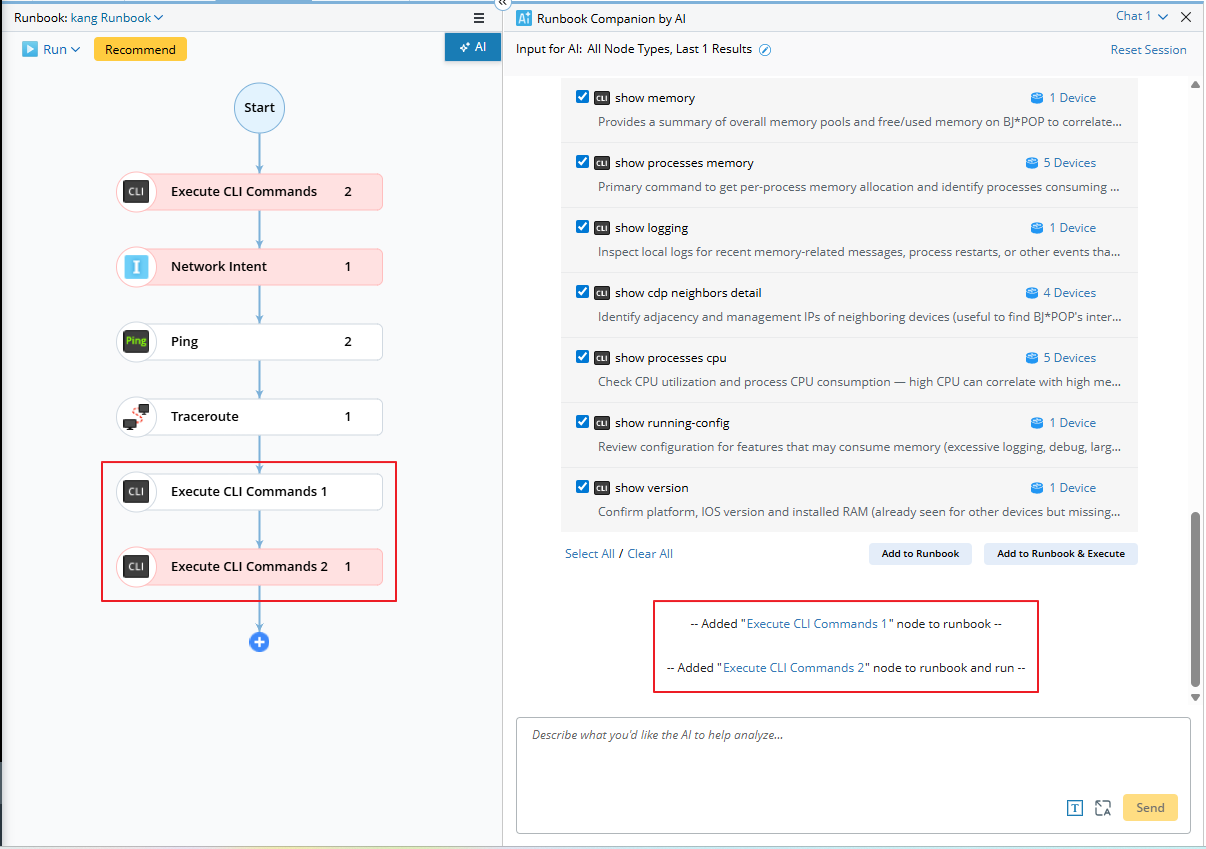
After this action, a system message is added to the chat area for each Runbook node. Clicking the node name link allows you to navigate directly to the node.
How to Transfer Automation to Runbook Node
- For Paths: When you report an issue between two endpoints (for example, IP addresses), the AI identifies an existing network path and recommends it. The recommended path can be added to the runbook as a Verify Application node. It is displayed using its original name, along with a description indicating that its source and destination match the IPs or devices specified in the prompt.
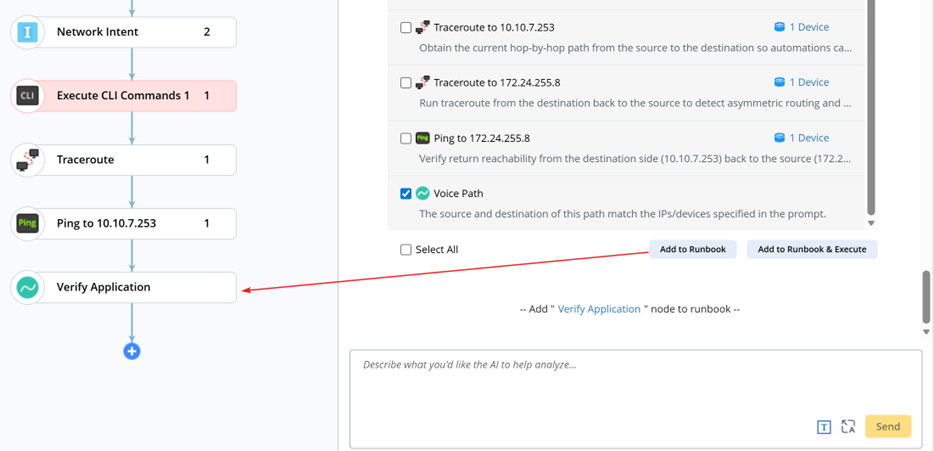

Note: By default, the maximum number of recommended paths is 3.
- For CLI commands, add all selected commands to a single Runbook node. The target devices will be the union of all commands’ applicable device.
- For Golden Config: Will be added as Configlet node.
- For Runbook Template: Add all pre‑defined nodes from the RBT into the current runbook.
- For Intents, automations with the same applicable devices are grouped into one node, while those with different device sets are assigned to separate nodes.
Special Configuration for Intents
The Runbook Companion can recommend intents (including Golden Intent, Intent Template, Published Intent, and ADT Intent) to help resolve network issues. Intents have diagnostic knowledge to systematically troubleshoot issues on applicable devices, then identify the underlying root cause.
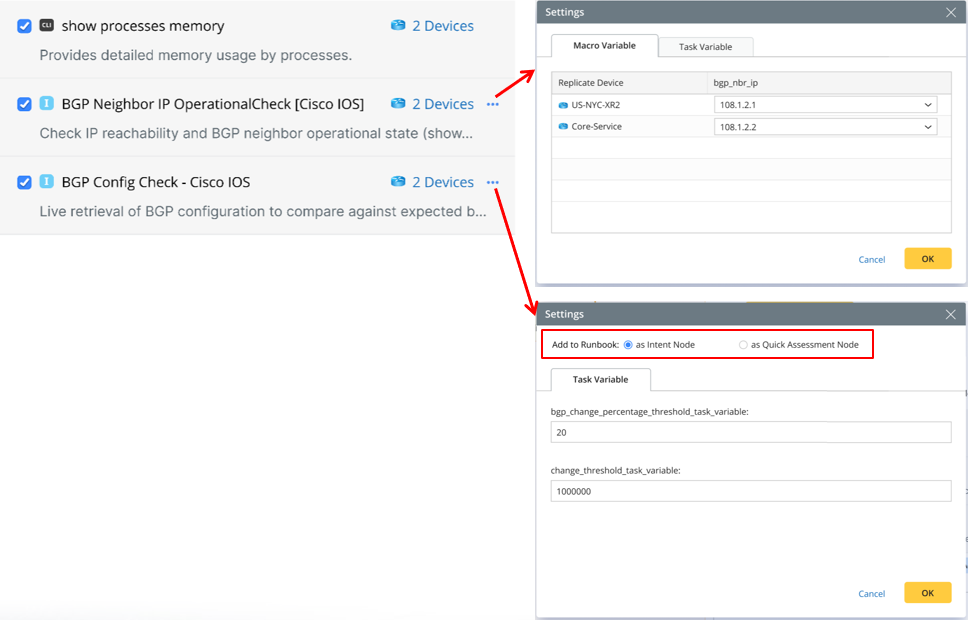
- For Intent Template/Published Intent, if there are macro variables/task variables defined, their values can be set by AI, also can be edited manually before adding to runbook.
- For Golden Intent/ADT Intent, they can be added to runbook as a Quick Assessment node with a different UI view from Intent node. If there are task variables defined, their values can be set by AI, also can be edited manually before adding to runbook.
Selecting as Quick Assessment Node automatically creates a Quick Assessment node in the runbook using the applicable devices as base devices and the same intent type.
|
|
Note: If a Quick Assessment node is included in an RBT, it is automatically added as a Quick Assessment node when the recommended RBTs are added to the runbook. |
Special Configuration for RBT
The Runbook Companion can recommend specific RBTs to help resolve network issues more quickly.
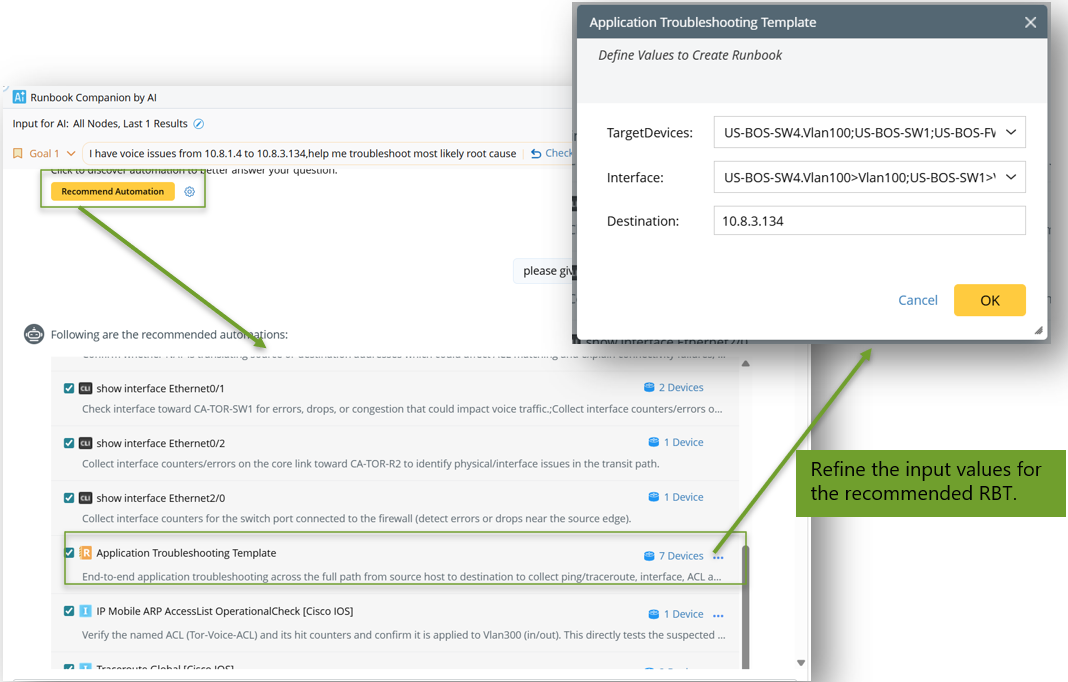
- RBTs can include node types—such as Compare, Document, and DVT nodes, which the Companion cannot recommend—to build a more comprehensive troubleshooting flow.
- RBTs also enable knowledge transfer, leveraging predefined checks to quickly resolve previously encountered similar issues (e.g., Voice Issue checks for QoS drops).