Specify Automations for AI Recommendation
If you want the Runbook Companion to recommend specific automations—such as NIT, ADT Intent, RBT, or Golden Config—first add them to the automation manager in AI Settings > Deep Diagnosis. This Manager is shared between Deep Diagnosis and Runbook Companion.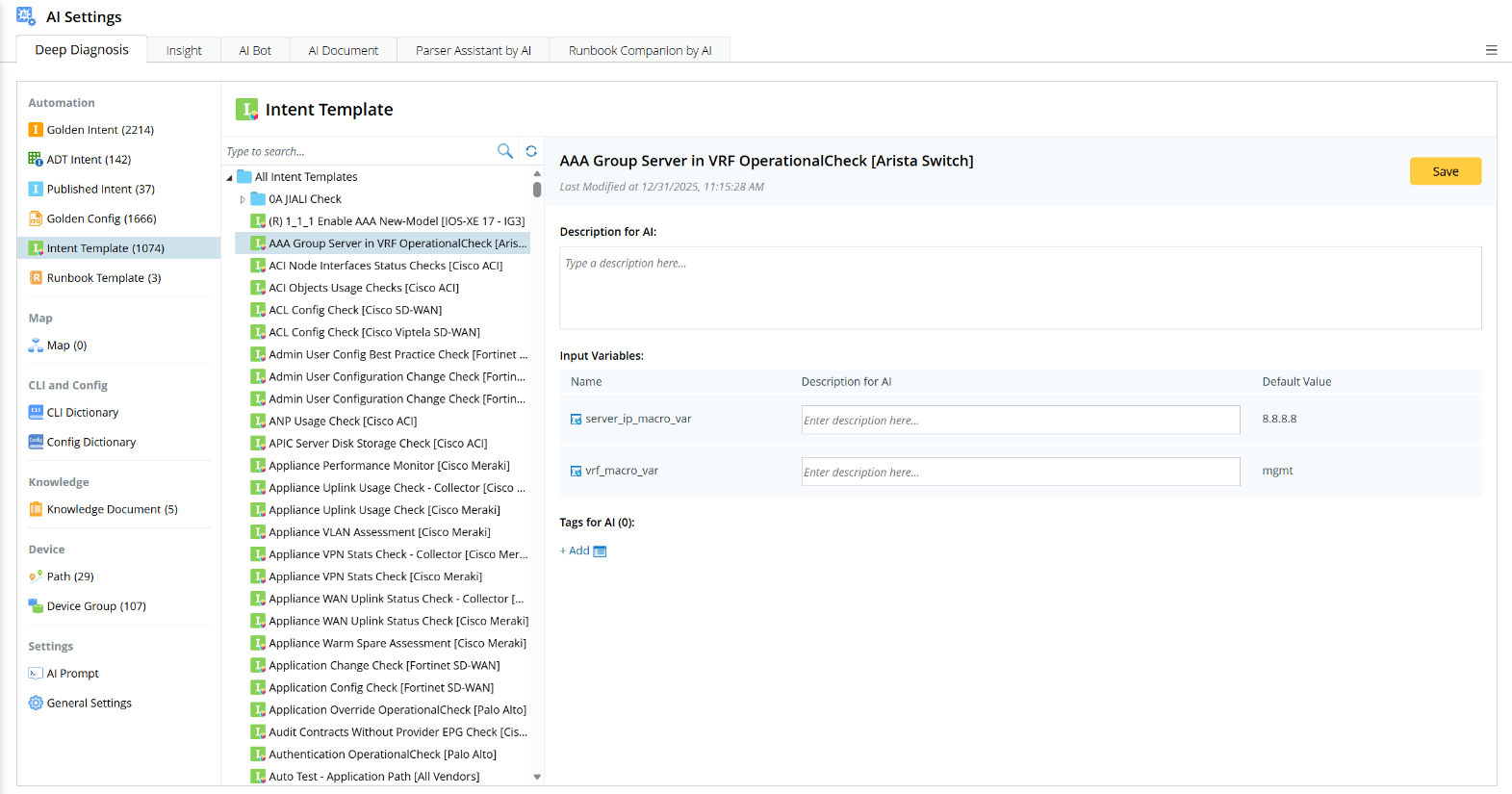
Match Logic Detail
The AI recommends the most suitable automation by analyzing both the user’s question and the specific information for each automation type. The information provided for different automation types is structured as follows:
| Automation Type | Automation Metrics in AI Settings Sent to AI | Automation Metrics in AI Settings Sent to AI |
|---|---|---|
| CLI | No Metrics | The AI recommends commands based on user input, in accordance with the rules set in the Advanced Settings on the System Management page.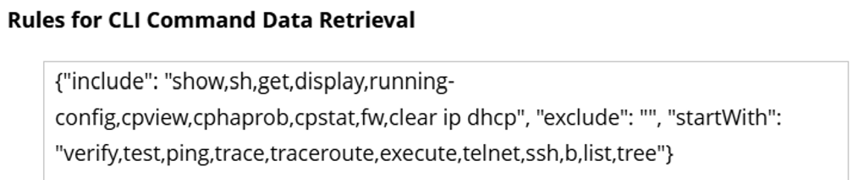 |
| Intent | #1. For Golden Intent/ADT Intent/Published Intent: √ Description for AI √ Task Variable √ Tags for AI #2. For NIT: √ Description for AI √ Macro Variables and Task Variables √ Tags for AI | √ NI name/description √ Device and Command Section √ Diagnosis Name/Description √ Status Code and Diagnosis Messages √ Variables Summary Text |
| Runbook Template (RBT) | √ Description for AI √ Template Variables √ Tags for AI | √ Runbook template name/description √ Node name/description |
| Golden Config | √ Description for AI √ Tags for AI | √ Device name √ Instance names √ Rule name √ Golden Configlet √ Verify result message |