TAF Remediation Use Case
The first use case focuses on a change task that requires manual approval, while the second focuses on a pre-approved change task.
- Use Case 1: WAN Link Auto Optimization
- Use Case 2: Automates the fix for a host-unreachable issue caused by an error-disabled interface
Use Case 1: WAN Link Auto Optimization
A network path uses the WAN router US-BOS-R2, and it has a backup path through US-BOS-R1. When a high interface utilization is detected on US-BOS-R2, an engineer needs to fail over some traffic to the backup circuit. 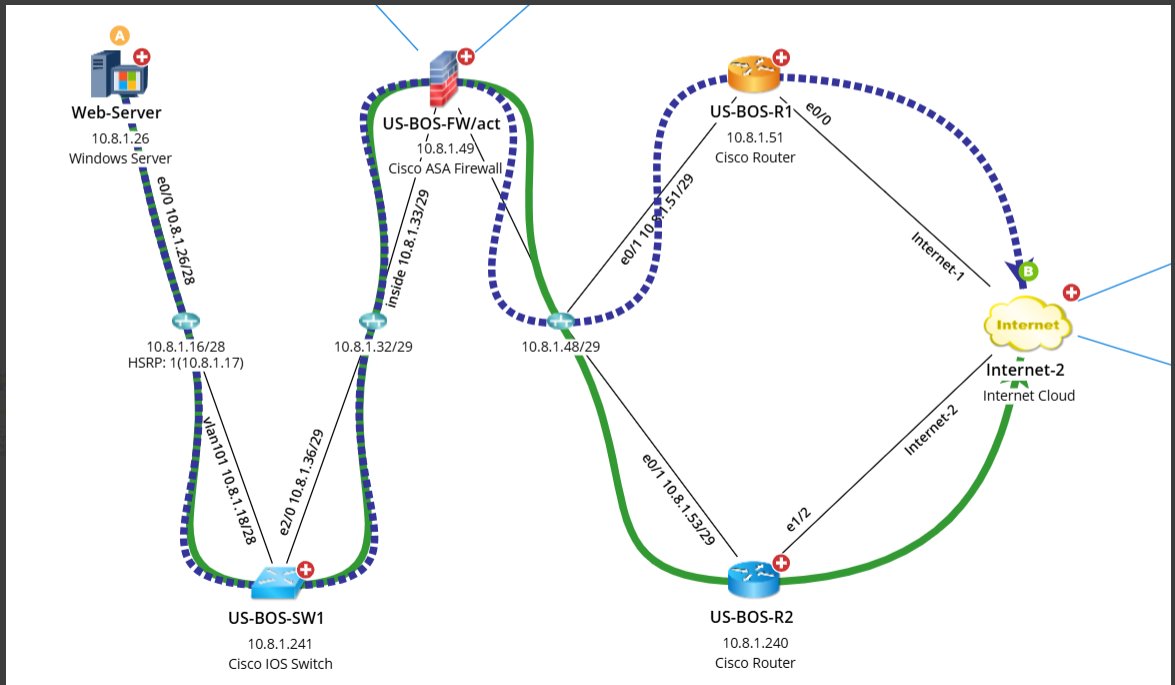
To automate this issue, the engineer first needs to configure a triggered automation remediation (See User TAF Remediation on configuration details.) After the configuration, the engineer can resolve the incident with just a few clicks.
- Receives a NetBrain incident 10031M with a change task WAN Link Traffic Optimization 20251114032414PM automatically created for it. The engineer can access the change runbook either from NetBrain Incident or from ServiceNow by clicking the change task WAN Link Traffic Optimization 20251114032414PM.
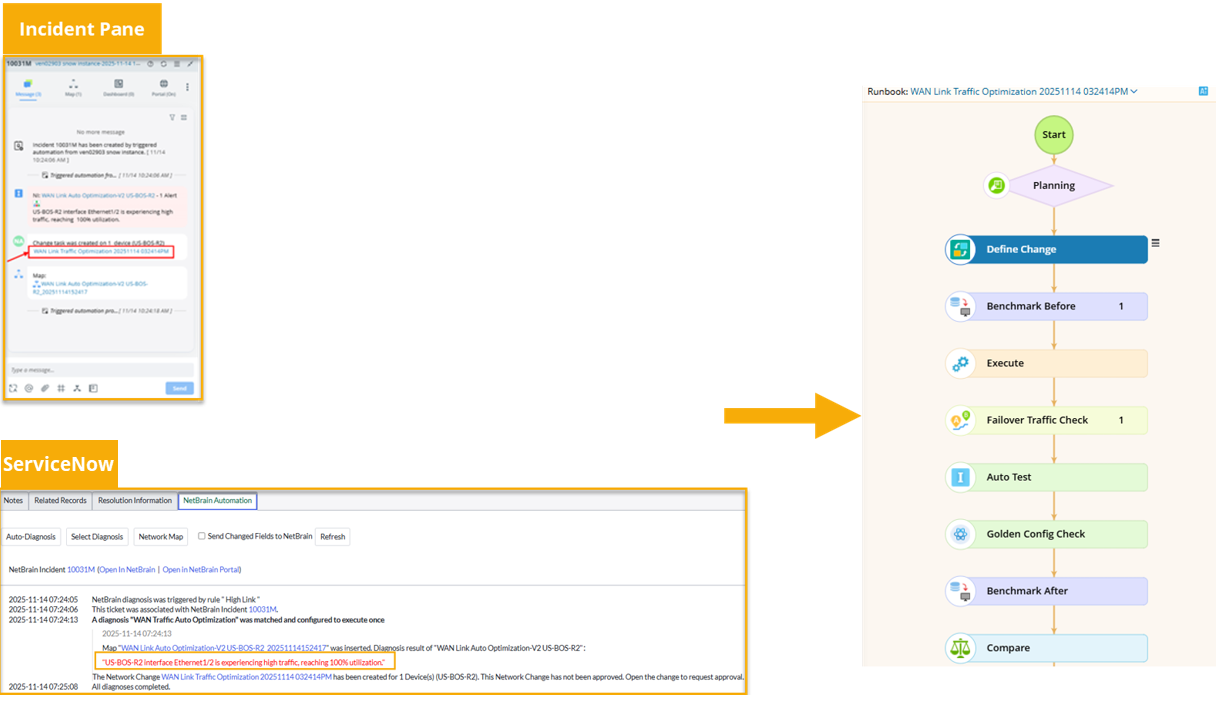
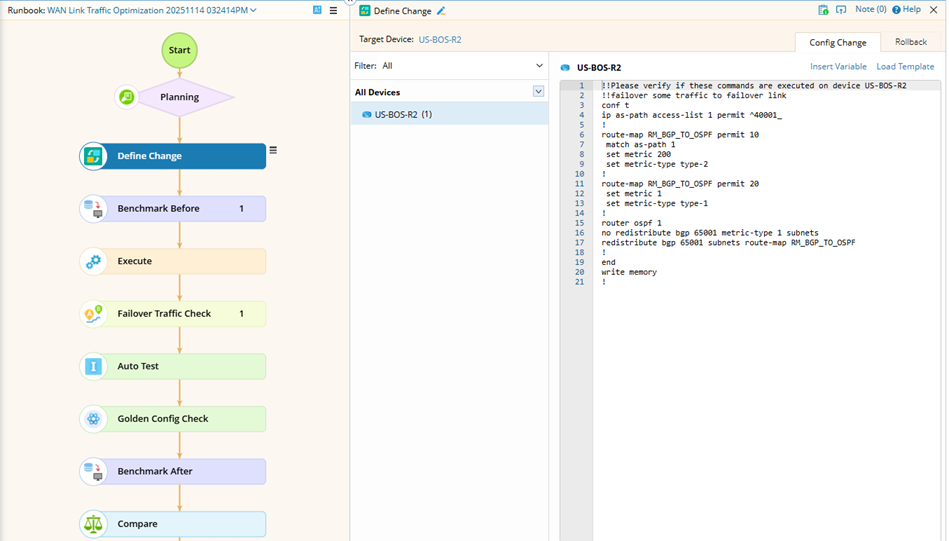
- In the Change Runbook, view the Define Change node and the current path:
- The engineer can request approval to implement the change.
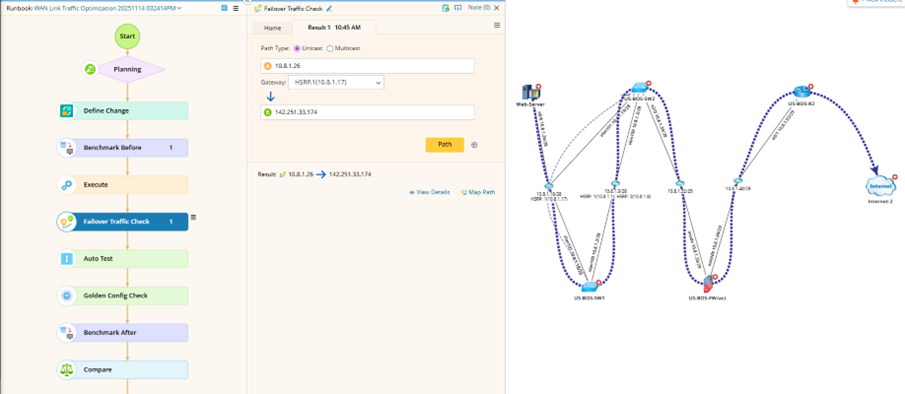
After the change request is manually approved and the change is pushed, engineers recalculate the path in the Failover Traffic Check node and verify if the failover path is now active. 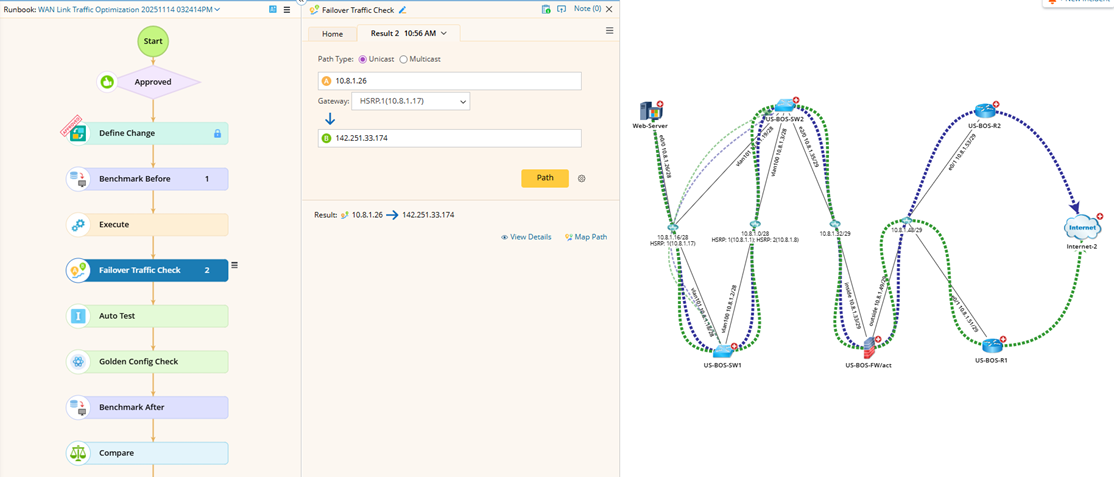
Moreover, once the change task is completed and documented, their colleagues can access it directly at any time via the Network Change link within the ServiceNow ticket.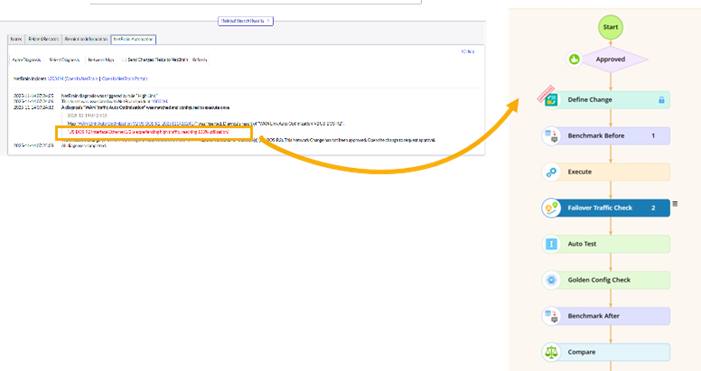
Use Case 2: Automates the fix for a host-unreachable issue caused by an error-disabled interface
When a well-known network issue happens frequently and an engineer wants to skip the manually requested approval for remediation (network change), he can configure a pre-approved remediation for the relevant devices.
An unreachable host has been diagnosed for a potentially error-disabled interface. The engineer wants to remediate this issue with a pre-approval procedure.
To automate this issue, the engineer first needs to configure a pre-approved automation remediation (See Use TAF Remediation for more details). After the configuration, the engineer can resolve the incident without requesting approval.
- After receiving an incident from ServiceNow or NetBrain Incident Pane, navigate to the change runbook by clicking the incident. Next, they will see the change runbook has already been approved.
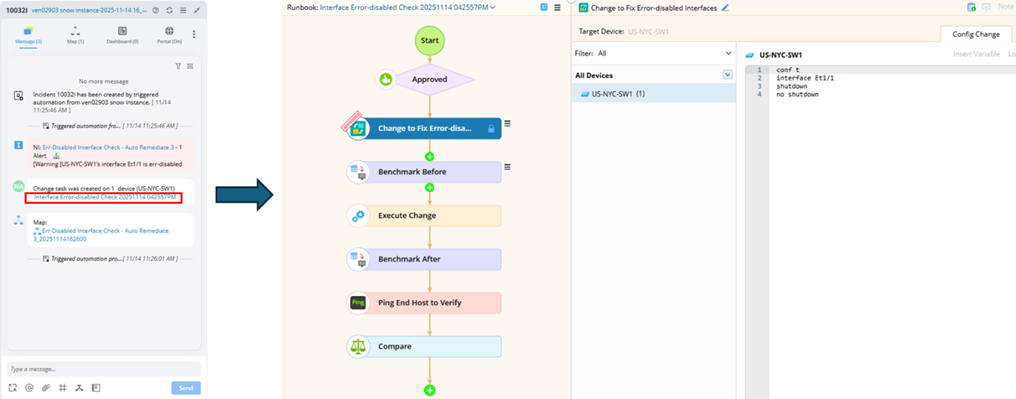
- The change node has been pre-defined with the relevant devices (device scope). Engineers can execute the change to re-enable the interface with the pre-defined device scope (US-NYG-SW1 in one of the devices) without requesting approval.