R12.3-2026Apr21
Verify Cisco CX Data in ADT
Follow the steps to verify Cisco CX Data in ADT:
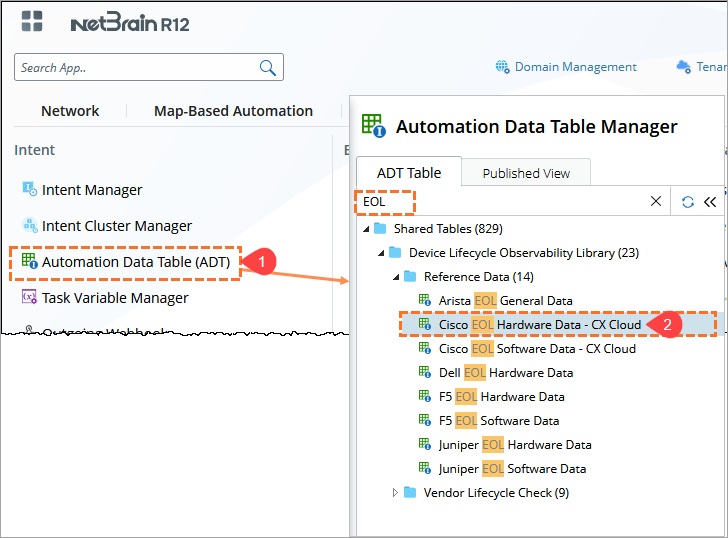
- In the NetBrain Desktop, click the Main Menu
 , and select Automation Data Table.
 - In the search bar, enter EOL, locate and select: Cisco EOL Hardware Data - CX Cloud.
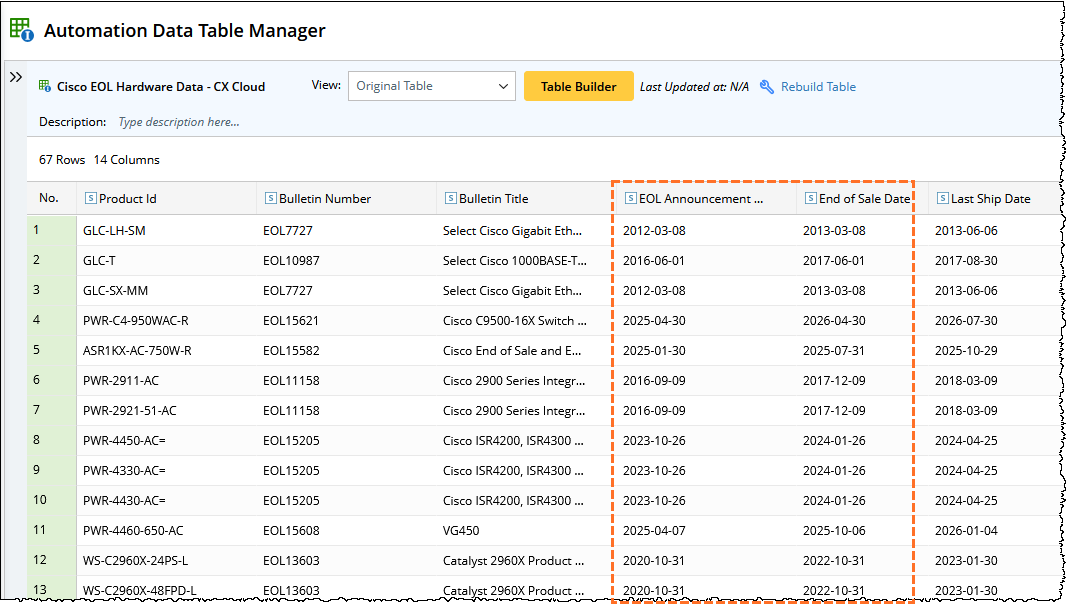
- Verify the retrieved data:
- Open the table and review the populated records.
- Confirm that fields such as Product Id and EOL/EOX details are populated.
Troubleshooting
- No data in ADT
- Ensure API connection test was successful
- Re-run the plugin
- Plugin execution fails
- Verify API credentials and endpoint
- Check network connectivity from the Front Server