Define Role
In this node, you will select a subset of devices from those discovered through the current feature. These devices will be assigned different roles, allowing you to define unique command diagnostics for each role within the Golden Intent. This process ensures that device roles are assigned accurately based on the specific characteristics detected in the Feature Instances.
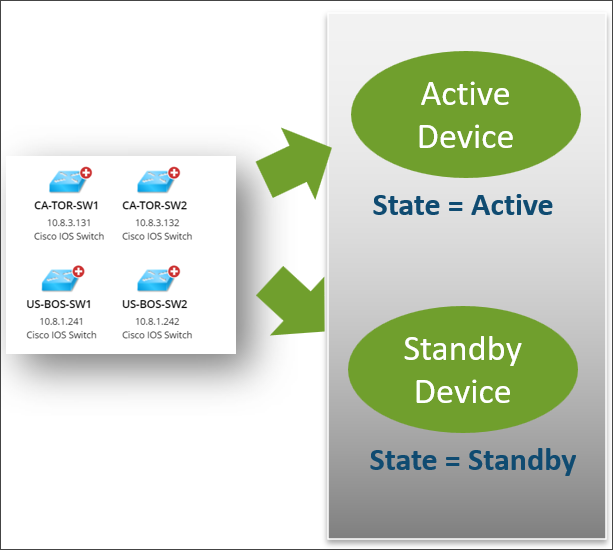
You can add active device row and standby device row.
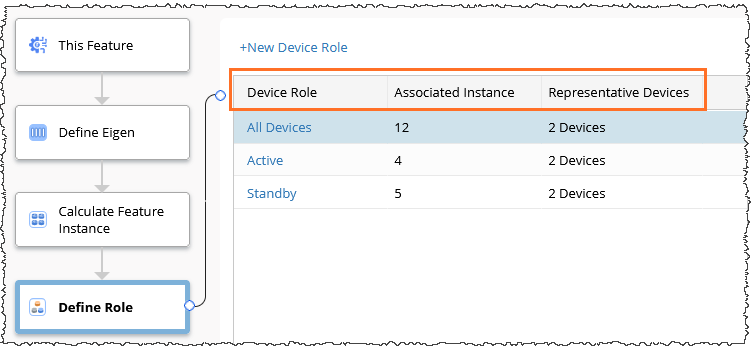
The Role table row column structure is like:
- Device Role Column: Displays the role name.
- Associated Instance Column: Displays how many Feature instances belong to this Role. Click the instance number to view the associated instances.
- Representative Device Column: Displays how many representative devices are associated with this role.

Note: By default, the All Devices Role is displayed, which includes all the Devices associated with Feature Instances calculated in Node 3.
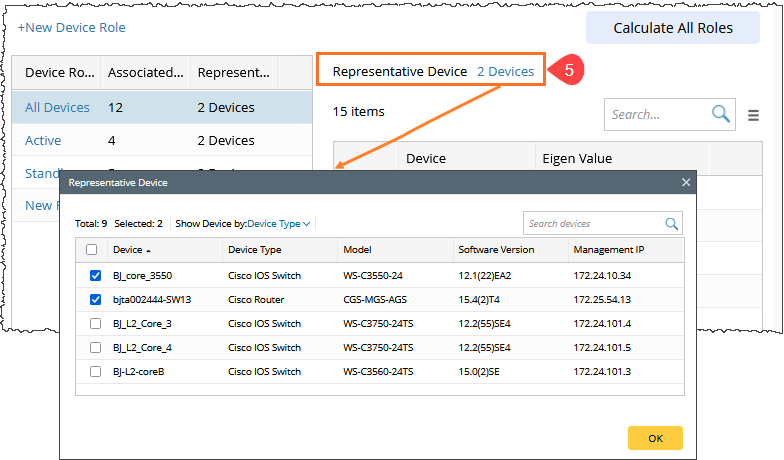
The All Device Role is always listed at the top and cannot be modified or deleted. The system automatically selects the first device in each Device Type as the Representative Device
Add New Role
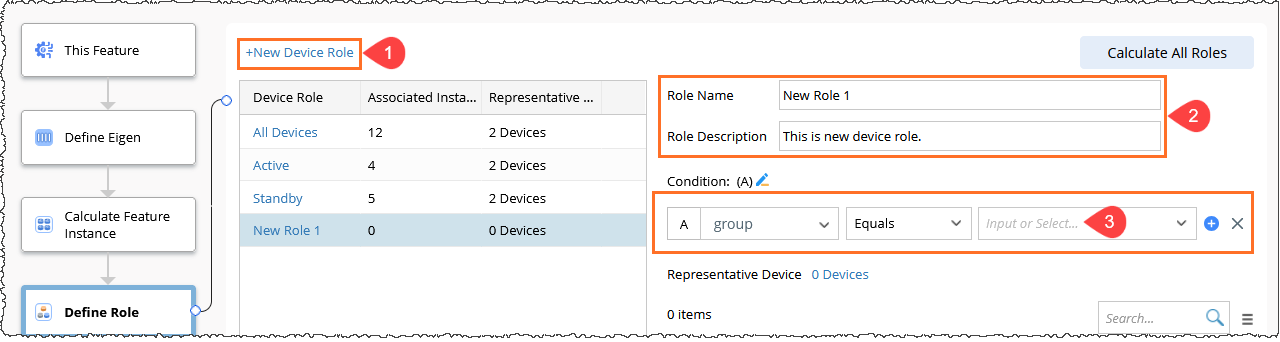
To add a new device role, follow these steps.
-
Click the +New Device Role link.
-
Enter the Role Name and Role Description in their respective text fields.
- Define the Role Condition using the unified UI component.
The new Role will be added to the Device Role column.
-
Select different Device Roles to see the corresponding definition and feature instance calculation results. The selected role will be displayed on the right side.
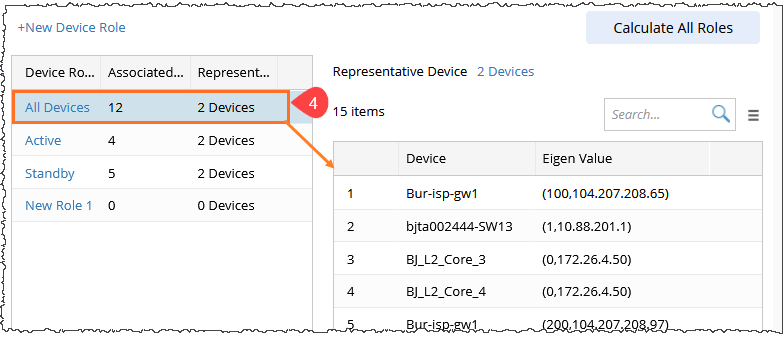
- Click the Representative Device number to see the specific Representative devices. By default, the first device in each Device Type is selected.
Calculate All Roles
This will recalculate the associations between all roles and feature instances, using the instance results from Calculate Feature Instance node.
- Click Calculate All Roles to initiate the recalculation process.
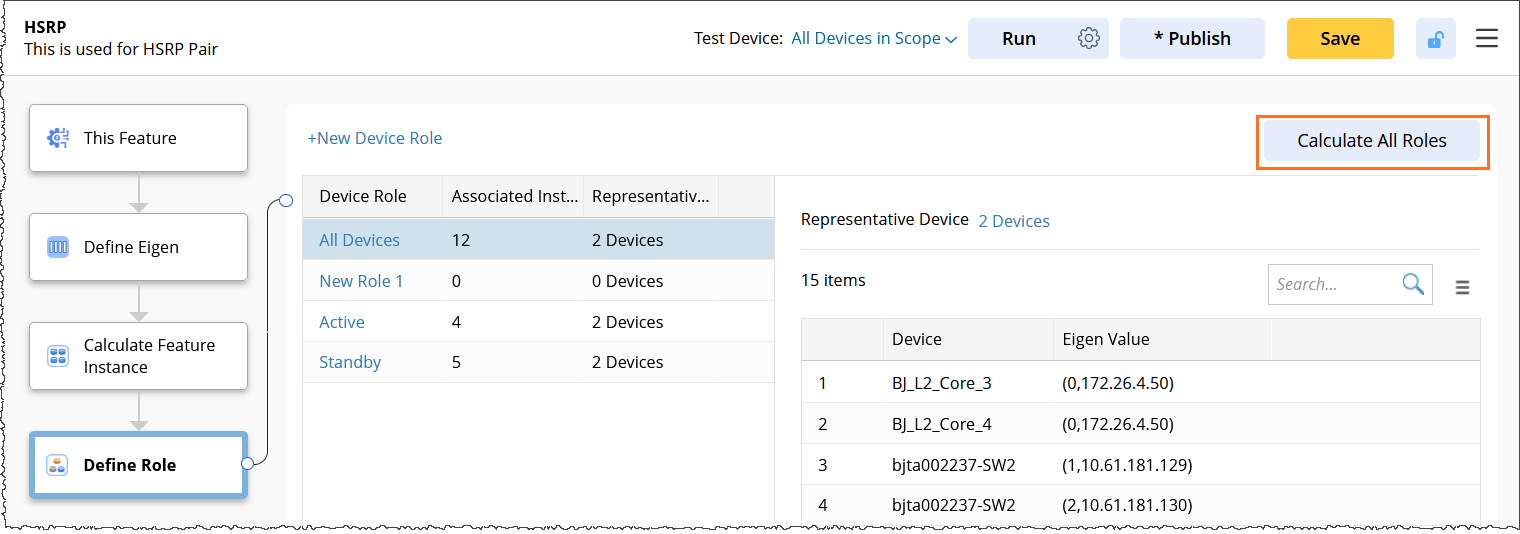
Note: When you modify the role definition, a star (*) symbol appears on the Calculate All Roles button as a reminder to recalculate the Roles. Click the button to recalculate, and the star will disappear.