Test via Deep Diagnosis
In TAF with Deep Diagnosis, third-party tickets can trigger Deep Diagnosis when no incident type is matched. TAF first summarizes the network issue before sending it to Deep Diagnosis.
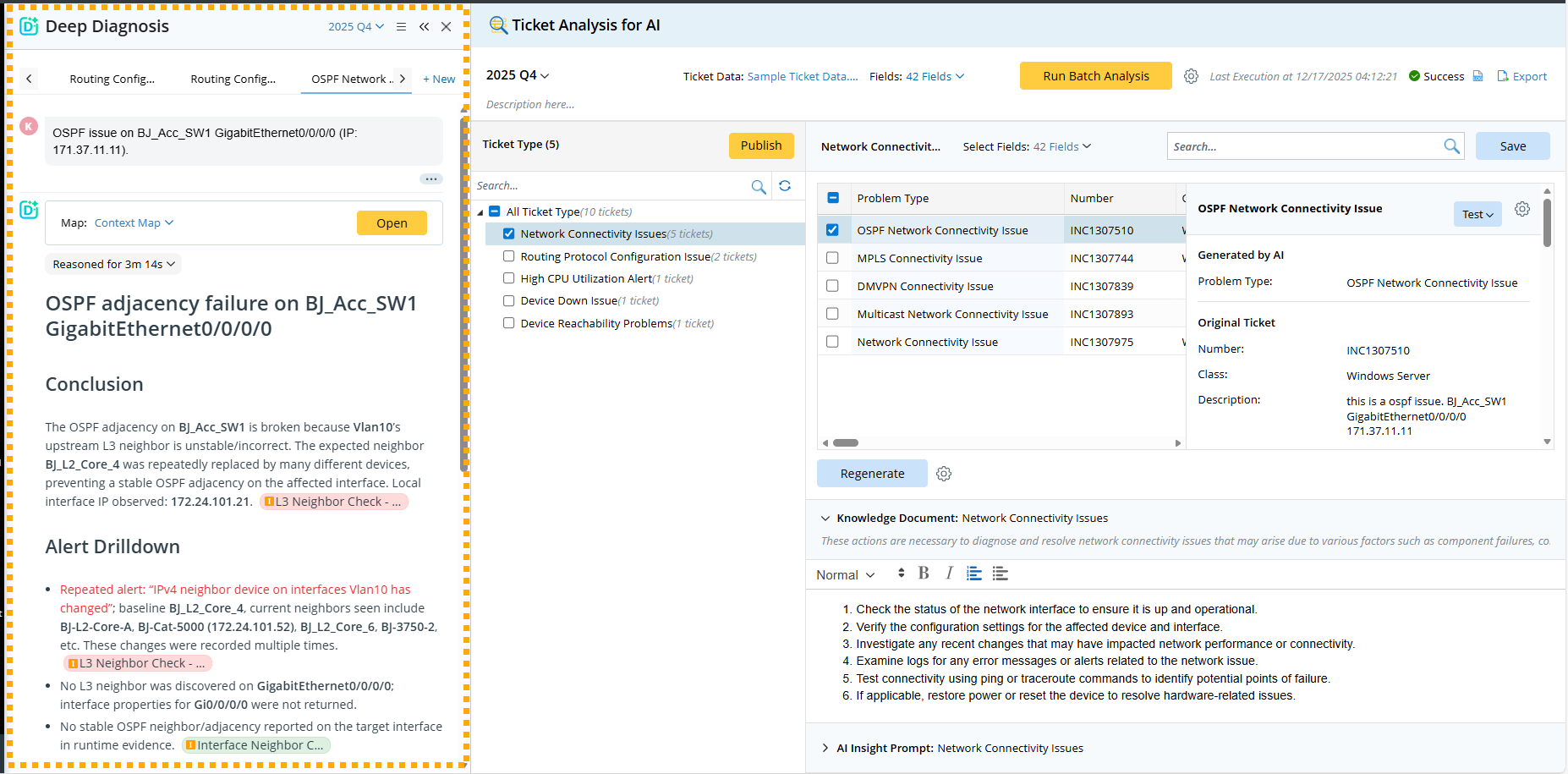
In the Test via Deep Diagnosis flow, the system bypasses the TAF deployment to simulate the triggered automation flow. Ticket Analysis sends the ticket data to Deep Diagnosis, where AI analyzes and summarizes the network issue using ticket data, and runs Deep Diagnosis to identify the root cause.
- They do not need to build a TAF environment. Users can simulate a ticket coming in to see how the triggered Deep Diagnosis helps troubleshoot the issue, find the root cause, and return the findings to the 3rd party system.
- They can verify the accuracy of existing automations, refine the automation logic, and add new automations to make the automated troubleshooting more comprehensive and effective.
- They can refine the Knowledge Document for Deep Diagnosis to use as a troubleshooting reference.
User Flow
In Ticket Analysis for AI, after the tickets are analyzed and classified:
- Select a ticket type.
- Select a problem type that is the ticket to test.
- (Optional) Select the ticket fields.
- Click Test via Deep Diagnosis.

The Deep Diagnosis pane pops up and starts the process:
- The system sends the selected ticket and fields (e.g., ticket description, configuration_item, priority, category, etc.) to Deep Diagnosis, and transforms the ticket data to a network issue question.
- Deep Diagnosis uses the above data to analyze the root cause.
If users want Deep Diagnosis to make use of the company’s existing troubleshooting knowledge and steps, they can provide a knowledge document as a reference for AI. To measure how well the knowledge document works, users can select to send the knowledge document as a troubleshooting guide to Deep Diagnosis.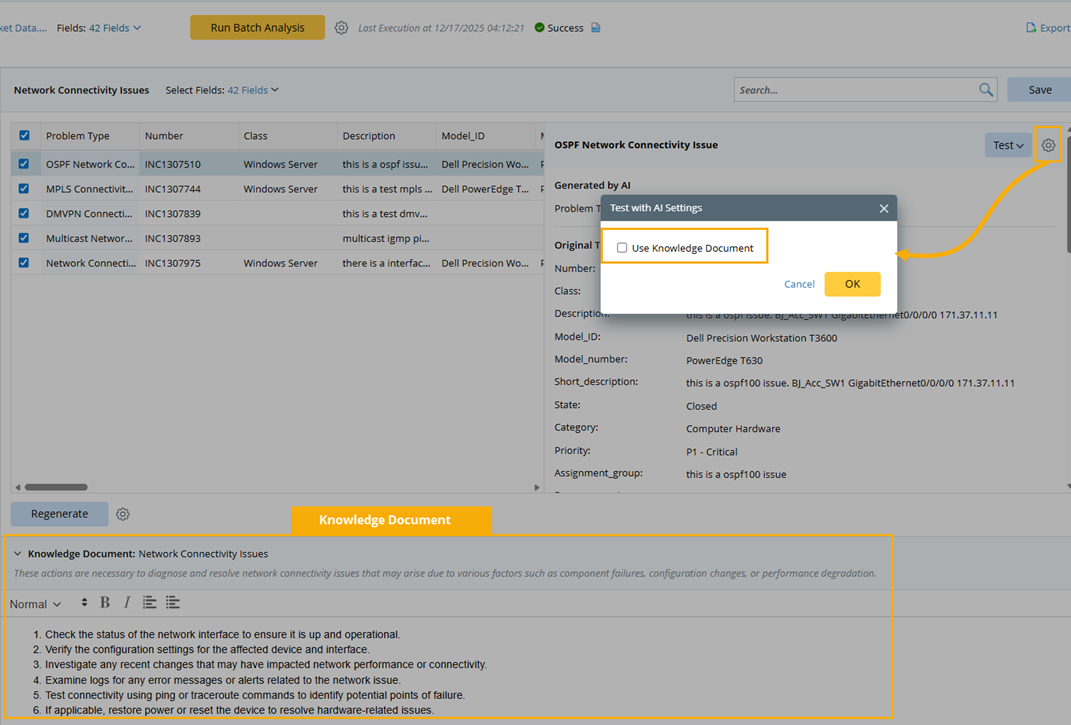
See also: