R12.3-2026Apr21
CVE Automation Resources
After upgrading to framework patch 12.3.0.3 and KC resources 12.3/v0.5, the resource package will be available in Intent Based Automation Center > NetBrain Download.
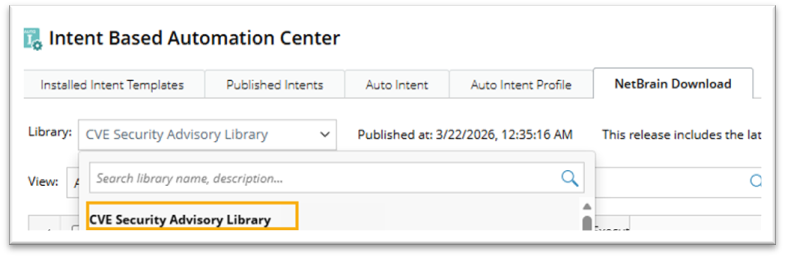
See Configure Plugin to Auto-update Automation Resources for details on how to configure and run the plugin, so the automation resources can be automatically updated.
The following automation resources are provided:
- Network Intent Template. The network intent template includes diagnosis messages and diagnosis status.
- Automation Data Table. There are three types of ADT (Automation Data Tables) folders. Some ADTs are built-in templates maintained by NetBrain. While others can be maintained by users to ensure accuracy and relevance to the user’s domain and devices.
- Intent Dashboard. Displays the summarized results of CVE-related network intent.
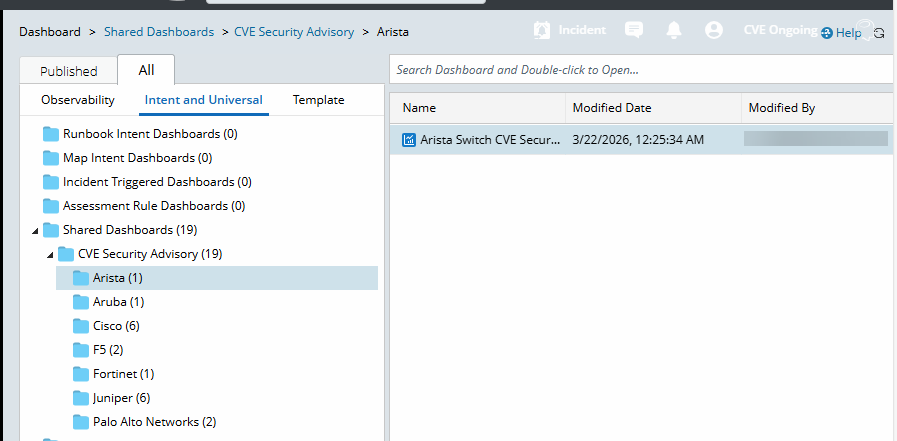
- Observability Dashboard. Two types of Observability Dashboards are available. One is device-type-specific, providing an overview of results related to a particular device type, for example, the Arista CVE Security Advisory Intent Dashboard shows Arista-related results. The other is the CVE Security Advisory Dashboard, which provides a network-wide view of CVE-related intent results, continuously monitoring and detecting network weaknesses.
- CVE Advisory Report. A report is generated each time the plugin is executed. The report is named based on the execution time, and it allows users to view historical reports.

|
Note: Users need to discover and benchmark the network before executing CVE checks. Refer to Discover and Benchmark Network. |